Zoom Phone Auto receptionist route to Zoom contact center | Community
Skip to main content
Partner
May 22, 2025
Solved

Zoom Phone Auto receptionist route to Zoom contact center

  • May 22, 2025
  • 2 replies
  • 0 views

Can i route auto receptionist to Zoom contact center without a phone number assigned ?

Also can i assign an extension to an IVR without any phone number .


Can someone guide me through this topic. Your help is highly appreciated. 
Best answer by LK_EXN

Hi.

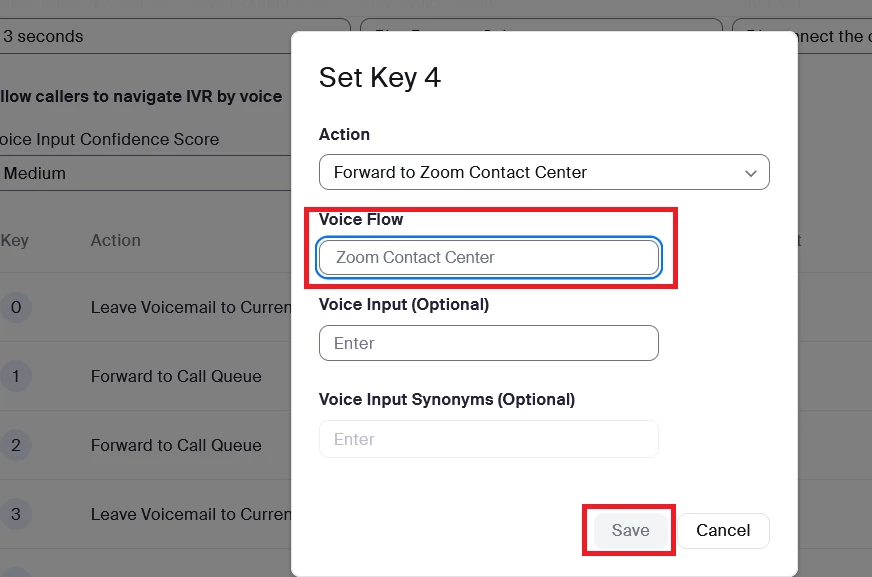
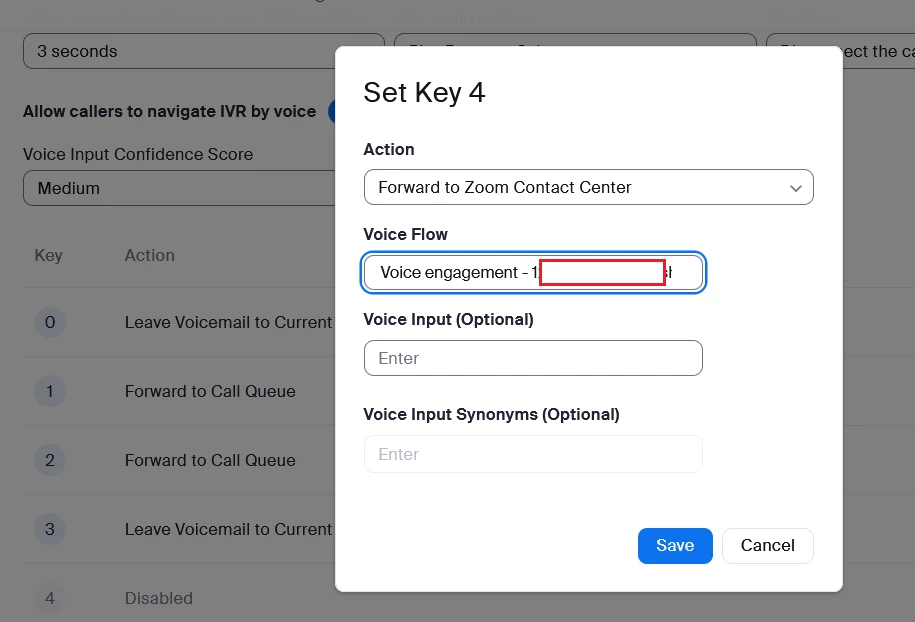
1. No, you cannot do that. To configure a forward action to Zoom Contact Center, you have to select a Flow. If Flow does not have an external phone number assigned, then it's not visible in IVR configuration and you cannot save that setting.


2. Yes, you can have IVR (Auto Receptionist) extension without assigning any real number. I think that it should even have some number assigned by default to Main Auto Receptionist, but I don't remember that for sure 😅


2 replies

LK_EXNAnswer
Community Champion | Partner
May 22, 2025

Hi.

1. No, you cannot do that. To configure a forward action to Zoom Contact Center, you have to select a Flow. If Flow does not have an external phone number assigned, then it's not visible in IVR configuration and you cannot save that setting.


2. Yes, you can have IVR (Auto Receptionist) extension without assigning any real number. I think that it should even have some number assigned by default to Main Auto Receptionist, but I don't remember that for sure 😅


M_AmeenAuthor
Partner
June 29, 2025

Thanks for the reply. Much Appreciated.

So how can you dial an IVR internally ?


Community Champion | Partner
June 30, 2025

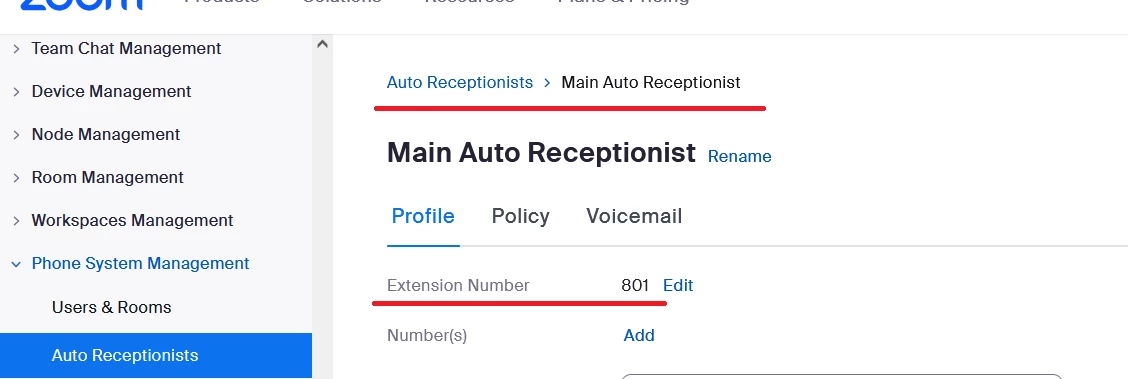
As you can see on screenshot Auto Receptionist can have an internal number (extension), so you can dial it just like any other user.
In that example user just has to switch to Zoom Phone tab, dial 801 and that's it. He/she will hear a prompt assigned to IVR.

M_AmeenAuthor
Partner
June 30, 2025

How can you forward it to ZCC Voice flow without an entry point. Any Idea ?


Community Champion | Partner
June 30, 2025

As far as I know there is no way  to achieve that right now.
You could leave a feedback to Zoom team and mention such feature:
https://support.zoom.com/hc/en/article?id=zm_kb&sysparm_article=KB0068808