hi new2zoomphones,
i think you should update the time zones for users that are incorrect. i believe that this is the best fix.
that said, here is information on using desk phone template to set time zone for poly desk phones.
Change gmtOffset on a poly phone. (Note that different desk phone manufacturers have different wording.)
- Create desk phone template
gmtOffsetgmtOffset,Rename
set gmtOffset to U.S. Eastern GMT - 5 (3600 seconds * -5)
Template
Visit Support Documentopens in new tab for more guidance
1
tcpIpApp.sntp.gmtOffset="-18000"
2. Apply the template to one or more poly desk phones. Suggest that you try the template on one phone first.
Goto admin->phone system management->phones & devices-> select the desk phone(s) and bind whatever template you want to use.
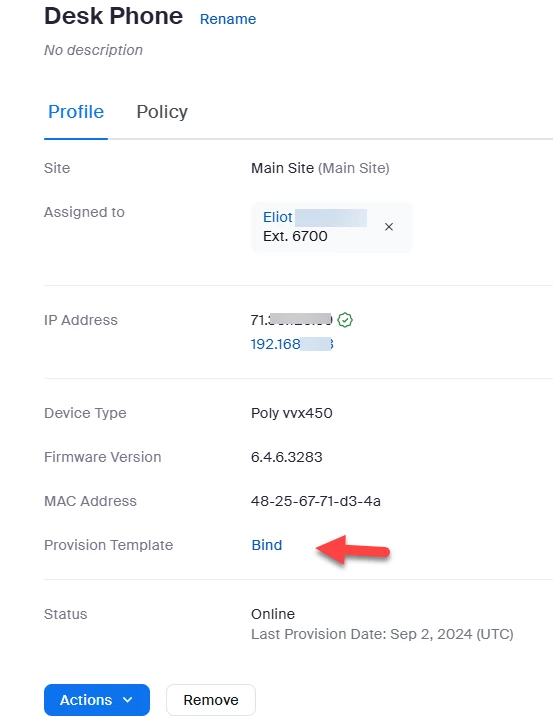
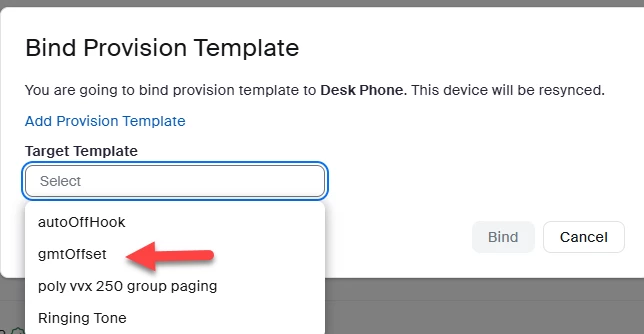
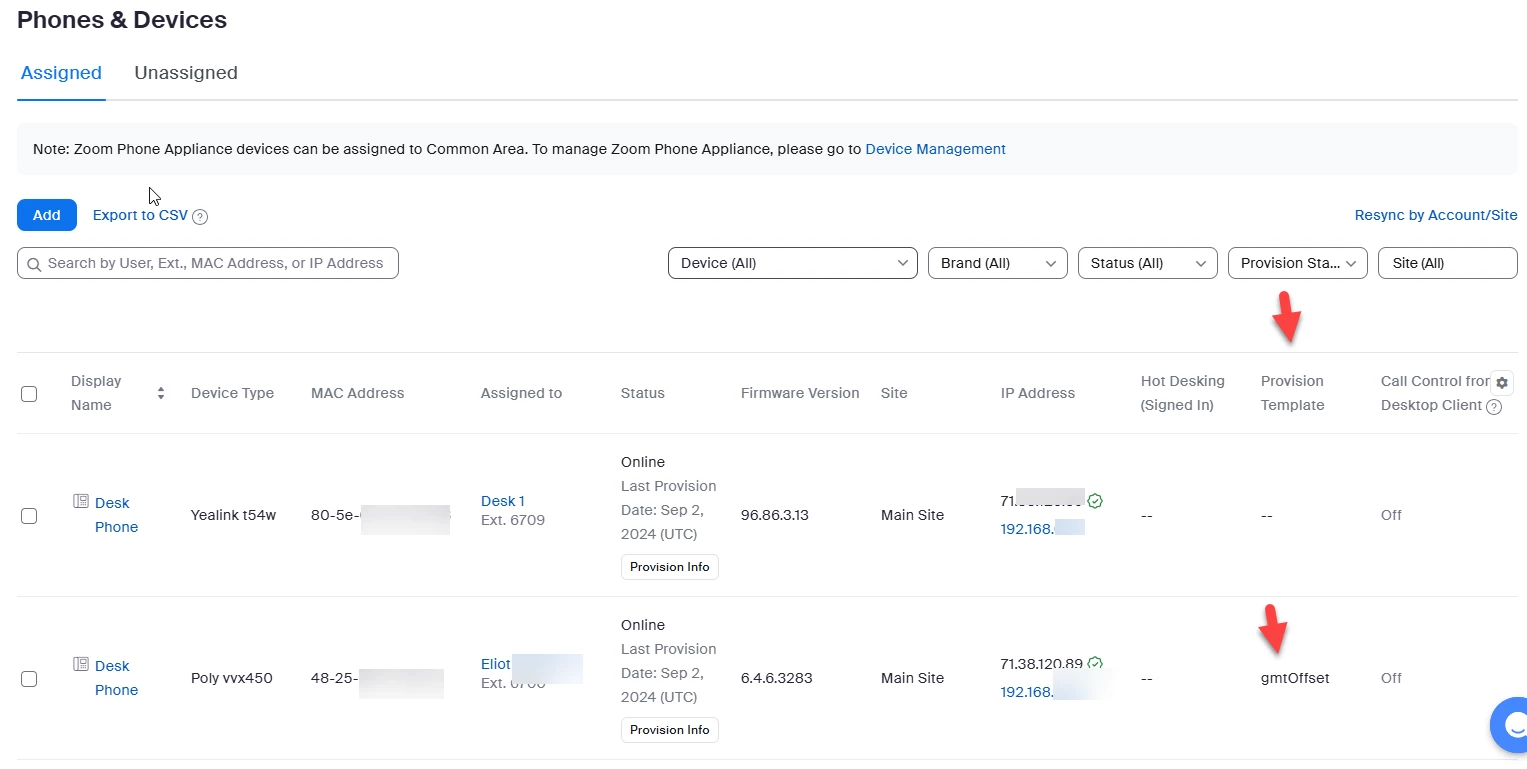
After binding the template to the phone(s), the poly phone(s) will reboot and the time will be gmt -5 hours.
Did my response answer your question? If so, please don't forget to mark the reply as an accepted solution.
thanks, eliot

