

Converting Yealink Team Phones to Zoom PHone
with repect to Yealink MP56 desk phones, Yealink support article describes how to convert a Teams edition to a Zoom edition.
i do not have any personal experience converting mp56 e2 from teams edition to zoom edition.
i think it is possible. according to yealink:
"The phone cannot be used as both Teams and Zoom phones simultaneously. This is the strategy of Microsoft and Zoom.
There is no license requirement for converting Teams and Zoom versions. You can directly upgrade the device firmware to the desired version."
please see yealink support article Convert between Teams and Zoom Versions.
Log in to the phone web user interface as an admin.
Go to Settings > Upgrade > Upgrade Firmware > Browse.
Select the latest firmware for Zoom and click Upload.
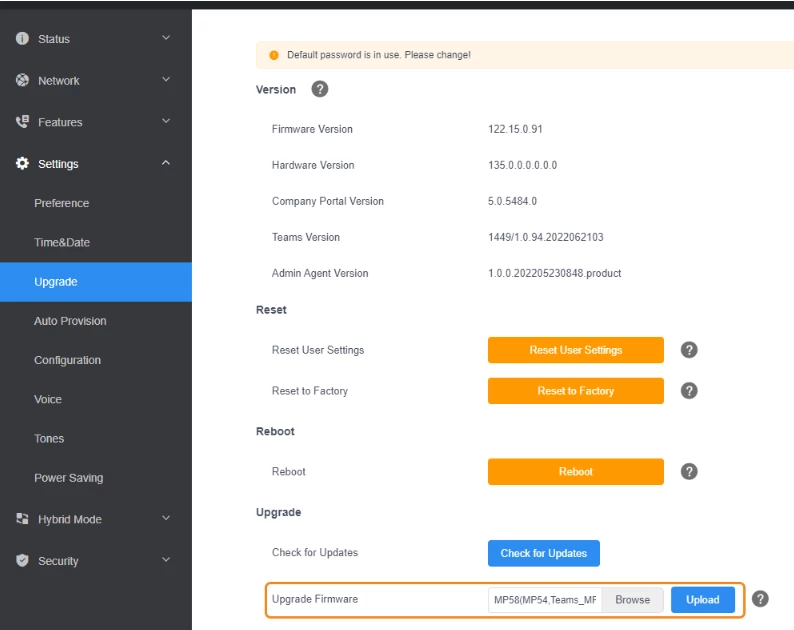
it appears to me that you do an Upgrade Firmware located at the bottom of the screen and browse to select the current zoom firmware version.
thanks, eliot