Zoomtopia is here. Unlock the transformative power of generative AI, helping you connect, collaborate, and Work Happy with AI Companion.
Register nowEmpowering you to increase productivity, improve team effectiveness, and enhance skills.
Learn moreKeep your Zoom app up to date to access the latest features.
Download Center Download the Zoom appDownload hi-res images and animations to elevate your next Zoom meeting.
Browse Backgrounds Zoom Virtual BackgroundsEmpowering you to increase productivity, improve team effectiveness, and enhance skills.
Zoom AI CompanionUser groups are unique spaces where community members can collaborate, network, and exchange knowledge on similar interests and expertise.
Help & Resources is your place to discover helpful Zoom support resources, browse Zoom Community how-to documentation, and stay updated on community announcements.
The Events page is your destination for upcoming webinars, platform training sessions, targeted user events, and more. Stay updated on opportunities to enhance your skills and connect with fellow Zoom users.
2022-01-21 07:28 AM
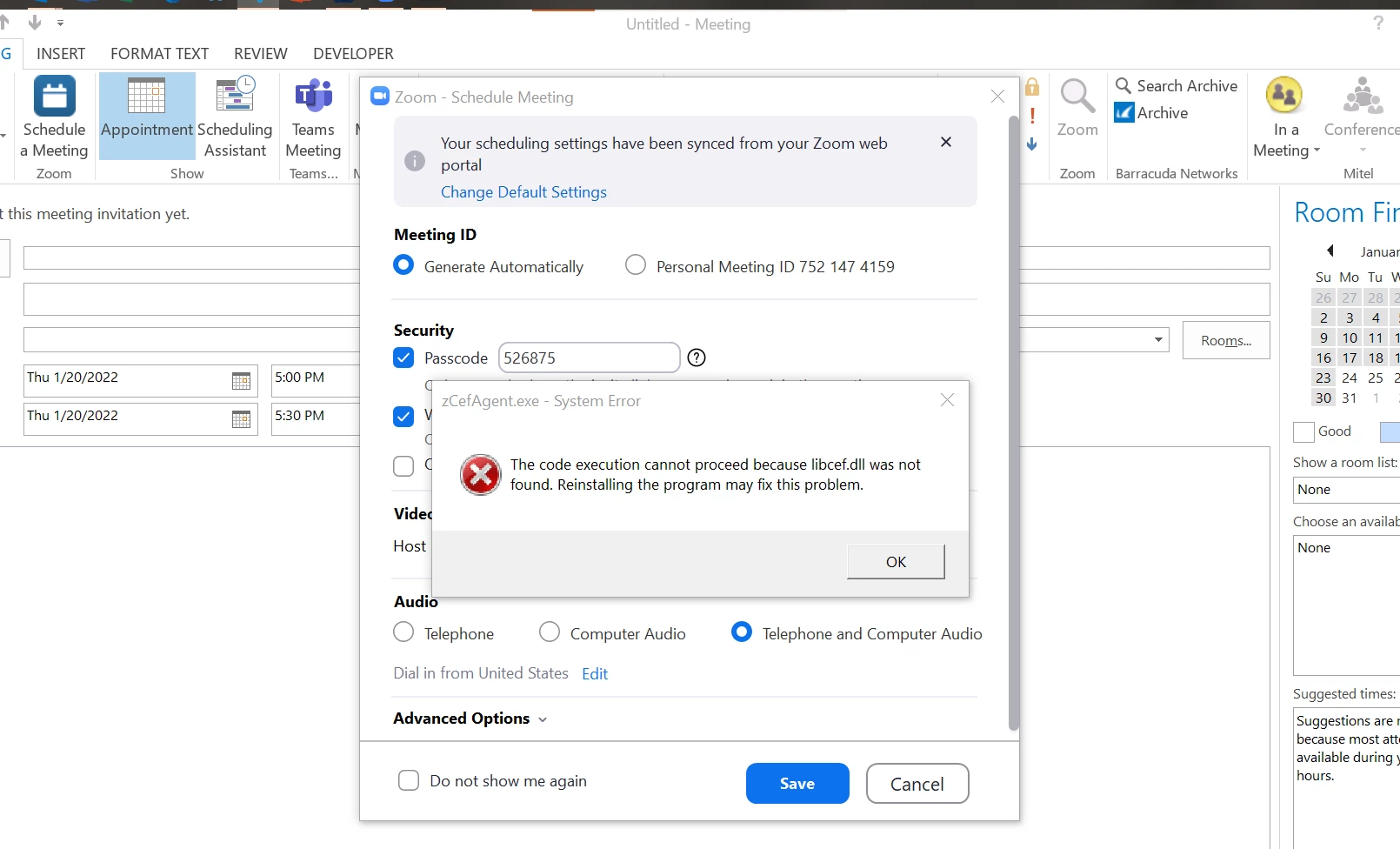
Has anyone been able to find a solution to this error that keeps popping up. I have read that you should revert back to an lder version to fix this. But did that, still pops up. Anyone have a solution?

Solved! Go to Solution.
2022-01-25 07:43 AM
Hey @JeremiahJohnes, try to install the Microsoft Edge WebView2 Runtime on the issue computer. The installation of this APP needs admin privilege. You can download the WebView2 Runtime from the following link based on the OS version of the computer. https://developer.microsoft.com/en-us/microsoft-edge/webview2/
If the above does not work and if you don't need the feature of Zoom Apps, you can disable it via an admin account on the web portal. Then have the user log off and back on. Account Settings -> Zoom Apps -> Zoom Apps Quick Launch button
2022-01-25 07:43 AM
Hey @JeremiahJohnes, try to install the Microsoft Edge WebView2 Runtime on the issue computer. The installation of this APP needs admin privilege. You can download the WebView2 Runtime from the following link based on the OS version of the computer. https://developer.microsoft.com/en-us/microsoft-edge/webview2/
If the above does not work and if you don't need the feature of Zoom Apps, you can disable it via an admin account on the web portal. Then have the user log off and back on. Account Settings -> Zoom Apps -> Zoom Apps Quick Launch button
2022-02-23 08:42 AM
Hello,
Sorry for what might be an obvious question and answer. Can you go into more detail of the install process? When I download the above link: https://developer.microsoft.com/en-us/microsoft-edge/webview2/
In the download it just has the files. Do we just extract and run as admin the "msedgewebview2" application?