if you want to access Zoom in China, all you have to do is establish a VPN connection. Using a reputable VPN, like SwitchVPN, you can sign on to a server in any of the countries you choose, making it look like you are connecting to Zoom from a permitted country.
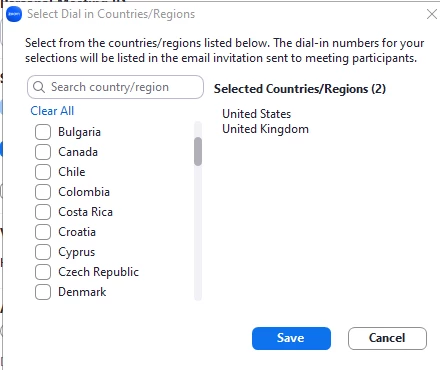
Sign in to the Zoom web portal. In the navigation panel, click Settings. Click the Audio Conferencing tab. Scroll down to the Global Dial-in Countries/Regions section, then click the Edit icon. Choose the countries that you expect to have meetings or webinar participants dial in from. Click Save.