

share a meeting recording with others without permission to download it | Community
Skip to main content
Newcomer
November 25, 2022
Solved

share a meeting recording with others without permission to download it

  • November 25, 2022
  • 2 replies
  • 1 view

Hello guys!!


I have a question: How can I share a cloud recording with others without giving them permission to download it? (just watch or listen)

I managed "share setting" and I unchecked "viewers can download".

Although, it doesn't work!..

I send the link to myself via email and it seems that the viewer has the permission to download!


Can you please help??


thanks a lot!!

Lena3
    Best answer by Ray_Harwood

    Happy to help, @lena3!


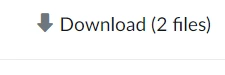
    So I'm guessing you are copying and pasting the share URL into your web browser and viewing the recording, and still seeing the Download option:

    (Assuming that you have properly unchecked the Viewers can download box:) This is because Zoom recognizes you are logged into your account, and have privileges to download the files.


    Try the URL and Passcode on another device where you are not logged in, and the Download option should no longer be visible.  If it is, and you verify that the Viewers can download option is unchecked, something else is going on -- not sure why that would happen.  I've tested it just now, and that's what I see... Download is possible when I'm logged in and the URL is entered; Download does not appear when I am not logged in.


    Let me know what you find!

    2 replies

    Ray_Harwood
    Community Super Champion | Customer
    Community Super Champion | Customer
    November 25, 2022

    Hi, @lena3,


    I always forget to make the setting "do not allow downloading", because it's not right there in front of me when sharing!


    It's an option after clicking the Share button for the session's recording:


    You'll see this (without the yellow highlighting)... and still wonder where the setting is!  


    Click the Share Settings Link and see these options:


    Uncheck the Viewers can download checkbox to disable downloading, then click the blue Save button to confirm.

    Ray_Harwood
    Community Super Champion | Customer
    Community Super Champion | Customer
    November 25, 2022

    Happy to help, @lena3!


    So I'm guessing you are copying and pasting the share URL into your web browser and viewing the recording, and still seeing the Download option:

    (Assuming that you have properly unchecked the Viewers can download box:) This is because Zoom recognizes you are logged into your account, and have privileges to download the files.


    Try the URL and Passcode on another device where you are not logged in, and the Download option should no longer be visible.  If it is, and you verify that the Viewers can download option is unchecked, something else is going on -- not sure why that would happen.  I've tested it just now, and that's what I see... Download is possible when I'm logged in and the URL is entered; Download does not appear when I am not logged in.


    Let me know what you find!

    lena3Author
    Newcomer
    November 25, 2022

    So that's the problem!! I didn't know that!!

    Thank you so much for being here for me!!!

    Thank you!!!

    lena3Author
    Newcomer
    November 25, 2022

    Firstly, Thank you so so much for answering!!


    I already did that, but it doesn't works!! That's the problem... 


    Any other idea?..