

reviewing survey questions & responses | Community
Skip to main content
Newcomer
September 28, 2022
Solved

reviewing survey questions & responses

  • September 28, 2022
  • 1 reply
  • 1 view

hi folks,

I set up a short survey for meeting participants. I found how to view and download a CSV file of survey responses under the Meetings tab (when logged into zoom.us) but I cannot see the original survey, as presented to participants, or the response choices offered for one of the items. The item at issue is a "ratings scale" question and I entered specific words to label the ratings scale. The responses are shown only as 0-1-2-3 and not related to the scale itself. I cannot see the survey now that the meeting has ended.  (the multiple choice and text answer items are fine)


How can I see this info?  and what can I do to prevent this (rather useless) form of data display for next time?


thanks much

BurrowingOwl
Best answer by Jing

Hi  BurrowingOwl


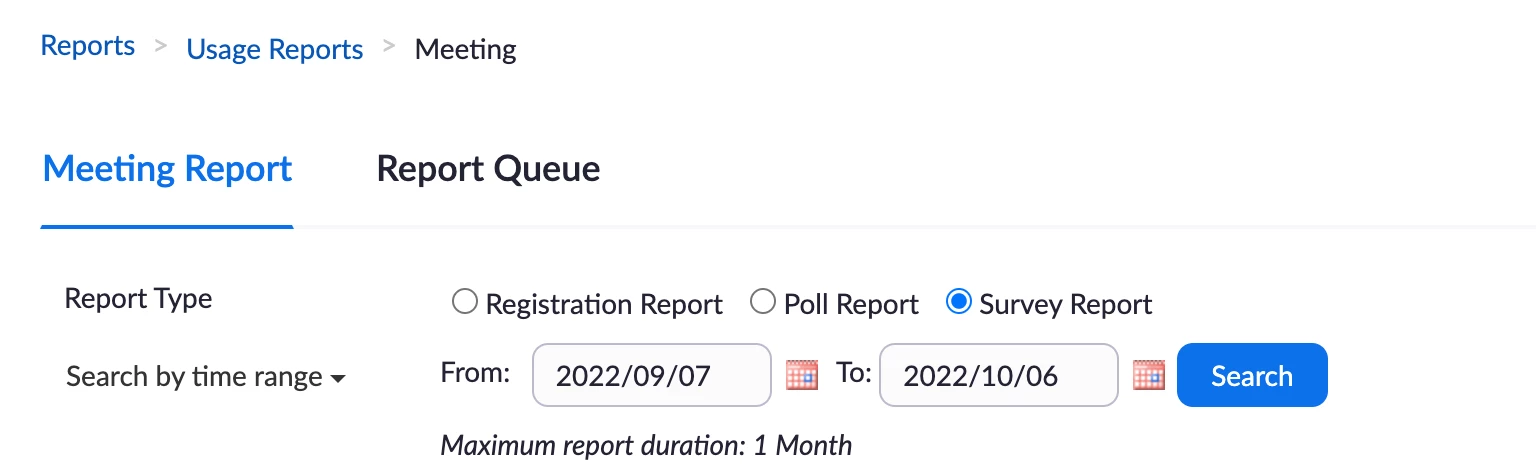
I advise you to download [survey reports] from the [Reports], if you don't have the access right,

you can ask your admin user to download it for you.

https://support.zoom.us/hc/en-us/articles/201363213-Getting-started-with-Zoom-reporting


If the result is not ideal as you want, I advise you to use the third party survey URL to set up your meeting.

Normally like the google form, it is working well as I always use it.

Can you try it first?


[Reports] example:


Thanks,

Jing


1 reply

JingAnswer
Community Champion | Employee
October 6, 2022

Hi  BurrowingOwl


I advise you to download [survey reports] from the [Reports], if you don't have the access right,

you can ask your admin user to download it for you.

https://support.zoom.us/hc/en-us/articles/201363213-Getting-started-with-Zoom-reporting


If the result is not ideal as you want, I advise you to use the third party survey URL to set up your meeting.

Normally like the google form, it is working well as I always use it.

Can you try it first?


[Reports] example:


Thanks,

Jing