

"Please log in with a commercial Zoom account to join." | Community
Skip to main content
Newcomer
August 24, 2022
Question

"Please log in with a commercial Zoom account to join."

  • August 24, 2022
  • 15 replies
  • 23 views

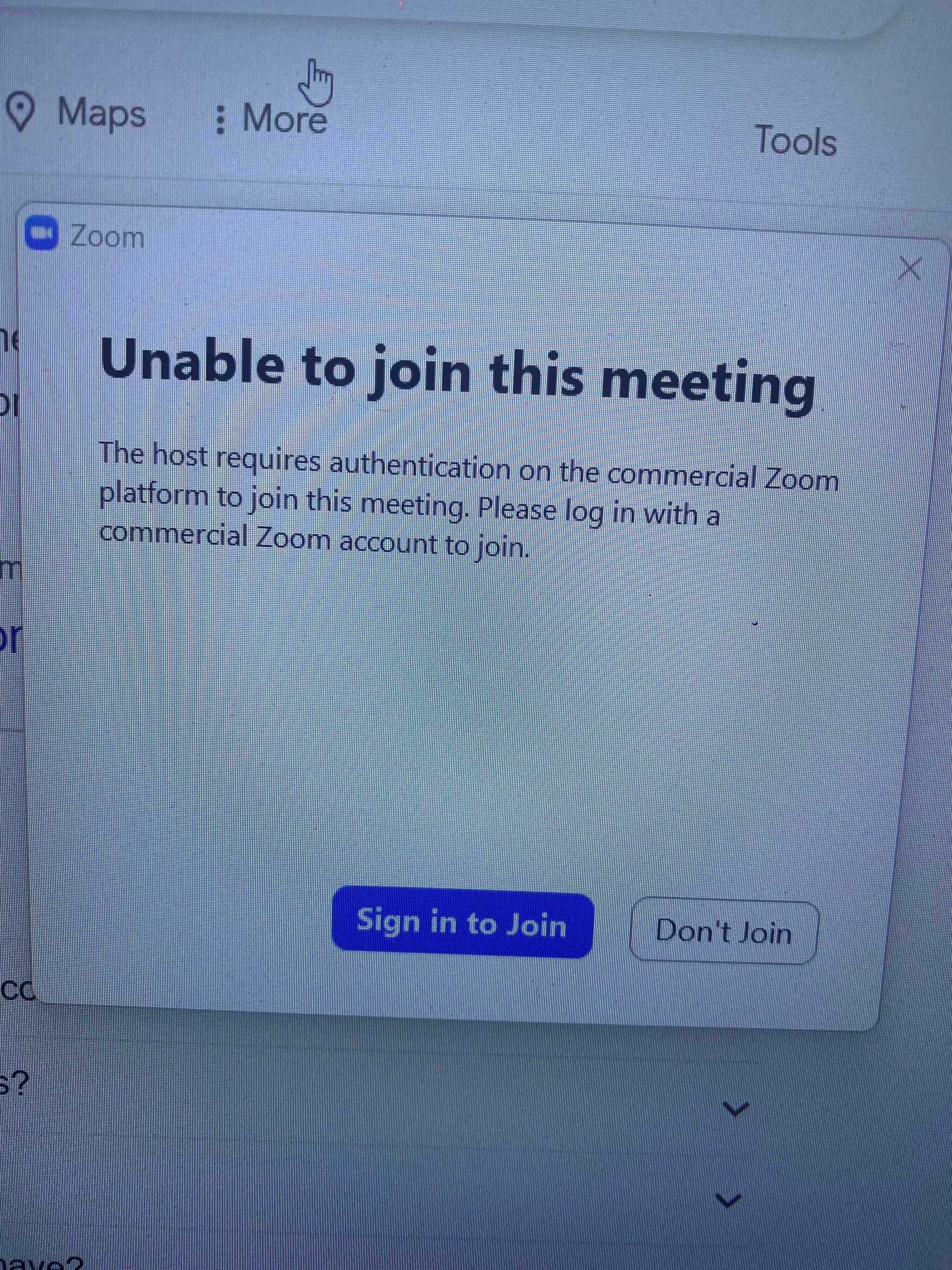
Attempted to join a meeting for a job interview. I was unable to join and there is no information on the Zoom website/platform at all to resolve the issue.   See image below. Does anyone at Zoom know how to address this? 
    15 replies

    Newcomer
    April 13, 2023

    I am having the same problem with important meetings. Hope we can all find a solution. Following


    Newcomer
    April 15, 2023

    I think I found a solution! Zoom tech support sent me this:


    Myka (Zoom)

    Apr 13, 2023, 15:48 CDT

    Hi Ricky,
     
    Thanks for contacting Zoom Support! This is Myka
     
    I understand that you are having issues with your attendees ability to join your meeting. We apologize for the inconvenience this has caused you. Allow me to assist you with this.
     
    I have reviewed your account and per checking, the option "Only authenticated meeting participants and webinar attendees can join meetings and webinars" is enable on your settings and and it requires attendees to be signed in on their Zoom account. 
     
    Allow me to provide you the steps on how you can disable this on your setting to avoid the issue:
    1. Sign in to the Zoom web portal.
    2. In the navigation panel, click Settings.
    3. Click the Meeting tab.
    4. Under Security, click the Only authenticated meeting participants and webinar attendees can join meetings and webinars toggle to enable or disable it.
    5. If a verification dialog displays, click Enable or Disable to verify the change.
     
    For additional details, you may visit: Requiring authentication to join a meeting/webinar 
     
    I hope this helps answer your question. Please feel free to let me know if you need anything else!
     
    Thanks
    Newcomer
    April 16, 2023

    @rajayogi - Thanks for posting this. Unfortunately, this doesn't address the issue, at least for me, as that setting has long been disabled in my settings. However, I did find another setting further down on the settings page that might work under "Meetings & Webinar Authentication Settings". Under that heading, I'm given three options: to allow people with a Zoom login to authenticate, to allow someone associated with my organization to authenticate, or someone who registers to authenticate. In my case, the second option was set as the default - which I think means people who are with my org are given some kind of priority and people outside my org are considered "unauthenticated" under some circumstances. I switched the default to anyone with a Zoom account. I have no idea if this will work, as the problem hasn't recurred in several months for me. But if others in this thread are having the problem consistently, try changing this setting and see if that fixes the problem. Let the rest of us know if it works!

    Newcomer
    June 29, 2023

    Things to try, (#1, I don't think this is completely a Zoom issue). #1 I checked for any window updates that had not been done on my pc. ( side note, I could get into the meeting through the emailed link using my iPhone but not on the PC I was using)  After I did the Windows updates  I tried to get into the Zoom meeting using the link and got a screen to log/sign in.  It sent me an email to confirmed who I was on another device (this was done thru my cell phone) then when I went back and tried the link it worked. I don't have a commercial account and I did not change anything in my account I just confirmed with Zoom that it was really me on the "new device"


    I hope this helps you.

    Newcomer
    May 18, 2024

    Hi all,

    I found something that helped us out. Here is my writeup. Settings, security, Only authenticated users can join meetings from Web client, disable.