

please wait for the host to start this meeting but I am the host | Community
Skip to main content
Newcomer
October 12, 2022
Solved

please wait for the host to start this meeting but I am the host

  • October 12, 2022
  • 7 replies
  • 1 view

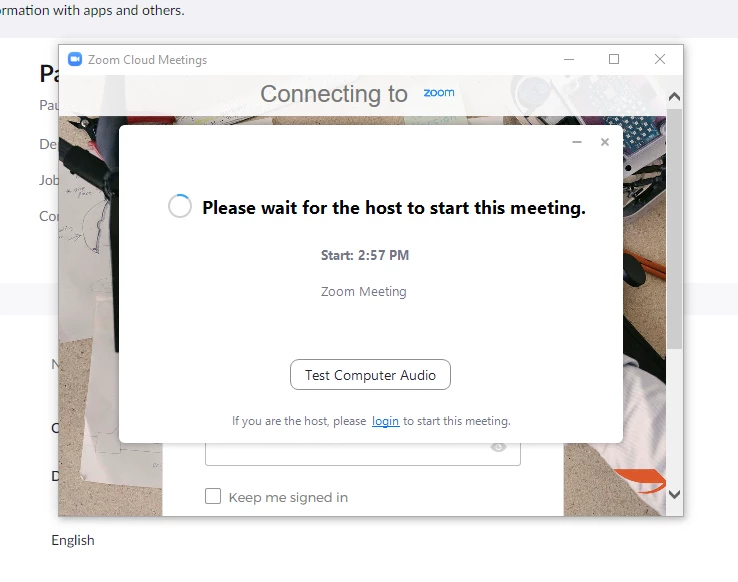
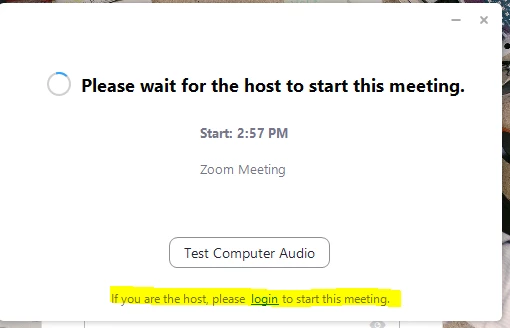
I have been having issues when starting meetings that I have created.  I keep getting the message "Please wait for the host to start this meeting" message, although I am the host and the person who scheduled the Zoom meeting.  This happens when I click on joining meeting directly from my calendar that I have created.

I verified I am logged into the zoom integration on google calendars but I'm still experiencing this issue.
Looking for assistance.
    Best answer by ChrisO

    Hi JakeWheeler


    It appears you are not logged into the Zoom App itself. The calendar link only launches the Zoom app, it will not auto-sign you in. If you sign into the app then clicking the link should open the meeting.


    7 replies

    Employee
    October 12, 2022

    Hi Jake,


    As the host of the meeting, you need to launch the meeting from zoom.us or via the Zoom app. By clicking the invite link, the system will see you as one of the participants. not the host. I hope this will help.


    Regards,

    King


    Please mark solutions that helped you!


    Newcomer
    October 12, 2022

    Why would they allow you to enter the meeting from the calendar view? I feel like since its integrated its accessible. 

    ChrisO
    Participant
    ChrisOAnswer
    Participant
    October 12, 2022

    Hi JakeWheeler


    It appears you are not logged into the Zoom App itself. The calendar link only launches the Zoom app, it will not auto-sign you in. If you sign into the app then clicking the link should open the meeting.


    Newcomer
    October 12, 2022

    Also to clarify I was clicking the join meeting in this attachment on my test meetings.

    And it allowed me. The problem exist with another user and we verified they are signed in, etc.


    ZoomTestKitchen
    Specialist
    Specialist
    October 12, 2022

    This behavior indicates that Zoom does not know who you are in order to distinguish whether you are the host or not. As @ChrisO indicated, you'll need to log into your Zoom client application.


    If you find this information helpful, please click on "Accept as Solution".

    If you have further questions, please reply, we're happy to help.

    Newcomer
    December 19, 2022

    Hi Jeff, I'm having a similar issue but even when I create an event for myself it says "waiting for host to start the meeting" I have confirmed I am signed in on the zoom app, in my browser and using the synced calendar.


    Do you have any suggestions?


    Kind regards,

    Harry

    Newcomer
    October 12, 2022

    Thank you. I will try to perform the given steps and will reach back out with my results.


    Thank you and best regards,

    Newcomer
    October 12, 2022

    Thank you for the solution zoom team. After verifying the user was not logged into the desktop app we were able to recreate the issue and mitigate it. Thank you for your help.


    Newcomer
    June 9, 2023

    I have my account set up that there is no waiting room and participants can join 15 min before the meeting. Why are they getting the message to wait for host to start? this is a new problem. Did something change in zoom? I am getting this message for almost every meeting now. Last week I could click on the link in my calendar and I would get right into the meeting. This week, I am waiting or my participants are waiting.

    Newcomer
    July 10, 2023

    I'm also having the reported problem.  I've been a Zoom user for many years and have always been able to join a meeting I organized from my Google calendar.  Recently, when I try to join by clicking on the JOIN link on my calendar and launch the meeting from Zoom, I get the "Waiting for host" message as others have described.  What did Zoom do to cause this?  When will it be fixed?