
custom questions not appearing on the registration page | Community
Skip to main content
Explorer
January 30, 2023
Solved

custom questions not appearing on the registration page

  • January 30, 2023
  • 10 replies
  • 0 views

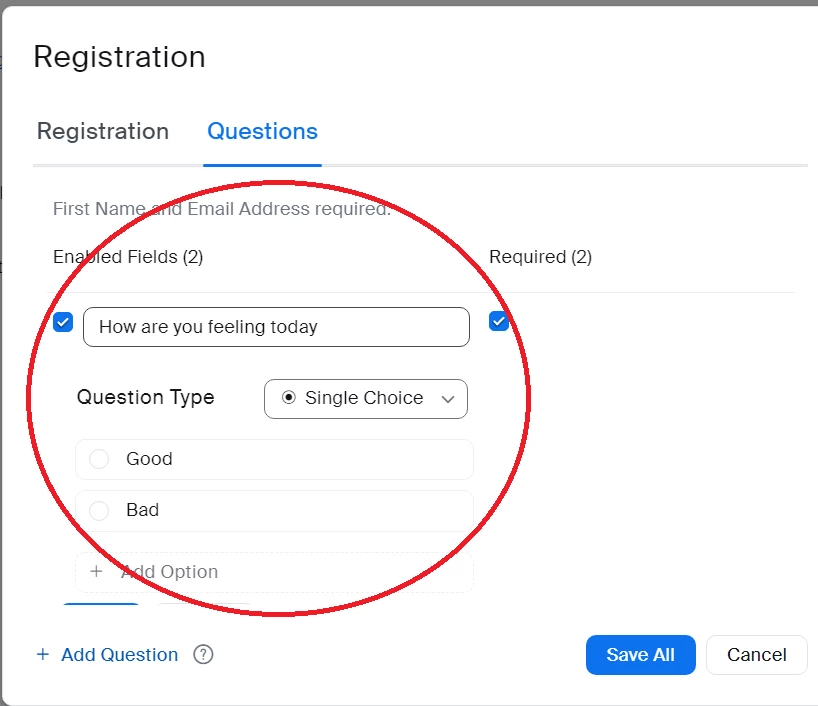
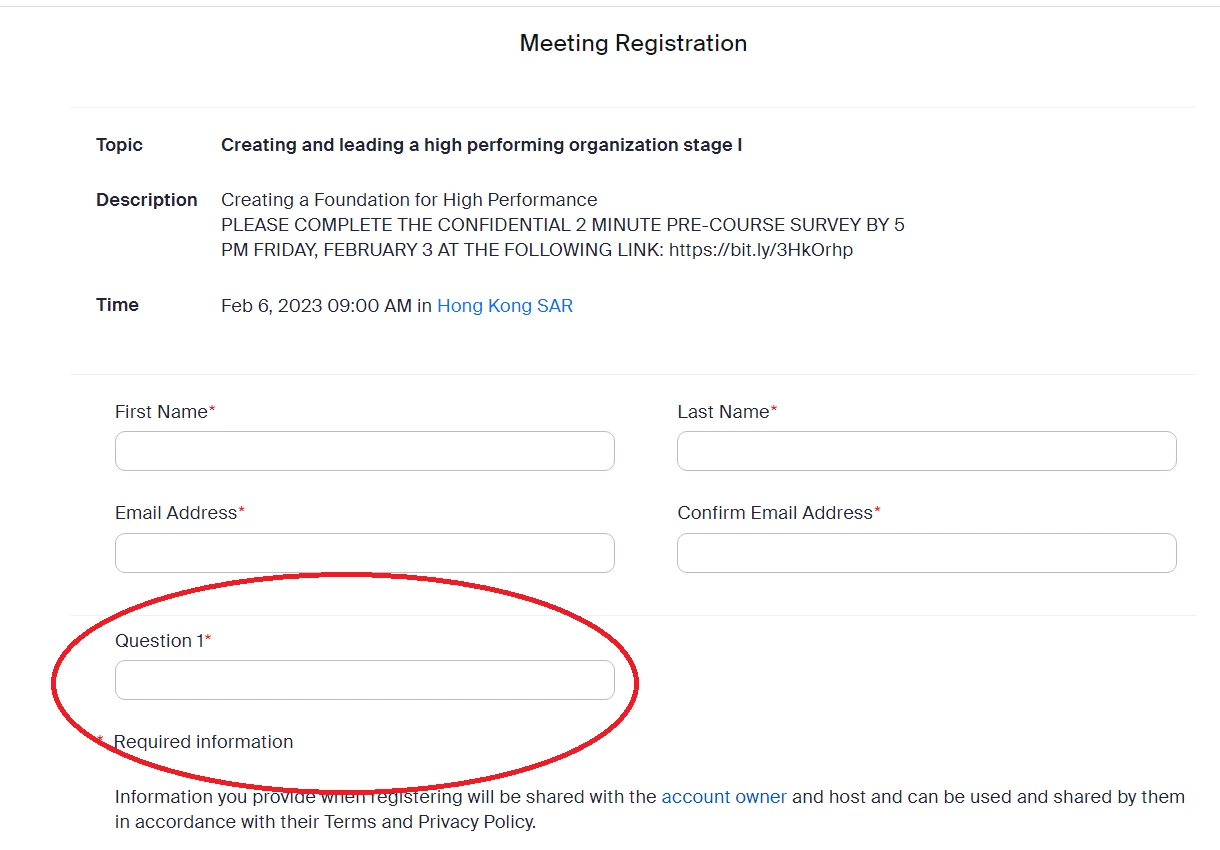
The custom questions that I add to my registration email for a meeting and save do not appear correctly on the registration form
    Best answer by newl

    Hi @CoachWalker ,


    I think this is a UI bug. If you'll notice in the lower left-hand side of your

    first screen shot; you'll see a barley visible "Save" button.


    Make sure to scroll down and click the "Save" button BEFORE you click "Save All".


    I have attached a screenshot that illustrates this issue.


    Hope this helps!

    10 replies

    newl
    Education Ambassador
    newlAnswer
    Education Ambassador
    January 30, 2023

    Hi @CoachWalker ,


    I think this is a UI bug. If you'll notice in the lower left-hand side of your

    first screen shot; you'll see a barley visible "Save" button.


    Make sure to scroll down and click the "Save" button BEFORE you click "Save All".


    I have attached a screenshot that illustrates this issue.


    Hope this helps!

    Newcomer
    April 19, 2023

    Thank you. This is screwed up. Messed up two of my meeting so far.


    Explorer
    January 31, 2023

    that worked thank you 

    Community Champion | Customer
    April 19, 2023

    Hello,


    On my computer the custom question  Save button is very visible.


     Regards

    Newcomer
    April 19, 2023

    Used to just hit save all and it worked. Now I see you have to save each question, then save all.

    Thanks for the help everyone.


    Newcomer
    April 27, 2023

    I have saved four required registration questions. They won't show up on my registration page. It worked for the first webinar, but now is gone for the second and third. We are required to report this information for a grant. How can this be resolved?


    Newcomer
    April 27, 2023

    Good Day:


    I recently found out that each question has to be saved individually after creating the question.


    Then, save all questions.

    It never used to be that way.


    I posted a question and that is the response i received.


    Hope it works. I have not checked yet.


    Newcomer
    April 27, 2023

    I've tried that. It hasn't worked for me. But thanks for the suggestion.

    Newcomer
    November 6, 2023

    This is a real pain - tried plenty of times to save the question 'asking if attendees have a conflict of interest before a meeting ' but will not appear even after saving - it just shows the name and email - it should not be this difficult

    Newcomer
    June 28, 2024

    I have the same problem in sending out a registration link for an upcoming webinar. Configured the additional questions one of which concerns the privacy and although they are there, won't show up on the registration form. We've actually configured both at template level and account setting level but nothing. We took it out of the template in case the two setting contradicted, again nothing. It did appear just a day ago on a different template which I ditched as it was referring to a different. I have to say that juggling between the setting that refer to meeting and those that refer to the webinar is quite confusing. For example the waiting room configuration of the webinar is under meeting while other parts fall under webinar. The survey and polls are somewhere else. it takes longer to set it up and trouble shout it, than write the actual webinar.

    Newcomer
    July 19, 2024

    I am having the same problem. I added a few fields (under the Questions tab) that I had left out when setting up a template. I had also created custom questions. Before I made the edit, the custom questions showed up in the registration form. Now, I can only get the questions and not the custom questions to appear on the registration form. We collect this information for our grant. How can I get both the questions and the Custom Questions to appear on the registration form? I do have the boxes checked as "required".
