
Solved
camera
I am upside down during meeting video

I am upside down during meeting video
When you're in a meeting, click the Video Settings option under the button to start and stop your video.
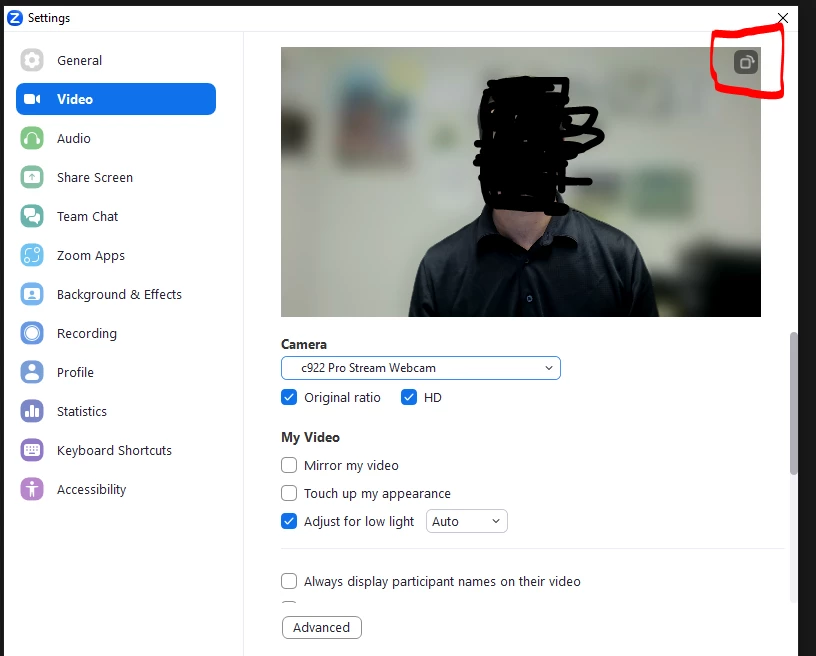
In the Video Options box that pops up, you'll see your camera and there will be a little box with an arrow in the upper right hand corner, which rotates your video 90 degrees each time you click it. Click it a couple times until your right side up again.
Enter your E-mail address. We'll send you an e-mail with instructions to reset your password.