Zoom won't upload .mov files from my iPhone | Community
Skip to main content
Newcomer
December 6, 2021
Solved

Zoom won't upload .mov files from my iPhone

  • December 6, 2021
  • 4 replies
  • 0 views

When I try to upload a .mov video file created by my iPhone, I get a "Unsupported format. Please upload a different file." message with the option to "Choose Another Video." Surely iPhone videos are supported. Does anyone have a solution to my problem?

    Best answer by rn-zm

    Hi @CharlieGF @Simonclark99 I believe this is intentional. I am testing in-meeting chat, and there are no options to uploading .mov video formats. However, you have the option to upload to an external source such as e.g., Google Drive, Box, etc. So, from in-meeting chat, video upload is not supported
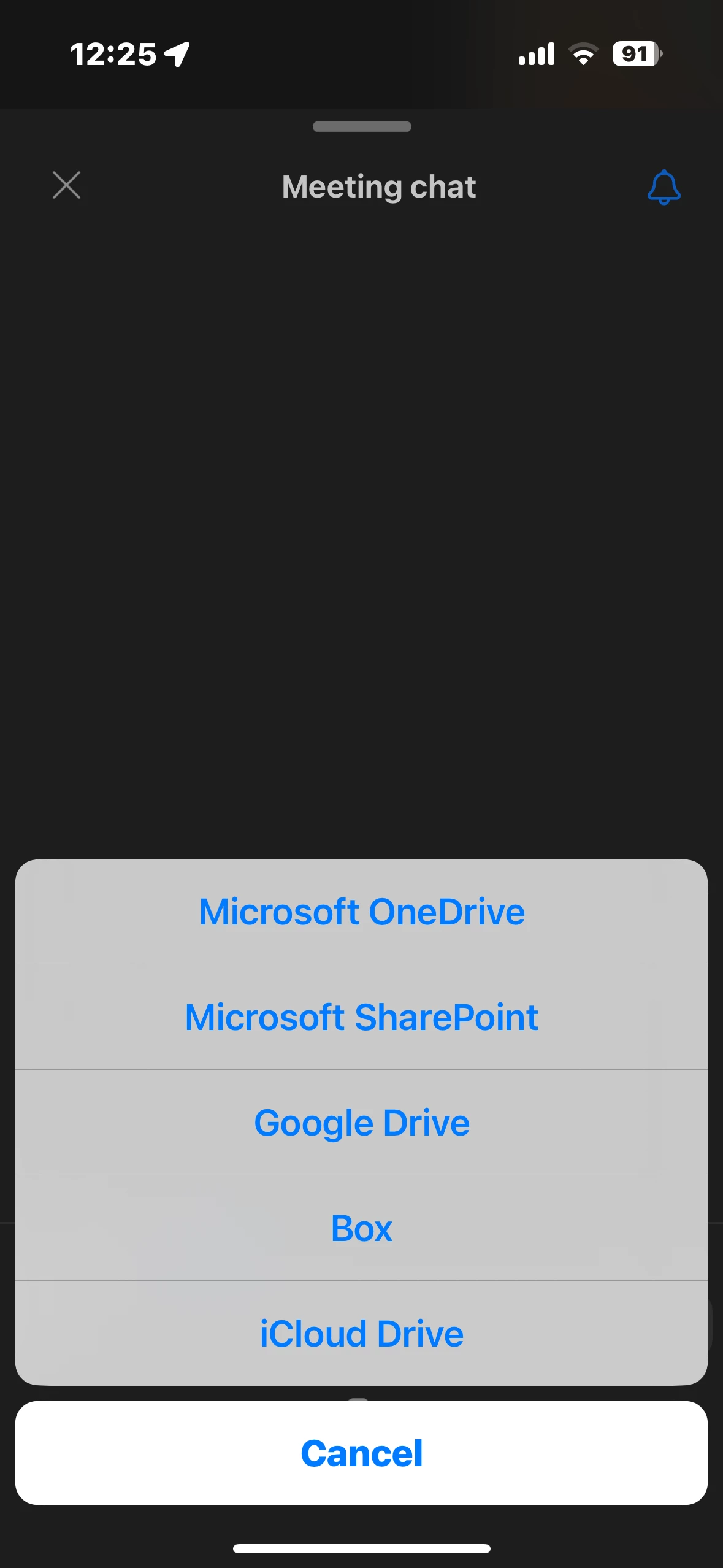


    If you've uploading to Zoom Team Chat (differs from in-meeting chat), you have the option to upload camera (picture no video), photo, file (e.g. google drive, box), gif or video message. 

    If you need to upload a video to Zoom Team Chat, it seems from experience this opens your recents from your Photo Gallery. If you choose photo, in the upper left-hand corner you will have ( < ) button, where you can choose from your video album from your iOS device. 


    Hope this helps! 



    4 replies

    Bort
    Employee
    Employee
    December 6, 2021

    Where exactly are you trying to upload the video? In-meeting chat? Zoom chat? Sharing it during a meeting? 

    Newcomer
    December 8, 2021

    I was simply trying to upload a short video shot on my iPhone via the Zoom app on my iMac under Settings/Background&Filters. I had clicked on the "+" sign and selected "Add Video." When I selected the .mov file created by my iPhone and saved to the hard drive, I got the "Unsupported format. Please upload a different file." message with the option to "Choose Another Video." It's my understanding that .mov files are "supported."

    Bort
    Employee
    Employee
    December 8, 2021

    Yes, MOV files are supported for use as a video virtual background. If its not allowing that video to be selected, there must be something incompatible with that particular file. Perhaps the resolution or the codec is not compatible.

    Newcomer
    January 22, 2022

    I'm able to upload iPhone videos taken through August 2021. There was an iOS update in September, and since then I get that error message from Zoom.

    Newcomer
    March 11, 2022

    Did you resolve this issue and if so how please? I have the same issue MOV file recorded on iPhone gives a message 'Unsupported format'. Converting to MP4 still gives the same message. Zoom support pages say both formats are compatible.

    Newcomer
    April 24, 2022

    I have the same issue. I think it started when I upgraded from an iPhone 6s to an iPhone 13.  There may be something about iPhone 13 videos that is different.  I too tried to convert with VLC to an MP4 format. That file is grayed out and is not even available to try and upload.  Help!

    rn-zmAnswer
    Community Manager
    February 20, 2024

    Hi @CharlieGF @Simonclark99 I believe this is intentional. I am testing in-meeting chat, and there are no options to uploading .mov video formats. However, you have the option to upload to an external source such as e.g., Google Drive, Box, etc. So, from in-meeting chat, video upload is not supported


    If you've uploading to Zoom Team Chat (differs from in-meeting chat), you have the option to upload camera (picture no video), photo, file (e.g. google drive, box), gif or video message. 

    If you need to upload a video to Zoom Team Chat, it seems from experience this opens your recents from your Photo Gallery. If you choose photo, in the upper left-hand corner you will have ( < ) button, where you can choose from your video album from your iOS device. 


    Hope this helps! 



    Newcomer
    October 26, 2022

    I am having this issue too! Glad I am not having to waste time trying to convert but it's very frustrating...