

Zoom tells me to "pair with a controller" but I'm no using Rooms | Community
Skip to main content
Newcomer
January 14, 2022
Solved

Zoom tells me to "pair with a controller" but I'm no using Rooms

  • January 14, 2022
  • 3 replies
  • 0 views

This is very strange.  When I try to join a meeting, Zoom enters full-screen mode and tells me to "pair with a controller".  But I'm just on my desktop (Mac) at home, and I don't have Rooms at all (not that I know of).


I can join from the browser, but that has its own issues. 


Any idea how to avoid this?
    Best answer by Dan_ZoomSE

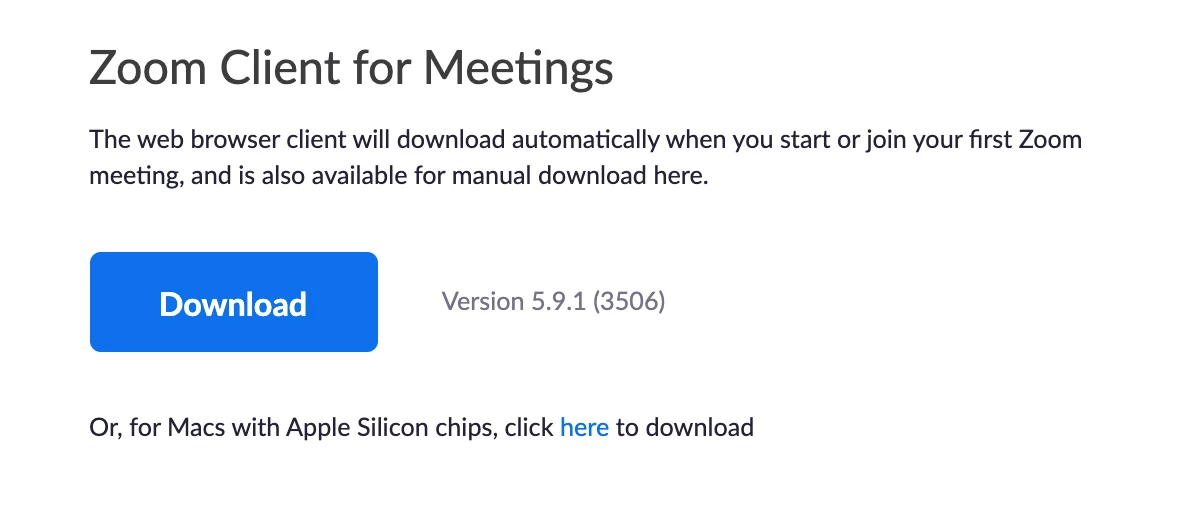
    Sounds like you may have installed the wrong Zoom application on your computer.  You need Zoom Client for Meetings, not Zoom Rooms for Conference Rooms.


    Uninstall Zoom from your Mac, then go to https://zoom.us/download and download/install Zoom Client for Meetings

    If this has answered your question, please click the Accept as Solution button below so that others in the Community may benefit as well.

    Thanks!

    3 replies

    Dan_ZoomSE
    Employee
    Employee
    January 14, 2022

    Sounds like you may have installed the wrong Zoom application on your computer.  You need Zoom Client for Meetings, not Zoom Rooms for Conference Rooms.


    Uninstall Zoom from your Mac, then go to https://zoom.us/download and download/install Zoom Client for Meetings

    If this has answered your question, please click the Accept as Solution button below so that others in the Community may benefit as well.

    Thanks!

    gidiavAuthor
    Newcomer
    January 14, 2022

    Thank you.


    For the record, this was a bit strange.  I did have the Rooms app and there was some configuration (in Mail) that caused it to open by default for Zoom links.  So after I uninstalled Rooms, I got a dialog asking which app to open, and I was able to choose the regular Zoom app.


    Newcomer
    June 24, 2023

    Hi I have the same problem, 

    When I switch my iMac on, there is a notification on my screen that says:
    "Pair with a controller. Download te Zoom Rooms app on a tablet and enter: U N Z R F L"

    But I cannot even use my mouse to click it away.  So I cannot use my computer anymore.
    Anyone for help?

    Henriette


    Newcomer
    February 28, 2024

    I have the same problem as Henriette. Please help. I use a PC, when the notification comes on, there is an "Exit" button on the lower left corner which I use to Exit the screen of "Pair with a controller. Download te Zoom Rooms app on a tablet and enter: U N Z R F L". However, the foregoing notification still block my PC from automatically going into Sleep Mode when it is idling. PLEASE HELP! This is very annoying. How to permanently disable this notification?