

Zoom not working under Ventura 13.1 | Community
Skip to main content
Newcomer
January 9, 2023
Question

Zoom not working under Ventura 13.1

  • January 9, 2023
  • 1 reply
  • 0 views

Hi,

I downloaded from Zoom download page and installed Zoom on my Mac BookPro with Ventura 13.1.

The installation was successful. However, Zoom did not appear in Launchpad. When I click on zoom.us icon in Applications folder it gives me the error message below. Any suggestions.

Thank you.


It is a Mac with an Intel chip in case it is important.
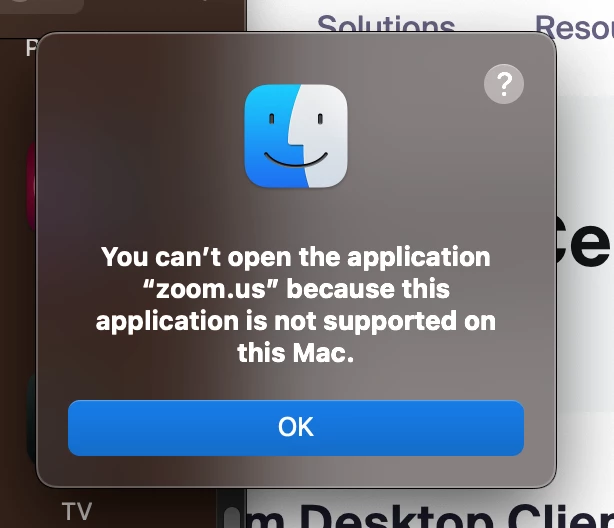


    1 reply

    Community Champion | Customer
    January 9, 2023

    Perhaps you downloaded the M1 version by accident?

    Newcomer
    February 27, 2023

    Hello I can't even install zoom on my iMac, I receive permanently this error message. What shall I do?

    I have an iMac from 2020

    Newcomer
    March 16, 2023

    Hello,


    You may follow the steps below to uninstall the Zoom application on your device:

     1. Open Finder and go to the Application folder.
    2. Right-click on Zoom.us and click on Show Package Contents
    3. Click Contents
    4. Click Frameworks
    5. Double-click on Zoom Uninstaller, then follow the prompts to uninstall the application
    Next, Install the latest version "Zoom Client for Meetings" via zoom.us/support/download
     
    Regards,
    If my reply helped, don't forget to click the accept as solution button!

    Unfortunately there is no zoom folder in the application, I also thought that it might help to uninstall some parts of zoom or so, but there's nothing. And I used the offered package you also suggested to download following your link...