cancel
Showing results for 
Search instead for 
Did you mean: 
The Zoom Community will be placed in read-only mode January 9th, 2026 through January 22nd, 2026 to deliver you a new and improved community experience!

The community will still be accessible, however, the creation of any new discussions or replies will be temporarily unavailable. We appreciate your patience during this time.

Zoom insists on using international telephone call-in for Audio

MarlaJ
Newcomer
Newcomer

Hi,


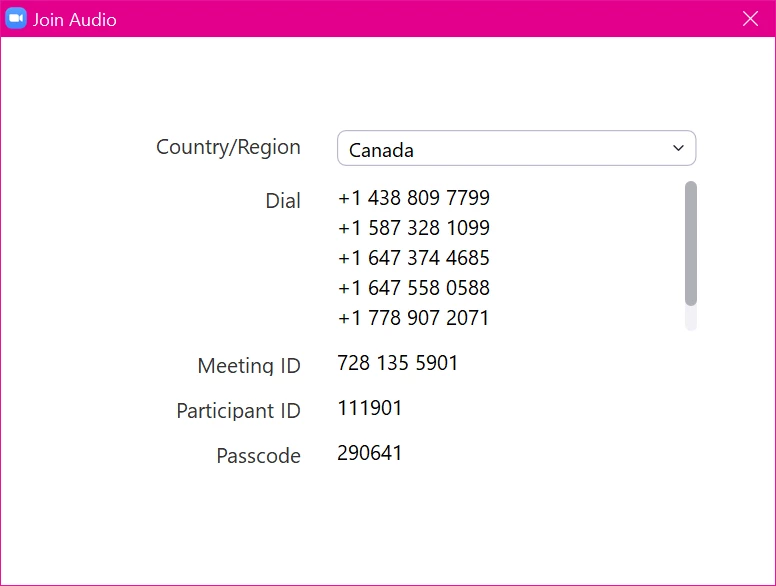
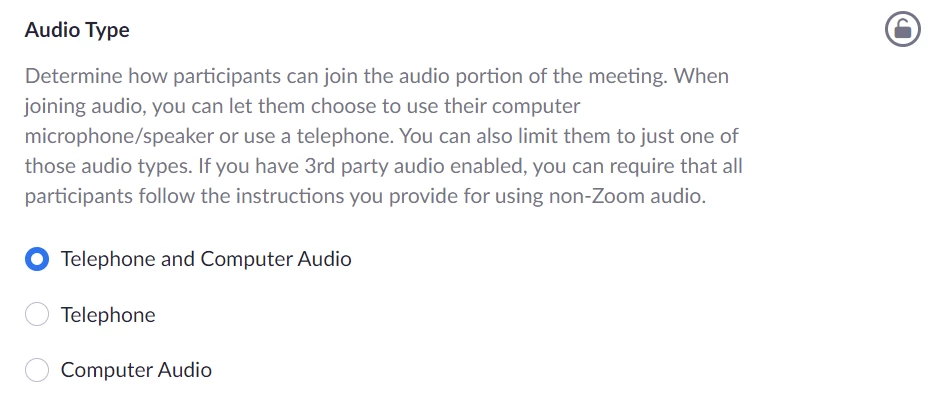
I'm struggling to find an answer to something.  For meetings that I host, nobody can hear me, and I can't hear anyone. The icon in the lower left pops up international phone numbers to call in, but doesn't let me Join with Computer Audio. I checked the Zoom settings online, and found this - nomatter the setting that I change it to, Zoom still tells me phone numbers rather than letting me join with my computer's audio. What do I do to fix this? Help!


Thanks.
 

MarlaJ_0-1635495793265.png

MarlaJ_1-1635495912602.png


MarlaJ_2-1635495931246.png


1 REPLY 1

RN
Community Moderator | Employee

Hey @MarlaJ, are you scheduling through a calendar browser extension/add-in or through Zoom itself? 


Did you ensure you're not accidentally setting up a personal meeting rather than a regular meeting or vise versa? Those settings I believe are configured differently.


If both the Personal meeting and Meeting settings are for computer audio and telephone, I'd double-checked the audio settings specifically from which platform the meetings are being scheduled from as the settings specified from the main zoom.us portal page won't always carry over to other scheduling options such as Outlook or GCal. 

⎯⎯⎯⎯⎯⎯⎯⎯⎯⎯⎯⎯⎯⎯⎯⎯⎯⎯⎯⎯⎯⎯⎯⎯⎯⎯⎯⎯
Zoom Community Moderator
he/him/his

Have you heard about Zoom AI Companion? ➡️ Check it out!