

Zoom Desktop Client 5.15.0 Crashing on App Startup | Community
Skip to main content
Newcomer
June 22, 2023
Question

Zoom Desktop Client 5.15.0 Crashing on App Startup

  • June 22, 2023
  • 3 replies
  • 1 view

Hi all, 

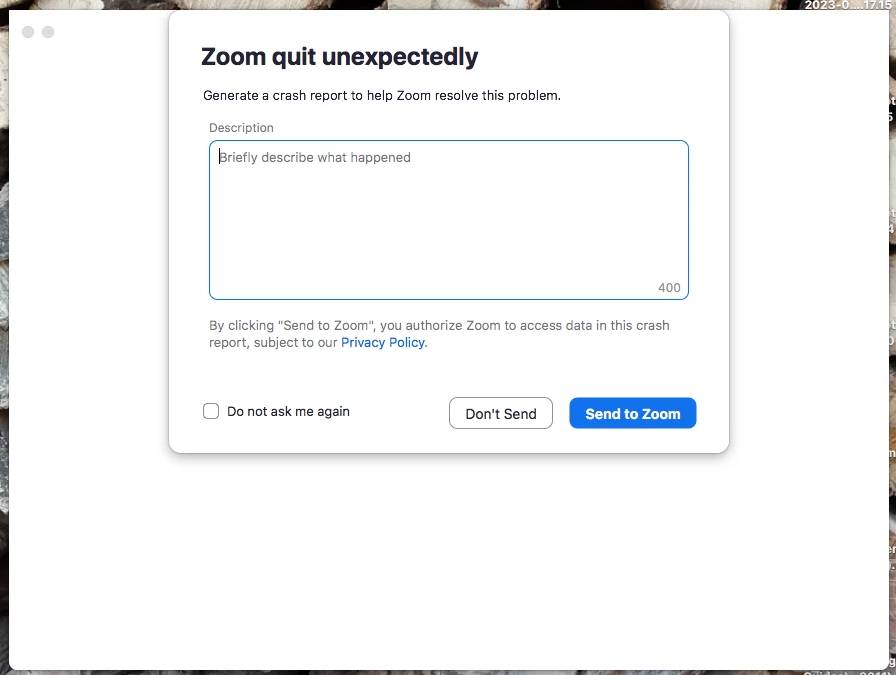
Every time I try to open my Zoom Desktop Client 5.15.0 (19644) for MacOS Sierra 10.12.3 ; MacBook Air 2015 , it crashes and shows me an error message that says "Zoom quit unexpectedly" (see attached image). The error message immediately freezes and then disappears, followed by another window with a "problem report for zoom.us". If I click "Reopen" it just repeats the whole cycle. 


I have tried uninstalling and reinstalling the desktop client on my device, and I've tried restarting the device, but none of that seems to work. Other posts suggested that I go back to an older version of Zoom, but I can't figure out how to do that from the Zoom Download Center. Please help, thank you! 
 

3 replies

Community Champion | Employee
June 26, 2023

https://zoom.us/client/5.14.6.17822/zoomusInstallerFull.pkg

https://zoom.us/client/[insert version number you want here]/Zoom.pkg to download the the previous version.


Community Champion | Employee
June 26, 2023

Make sure you fully uninstall 5.15.0 before installing the previous version.


DoctorFanAuthor
Newcomer
June 28, 2023

Thanks @frankzhang, this seems like a temporary workaround fix. I was able to fully uninstall version (5.15.0) and reinstall the downgraded version (5.14.6.17822) successfully. I was also able to join a meeting from the Desktop Client, when I clicked the "Join Meeting" button and plugged in the Meeting ID # and Password.


However, the issue hasn't been fully solved, because the Zoom Desktop client continues to crash each time I sign into my Zoom account. I'm not sure how signing into my account can cause a crash, but please advise if you know. Thanks! 

Community Champion | Employee
June 28, 2023

Could you please ask your account owner or admin raise a ticket with us to collect the crash log and investigation further?

DoctorFanAuthor
Newcomer
September 2, 2023

https://support.zoom.us/hc/en-us/articles/201362003-Zoom-technical-support

You need to have a Pro plan to submit a web ticket or ask someone has a license to report this issue.


Much delayed message: Thanks for your support thus far!

I'm disappointed that I can't even request active tech support unless I have a Pro account. I guess I'll have to continue using the workarounds by joining meetings by web browser, or without signing in (which is not always allowed, pending meeting host settings). Thanks anyway!