


cancel
Showing results for 
Search instead for 
Did you mean: 
Effective January 9th, 2026 through January 22nd, 2026: The Zoom Community is currently in read-only mode with login disabled, to deliver you a new and improved community experience!

The site is still accessible to view, however, the ability to login, create content, or access your community account is temporarily unavailable. We appreciate your patience during this time. If seeking support, please browse existing community content or ask our Zoom Virtual Agent.

Zoom 6.1.12: How to record with a split screen showing only the speaker and slides?

jamalnuman
Contributor I
Contributor I

Zoom 6.1.12: How to record with a split screen showing only the speaker and slides?


I’m trying to figure out if zoom can be used to record a split screen showing only the speaker and slides.


An example of what I’m referring to is available on YouTube:
https://www.youtube.com/watch?v=35P4AdAECUs
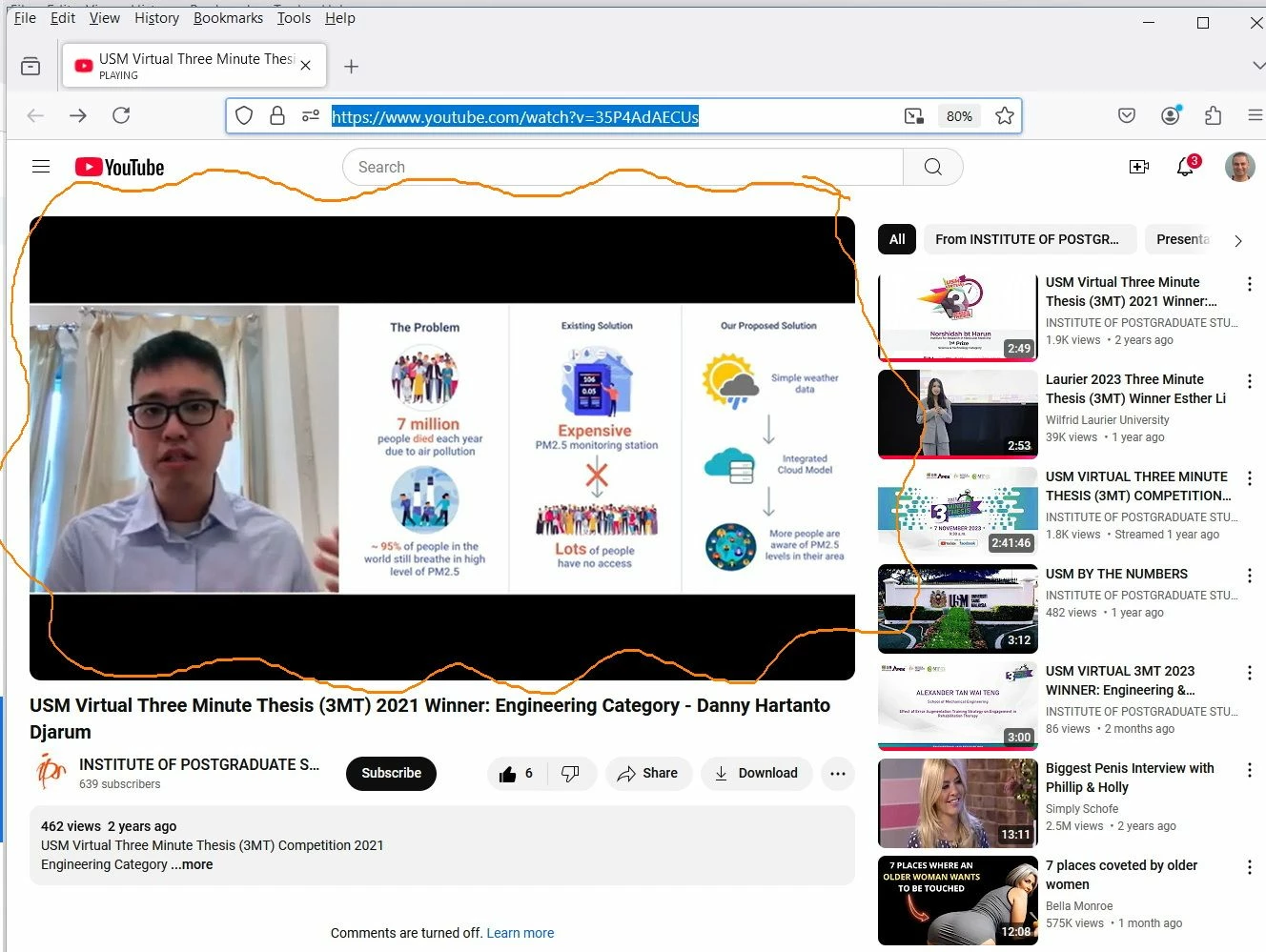
 

Clip_1605.jpg

3 REPLIES 3

FarioConsulting
Contributor I
Contributor I

Hi,

You would need head over to Settings, then click on Recording. Under Cloud Recording options, select 'Record Active Speaker with Shared Screen'. You would then get both views combined into one recording


Harsh
We help businesses with Zoom integrations, customizations and setups
Reach out and learn more on Fario Consulting

jamalnuman
Contributor I
Contributor I

Thank you for the input

I’m not able to find the “Record Active Speaker with Shared Screen” option as per the screenshot below.


What could be the issue?

Clip_1606.jpg

jamalnuman
Contributor I
Contributor I

I could find the “Record Active Speaker with Shared Screen” option. How ever, recording the speaker and slides appears not work similar to the video I have shared


Clip_1615.jpgClip_1611.jpgClip_1612.jpgClip_1613.jpgClip_1614.jpg