
Why do I kee getting "Restart Zoom to Apply Setting" pop up window when I start a meeting? | Community
Skip to main content
Newcomer
June 26, 2023
Question

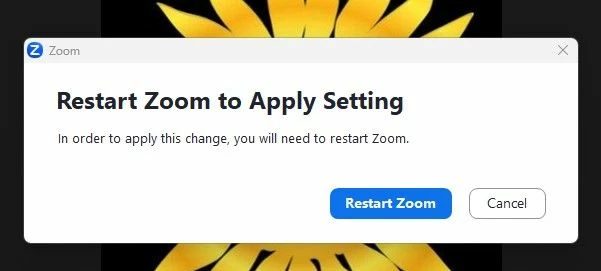
Why do I kee getting "Restart Zoom to Apply Setting" pop up window when I start a meeting?
  • June 26, 2023
  • 5 replies
  • 0 views

Any idea why have I suddenly started getting this time every time I start a meeting? To my knowledge I haven't changed anything.

5 replies

ZoomTestKitchen
Specialist
Specialist
June 26, 2023
  1. What operating system are you running Zoom on?
  2. What setting did you change that caused this prompt?


I've never seen on Windows or Mac the need to restart Zoom with a client setting change. Although, when changing most Web Portal settings while your meeting is running you would need to restart the meeting in order for the change to take effect. But, still I've never seen a backend portal setting change cause a pop-up.


If you find this information helpful, please click on "Accept as Solution".

If you have further questions, please reply, we're happy to help.

Newcomer
June 27, 2023

We have 2 users with the  same issue.  Issue started yesterday.  No settings changed, per both users.  Windows 10 21H2 patched through 06/2023 (19044.3086), Zoom version 5.15.1 (17948).  Signed user(s) out and back in, no change.


Newcomer
June 27, 2023

Two users, two different solutions. 


User 1 didn't have "Check for updates" as an object in their settings menu.  Uninstall/reinstall fixed that (Machine install with specific MSI switches), performed the update to Version: 5.15.2 (18096).  No popups after the update. User was not prompted to restart, recommended it anyway. Standing by for any continued issues.


User 2 had the "Check for Updates" object and was forced to restart after installing Version: 5.15.2 (18096).  The forced restart isn't very common.  This appears to have resolved the issue.  Standing by for any continuing issues.


ZoomTestKitchen
Specialist
Specialist
June 27, 2023

@CLGINAZ , thanks for this feedback.


Newcomer
July 3, 2023

I've been getting this every day as well so I wouldn't be surprised if my 2000 other users were too. I have all user updating disabled via GPO, nobody is local admin and I deploy the 64 bit MSI. On my machine I see a history of ZoomInstallerFull_5.15.2.18096_x64.msi Success (0) 6/29/2023 12:18:06 AM and Systeminfo indicates a boot time of 7/1/2023, 8:33:47 PM and I only have 1 copy of Zoom in my Programs and Features, so I'm assuming this is some sort of bug.

Newcomer
August 2, 2023

Same here.. And most annoyingly, at least for me is that the setting below keeps getting toggled if I proceed to "Restart Zoom" instead of clicking on "Cancel"