

When in a zoom meeting, "turn on reactions" banner won't go away | Community
Skip to main content
Newcomer
August 22, 2024
Solved

When in a zoom meeting, "turn on reactions" banner won't go away

  • August 22, 2024
  • 6 replies
  • 0 views

Hi all, looking for some assistance here. I'm on 6.1.10 (38818) for Mac OS Sonoma 14.6.1 (23G93).

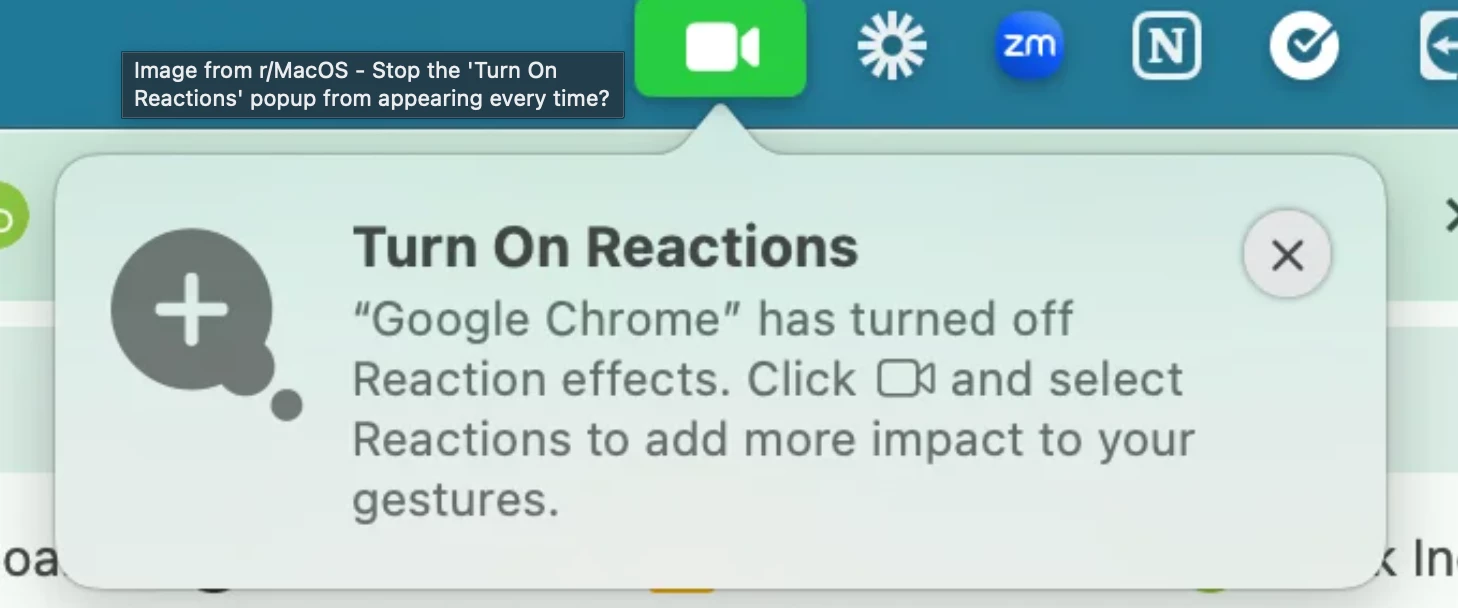
Whenever I enter a meeting there's a banner in my system menu that says "Turn on Reactions". The X to close the banner does not work.


I've updated to the latest version, uninstalled and reinstalled from a fresh download, and disabled zoom notifications in my system menu. Can anyone help me out?

https://www.loom.com/i/6d8b83c3f50149aa9bc8f6d450cf4f9a
Best answer by MGSR

Hello community members,

I'm sorry for the inconvenience you experienced.

Please try these steps: When the popup appears, first toggle the reactions on, then off. After that, restart your computer—this step is crucial.


Let us know if this helps or if you need further assistance.

6 replies

Newcomer
August 28, 2024

Bumping this. Just upgraded to 6.1.11 (39163) and the banner still won't go away. This is really impacting my use of zoom during product demos. 

Newcomer
December 5, 2024

I found something on this ... it might be a new MacOS "feature" and not Zoom after all. If you click the green camera icon in the toolbar (which shows up only when the video camera is enabled by an app), there are a variety of settings available, including one for "reactions." The message I think was triggered where Zoom settings had reactions disabled but they were enabled in the Facetime camera system on my macbook. I clicked the Reactions icon, and haven't seen the popup since.

Newcomer
December 4, 2024

Same here. I'm on Sequoia 15.2 and Zoom Workplace 6.2.6 (41824). There's a notification hanging off the camera icon in MacOS toolbar that won't go away.

Newcomer
December 19, 2024

Same problem here. The banner won't go away and the X does nothing. I have to click on the green camera icon to get it to go away and it comes back as soon as I do anything with Video.


Zoom Version == 6.3.0 (44805)

OS == Mac Sequoia 15.2

Newcomer
January 16, 2025

Same exact issue and platforms for me.

Newcomer
January 25, 2025

Me too. Getting a bit annoying.

Newcomer
February 14, 2025

I am having the same issue.

Using macOS Sequoia Version 15.3. Zoom Version 1.2.11 (43613). I have selected the green camera icon and deselected the Reactions icon. Still seeing the pop up every time my video comes on and the 'x' doesn't get rid of it. Feels unprofessional during webinars. 

MGSR
Community Manager
MGSRAnswer
Community Manager
February 20, 2025

Hello community members,

I'm sorry for the inconvenience you experienced.

Please try these steps: When the popup appears, first toggle the reactions on, then off. After that, restart your computer—this step is crucial.


Let us know if this helps or if you need further assistance.

Newcomer
February 26, 2025

Seriously?  Users have to go through all of this trouble including restarting computer just to stop a prompt that isn't wanted in the first place?

Newcomer
February 21, 2025

The fix above worked for me, thank you!