Waiting Room Settings | Community
Skip to main content

2 replies

Newcomer
March 15, 2023

Is your Zoom software up to date?

chrismenard7
Community Champion | Customer
March 15, 2023

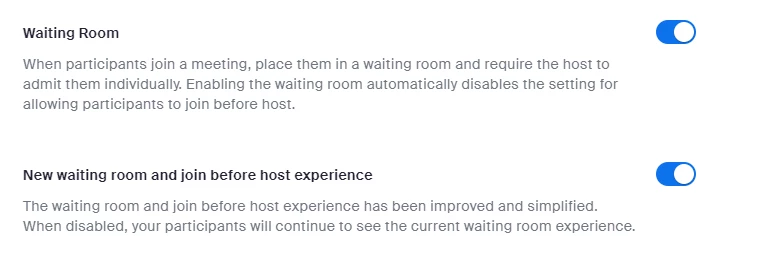
When you go to the Zoom settings, click Security. The two options are listed. I tested with a Basic account, and they are available. I added a screenshot from my Basic account. If this solves your issue, please click Accept as Solution.

Newcomer
March 16, 2023

The screen shot that I have is from my account settings, I have them enabled currently. According to the article I linked there should be an option called "Customize Waiting Room" or "Edit options" after I've enabled it that I don't see.

Newcomer
May 1, 2023

Hi. Maybe this will help. In the desktop app, from the main menu at the top of the screen, select Preferences -> General, then scroll to the bottom and tap View More Settings.


This will take you to the Zoom website where it will open the Settings tab where you should now be able to see all your waiting room options, including the button you are looking for called Edit Options.