

Video no longer working for Microsoft Teams Room | Community
Skip to main content
Newcomer
January 25, 2023
Solved

Video no longer working for Microsoft Teams Room

  • January 25, 2023
  • 14 replies
  • 1 view

Zoom video was working in our Microsoft Teams Rooms yesterday (01/23/23). After today's "update," the video in Microsoft Teams Rooms is not working. This occurred in all of our conference rooms. The camera works for Microsoft Teams meetings, and when we hook up our laptops to the conference room camera directly. The video only freezes and then goes black during Zoom meetings connecting through our Microsoft Teams Rooms systems. No amount of restarts and settings changes have fixed this. 
    Best answer by Steve_Hinds

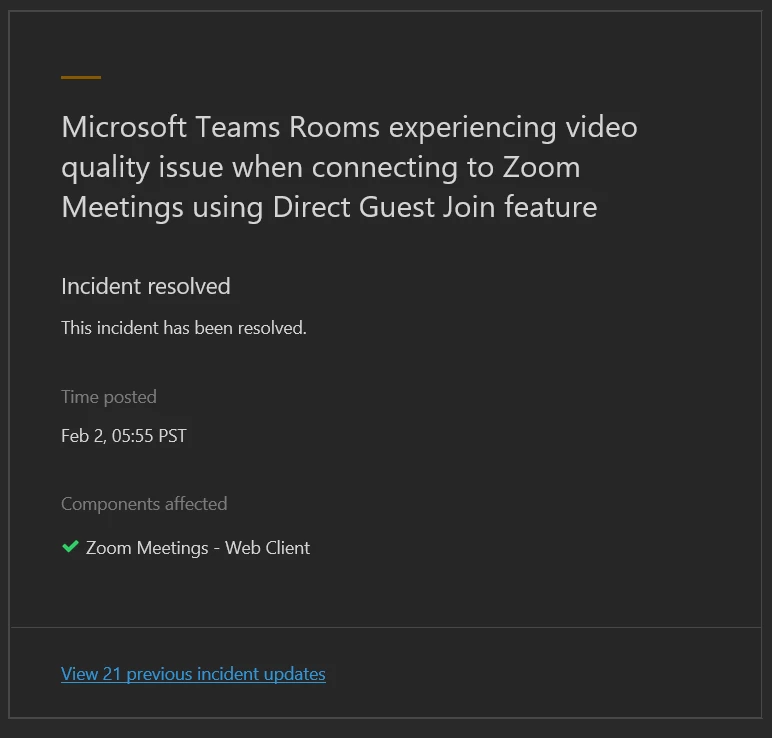
    Seems like the issue was Microsoft related and has now been resolved, we have tested and things are back to normal.


    14 replies

    Newcomer
    February 6, 2023

    Hi Fieldkc80 - We have never had Zoom working on 2 TV's via Teams Room, it has always left one screen blank for as long as I remember. 

    Newcomer
    February 6, 2023

    I've been low key trying to remember if that's how it always was for us before hand as well.  I appreciate that feedback!

    Newcomer
    May 22, 2023

    At least since April, we've been having the opposite problem. We are running Zoom as our secondary app on an MTR. Teams and Zoom calls have traditionally showed up on dual screens - generally the call on one screen and the content on the other.  But for the last few months, Zoom will only show on a single monitor, leaving the other room monitor blank. The caller PIPs and the content are all on the same screen. It's not a monitor or routing issue since Teams still appears on dual monitors as it should. We're pulling our hair out. It seems like every MTR update messes up something else.

    Newcomer
    July 14, 2024

    Oh no, that's such a bummer when tech issues pop up! If your Microsoft Teams Room video is no longer working, it might be worth checking if there's a software update available or if there’s any issue with the hardware. Sometimes a quick reboot can do the trick, too. If you're still stuck, the Microsoft support team is usually pretty helpful.

    On a brighter note, if you're in Perth and looking to upskill, there are some awesome Microsoft Office courses and project training available. These courses can really help you get the most out of your Office suite and improve your project management skills. Whether you’re a beginner or looking to refine your expertise, there’s something for everyone. Happy learning!