

Unable to remove a user from my account | Community
Skip to main content
Newcomer
September 4, 2021
Question

Unable to remove a user from my account

  • September 4, 2021
  • 3 replies
  • 0 views

Hi,


I added an Admin user to my account at some point. Now I want to unlink this user from my account. The help page at https://support.zoom.us/hc/en-us/articles/115005269946 says there should be a "..." button next to "Edit" button, with options to unlink or delete user.
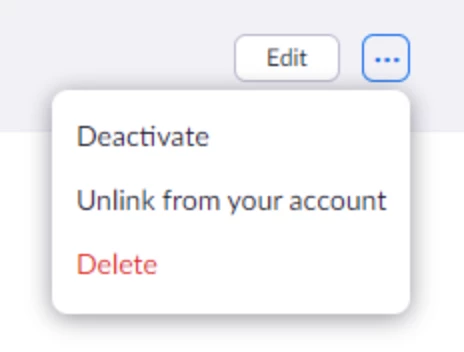


However, this is not what I see:
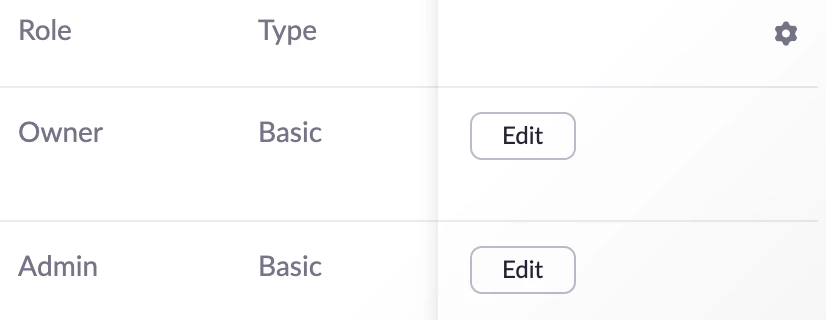
There is no "..." button. How do I unlink a user?


Thank you.

Irina


    3 replies

    Ohkawa
    Community Champion | Customer
    Community Champion | Customer
    September 4, 2021

    Hi, @ irinatruong


    First, from the role management, remove the user you want to delete from the admin group and make it a Member

    Then you will be able to unlink the user from your account.


    If you are satisfied with my answer, please click "Accept as Solution".

    Newcomer
    October 29, 2021

    I do not see "role management"

    Bort
    Employee
    Employee
    October 29, 2021

    Try this instead: 

    1. Login as the owner 
    2. In the navigation menu, click User Management and then Users
    3. Click the Edit button next to the admin user. 
    4. Next to User Role, click the drop-down menu and switch the user from Admin to Member, then Save
    5. Now you should be able to unlink that user from your account. 
    Bort
    Employee
    Employee
    September 7, 2021

    @Ohkawa is correct. You will need to demote that user from Admin to Member, then you can kick them from the account. Check out the Role Management article for info about how to do this. 

    Newcomer
    December 31, 2022

    Thank you! That solved my dilemma!