

cancel
Showing results for 
Search instead for 
Did you mean: 
The Zoom Community will be placed in read-only mode January 9th, 2026 through January 22nd, 2026 to deliver you a new and improved community experience!

The community will still be accessible, however, the creation of any new discussions or replies will be temporarily unavailable. We appreciate your patience during this time.

Unable to launch video meeting

ipds
Newcomer
Newcomer

error massage "Unable to launch video meeting. When possible, please restart your computer and try again"

I've tried to restart computer and checked camera and microphone access but still not working on my laptop.
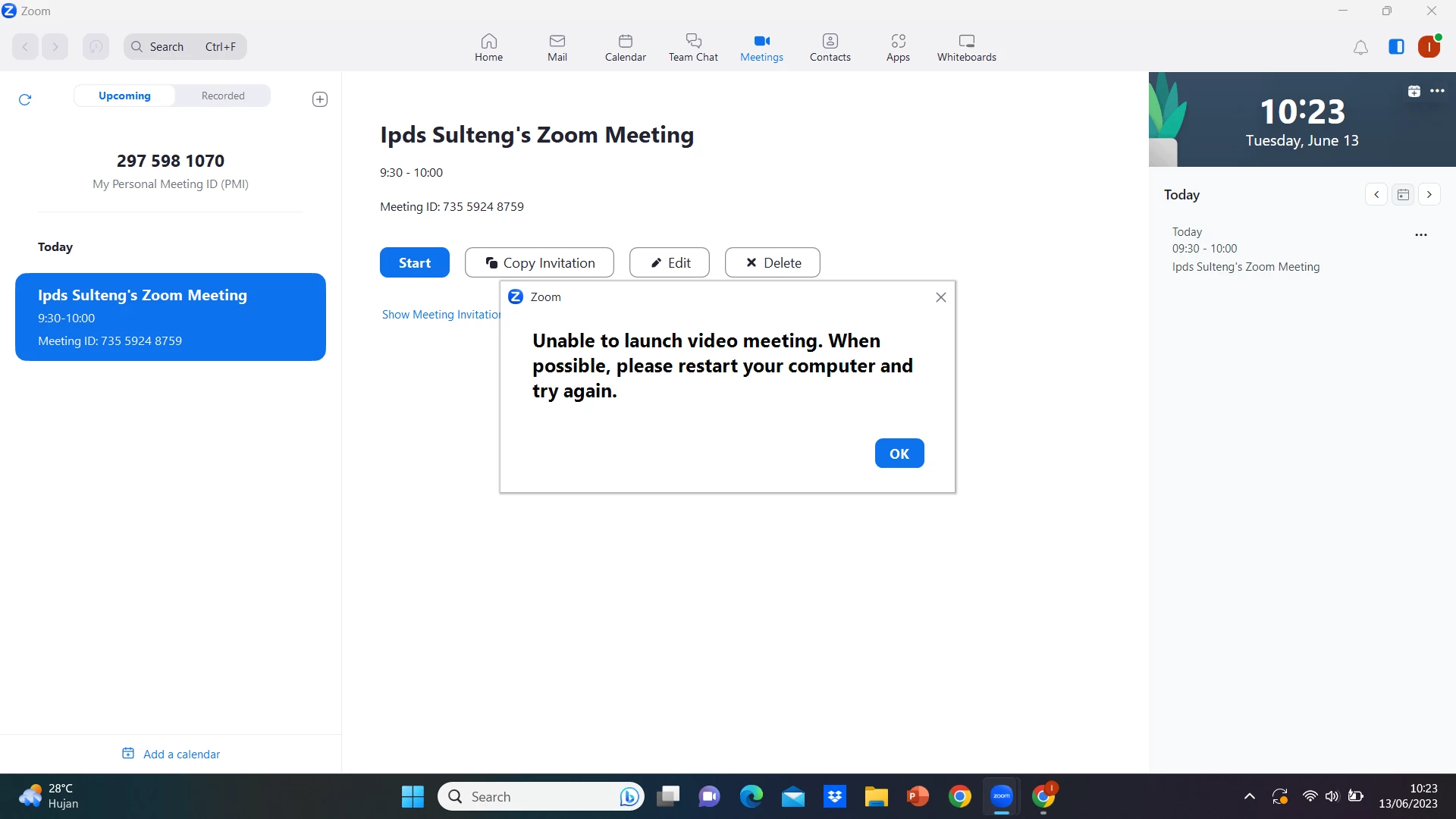


zoom error.png

3 REPLIES 3

Eliot
Community Champion | Zoom Partner

hi ipds,


you might try updating the zoom client.


also there is a zoom support article on the subject.

Meeting won't launch from Google Chrome – Zoom Support


thanks,  eliot

v-2nran
Newcomer
Newcomer

Any more updates on this. We started to seeing this error from last one month but no luck in resolving and have explored all possible troubleshooting paths. 
Not reproducible on demand hence can't capture additional logs and dump files aren't so helpful so far.

lasersharp
Newcomer
Newcomer

Zoom Communications is becoming complacent, just what caused the downfall of Cisco Webex. Zoom just does not have a guarantee for start up on a Windows 11 environment. Either I get "restart computer" or if I click on the Zoom program icon, it does not start but the processes are visible from Task Manager. Wake up Zoom and help you paying customers maybe???