

Unable to establish secure connection with Zoom | Community
Skip to main content
Newcomer
January 11, 2022
Solved

Unable to establish secure connection with Zoom

  • January 11, 2022
  • 22 replies
  • 2 views

Hi Team,


One of my user in office facing issue while joining Zoom meeting "Unable to establish secure connection with Zoom"

Screen shot is attached. Any idea what we can do in this case. Have already tried reinstalling ZOOM app and User had tried different internet service provider for connecting Zoom meetings
    Best answer by georgieg


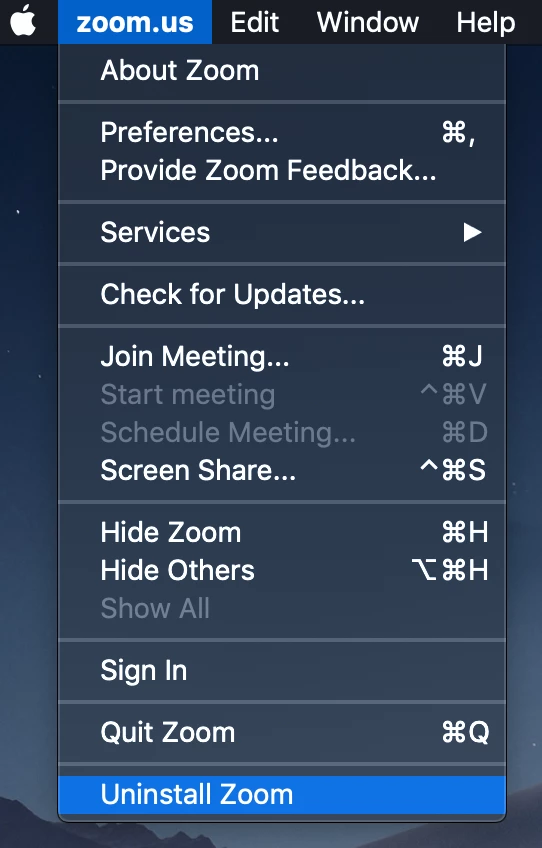
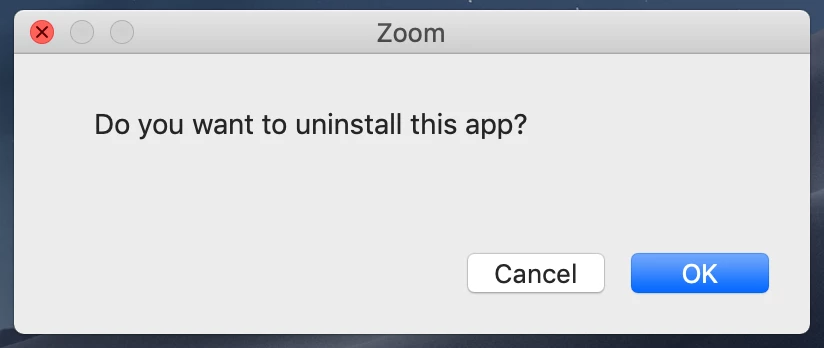
    *I was able to fix this issue - through contacting them by email. It worked on my Mac. Hope this helps someone.

    *Open the Zoom desktop application.


    22 replies

    Newcomer
    January 11, 2023

    Some of our users on 5.13.4 have been having this same prompt appear.  Sounds like it may be something on Zoom's side.

    Newcomer
    January 12, 2023

    Managed to get rid of that screen by Uninstalling and then Reinstalling Zoom.


    Hope it works for others

    Newcomer
    January 12, 2023

    From speaking with Zoom support, there appears to be a known issue on older versions of Mac-OS that started appearing a few days ago. They are trying to address the issue in the next release, but a short-term fix may be to reboot your computer. YMMV.

    Newcomer
    January 13, 2023

    The reboot was the final step.

    Newcomer
    January 12, 2023

    I have a band-aid solution for those, like me, who are unable to make the problem go away no matter what we try (I like to think it's a bug at Zoom's end that they'll get around to fixing). It's possible to drag the pop-up message, so I simply move it all the way to the side of my screen until only a sliver of the pop-up box remains visible. Just once has the message reappeared in the center of the screen; I moved it to the side again and it stayed put for the rest of the 90-minute meeting.

    georgiegAnswer
    Newcomer
    January 13, 2023


    *I was able to fix this issue - through contacting them by email. It worked on my Mac. Hope this helps someone.

    *Open the Zoom desktop application.


    Newcomer
    January 16, 2023

    Success for me as well. 

    Newcomer
    January 13, 2023

    SUCCESS! I am not sure what mix of actions prior to a full shutdown (I completed all recommended) worked, but the full shutdown and restart finally cured it!

    Newcomer
    January 17, 2023

    I solved this by doing everything I saw listed in this thread then resetting. So I first went into the calendar integration and took it off of any calendar connection. Then I deleted Zoom and reinstalled it. Then I restarted my computer. That was really frustrating, though.

    Newcomer
    January 18, 2023

    I'm on a Mac.  This solution did not work for me.  I am an individual.  I tried to connect via google, but google blocked the attempt to connect.


    Newcomer
    April 3, 2023

    Hi Team,


    One of my user in office facing issue while joining Zoom meeting "Unable to establish secure connection with Zoom"

    Screen shot is attached. Any idea what we can do in this case. Have already tried reinstalling ZOOM app and User had tried different internet service provider for connecting Zoom meetings

    Newcomer
    April 4, 2023

    Shortly after I reported the problem to zoom, I was asked by them to update my zoom room client.  It worked fine after that with no more error messages. (I had updated several times before that with no change.)  Are they using a laptop, phone, or a tablet?  I was having problems on my mac pro and not on my P.C.  If it is a tablet or a phone, there may be some issues not addressed. I've not heard of anyone still having this problem. 
    If you are still having problems, report it to Zoom via Contact Us.  They were very responsive.