cancel
Showing results for 
Search instead for 
Did you mean: 
The Zoom Community will be placed in read-only mode January 9th, 2026 through January 22nd, 2026 to deliver you a new and improved community experience!

The community will still be accessible, however, the creation of any new discussions or replies will be temporarily unavailable. We appreciate your patience during this time.

Unable to be heard using an integrated microphone on a HP Envy laptop

rscott415
Newcomer
Newcomer

Hi Zoom community!! I am having a problem with my Microsoft Array integrated microphone on my HP Envy laptop.  For some reason when I join a Zoom call, people who are participating on the call can not hear me.  I have exhausted all of the standard microphone configuration questions.  I am wondering if anyone in Zoom land possibly have experienced this same or similar issue and could provide some guidance?? I'd really appreciated it. Thanks. 
1 ACCEPTED SOLUTION

VA
Community Moderator | Employee

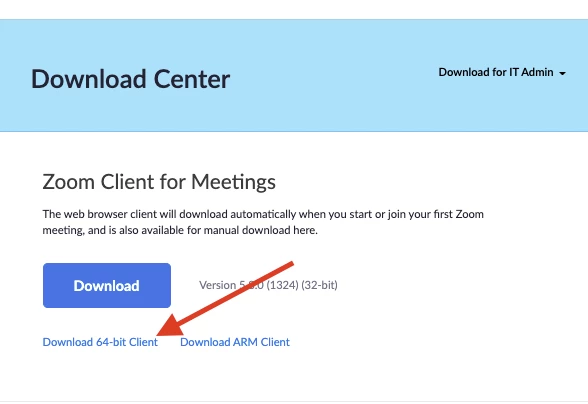
Hi there @rscott415 I'm so sorry this continues to be an issue. Could you please confirm if you are using the 64bit version of Zoom client?

VA_0-1633626414673.png


If yes, could you please try enabling the "Original Audio​" in your Zoom desktop client audio settings?

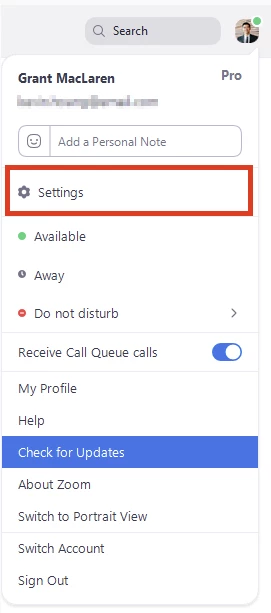
Go to Settings

VA_1-1633626414512.png


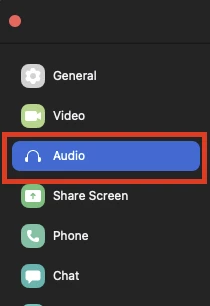
Go to Audio.​

VA_2-1633626414463.png


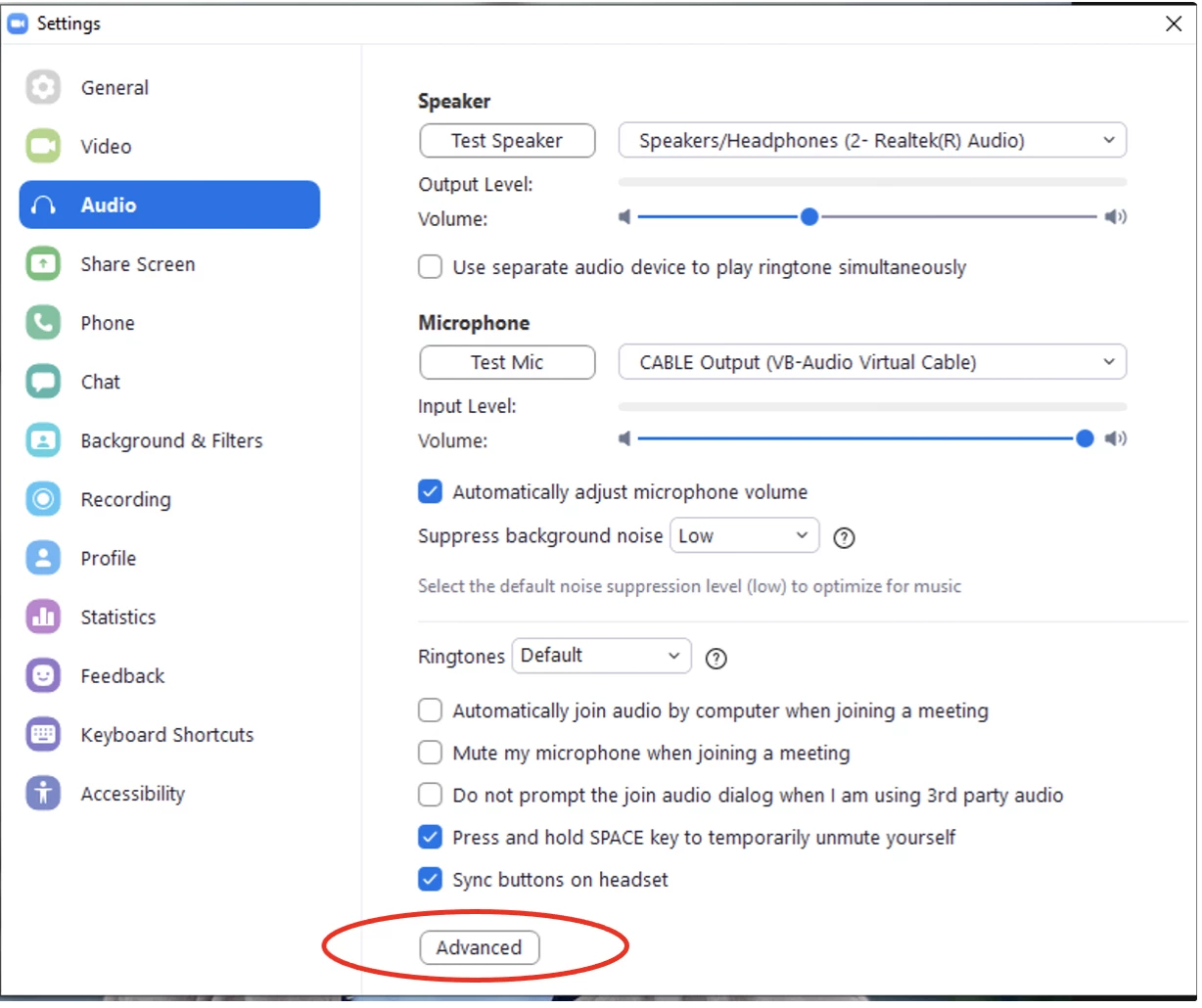
Go to Advanced

VA_3-1633626414937.png


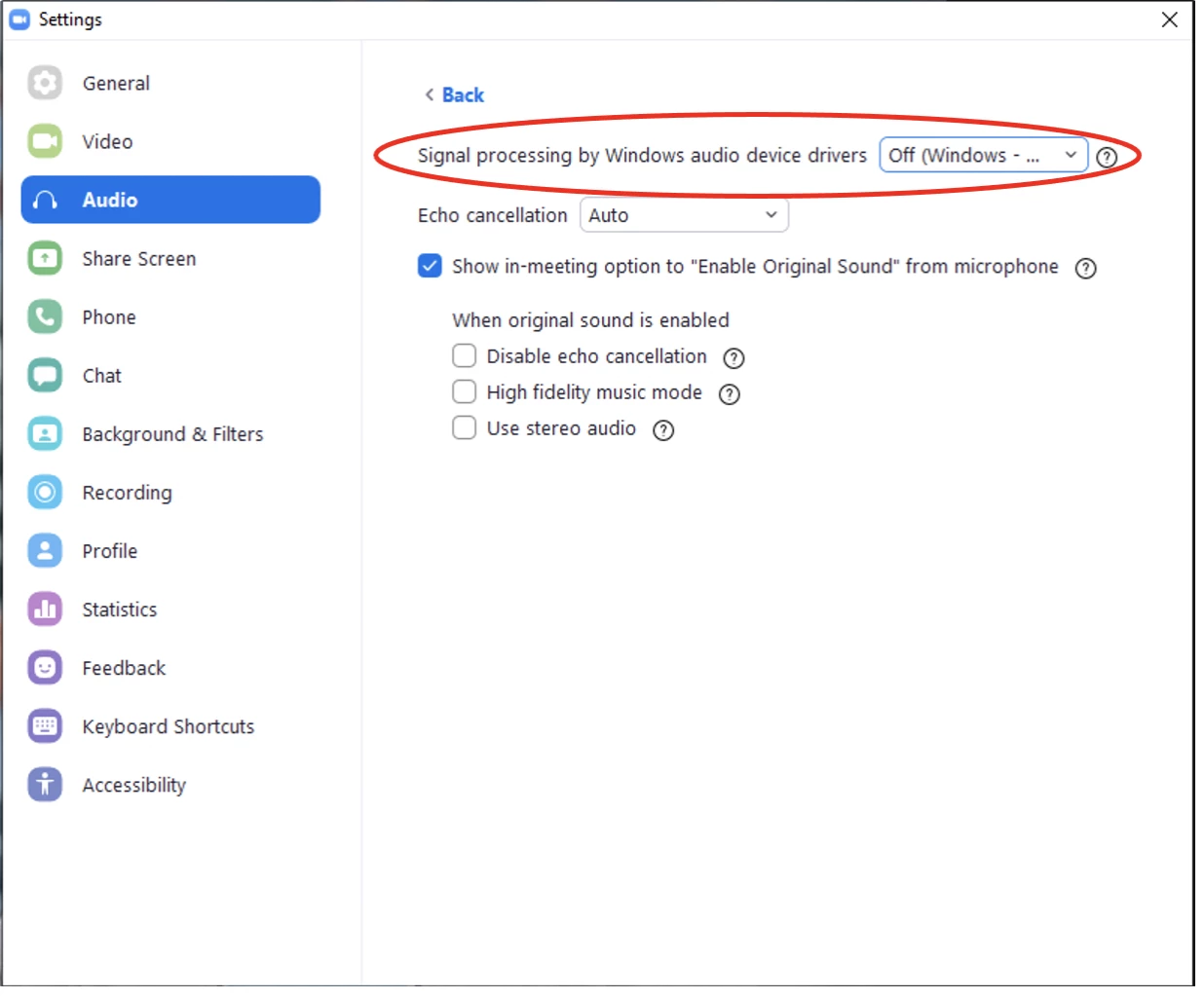
Select “Signal processing by Windows audio device drivers” to “Off (Windows - Raw)”

VA_4-1633626414647.png


Once set, please try to start a new meeting and check if the microphone will work.


Virginia
Zoom Community Team
Have you heard of Zoom AI Companion?

View solution in original post

4 REPLIES 4

Rupert
Community Champion | Customer

Hi @rscott415 


Can you try and Test Meeting at https://zoom.us/test and post here what results you get.


Rupert


rscott415
Newcomer
Newcomer

Hi Rupert, i did the test via Zoom and didn't hear anything out of the mic.

VA
Community Moderator | Employee

Hi there @rscott415 I'm so sorry this continues to be an issue. Could you please confirm if you are using the 64bit version of Zoom client?

VA_0-1633626414673.png


If yes, could you please try enabling the "Original Audio​" in your Zoom desktop client audio settings?

Go to Settings

VA_1-1633626414512.png


Go to Audio.​

VA_2-1633626414463.png


Go to Advanced

VA_3-1633626414937.png


Select “Signal processing by Windows audio device drivers” to “Off (Windows - Raw)”

VA_4-1633626414647.png


Once set, please try to start a new meeting and check if the microphone will work.


Virginia
Zoom Community Team
Have you heard of Zoom AI Companion?

Perfect, thank you!