
Unable to add alternate host | Community
Skip to main content
Newcomer
August 31, 2021
Question

Unable to add alternate host

  • August 31, 2021
  • 6 replies
  • 0 views

Hello


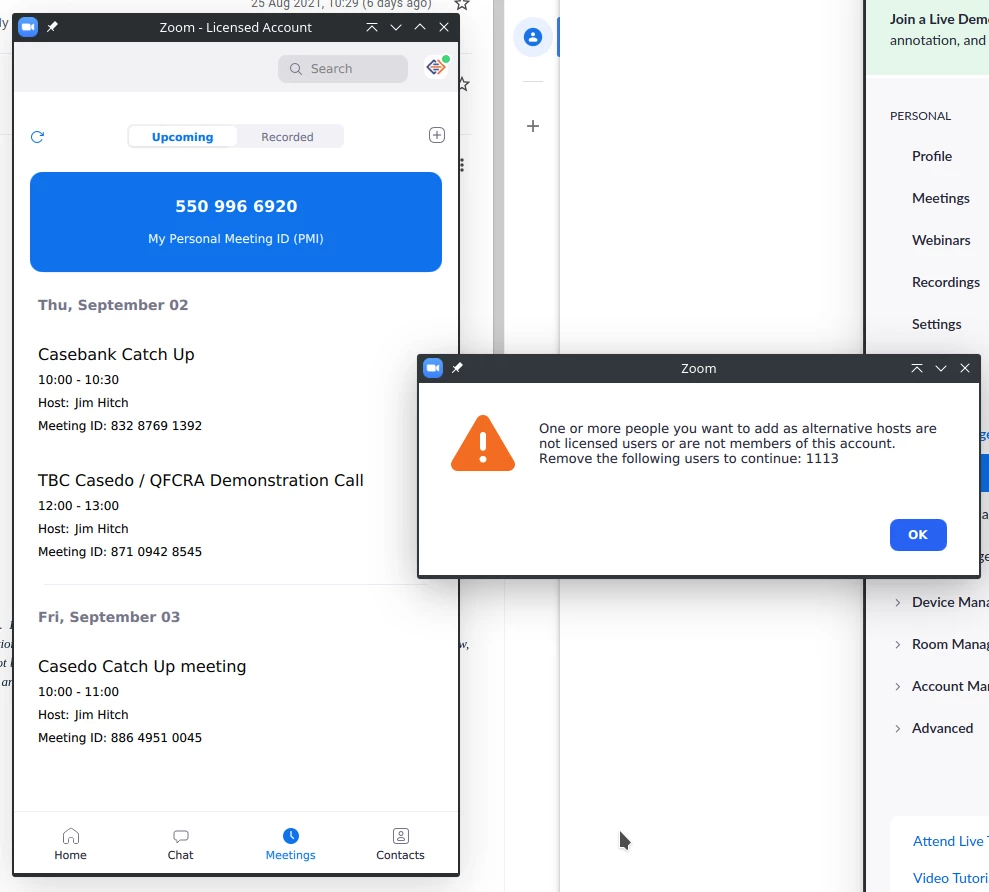
When I schedule a meeting I am unable to add my colleague as an alternate host. My colleague and I both have paid licenses AND are on the same account. So the error has got it completely wrong.

 

    6 replies

    Employee
    August 31, 2021

    Hi @Jim88756, thank you for posting this issue in the Zoom Community.


    The first thing I would do is to check that you are signed in the Zoom app with the correct user, the one on the same Zoom account as your colleague. You can do it by clicking on the profile picture in the top-right corner.

    Once this is confirmed, sign in to the Zoom web portal and go to zoom.us/profile and scroll down to the Account section. There you should see the account number. Verify with your colleague that your account numbers match. 

    If they do match, both you and your colleague check that you have a Zoom Meetings or Zoom Webinar licence activated, this information is also available in the Profile, Account section.

    If they don't match, it means that you are not members of the same account, so you can't be alternative hosts of each other's meetings.


    Always happy to help! If this solved your question, please click "Accept as Solution".

    Newcomer
    November 8, 2022

    I don't understand your response Sof. I have a scheduled Zoom meeting under my license with 4 other people. I cannot attend and want to assign one of those folks as host. Can I do that? How?

    Bort
    Employee
    Employee
    November 8, 2022

    @narthur 

    @Sof 's response was more troubleshooting instructions, rather than steps for assigning an alternative host. This article should explain the process for you: https://support.zoom.us/hc/en-us/articles/208220166-Designating-an-alternative-host

    Newcomer
    January 23, 2024

    This does not work for me. My account and "alternative host qualifications" have been met per the document outlining how to enable alternative hosts as well.
    I simply can't run the first instance of the meeting and need one person to fill in.  A message like "Can't add [user name] as an alternative host because the user cannot be selected at this time" after having successfully follow the UI's instructions to "press ENTER to select the user" and adding them, is very frustrating.

    Newcomer
    December 16, 2022

    I cannot add an alternative host, although I have a premium account.  "Support" has provided no support.

    Ready to move to GoToMeeting next month when my annual contract runs out.

    Newcomer
    February 18, 2024

    I am getting the same issue and I had an alternate host on this account already

    Newcomer
    February 18, 2024

    same her not sure what has changed,

    Newcomer
    June 14, 2025

    Having the same issue. It seems that there is no way to "add alternative host" - despite going down many rabbit holes and zoom tutorials and videos and zoom support documents to attempt to do so.


    The non-ideal solution but the only one I can get to work: log in with your zoom credentials and start the meeting in advance to make sure it is started properly.  Get the alternative host Admitted to the meeting and make them the host. An additional tip: If possible, stay logged into/keep the Meeting Running even though you are not able to attend the meeting. The designated participant can then run the meeting in your stead.     

    TO ZOOM TECH SUPPORT: Please provide a better solution and easy way to add alternative hosts with accurate and simple instructions to paid customers who need this feature. Thank you!