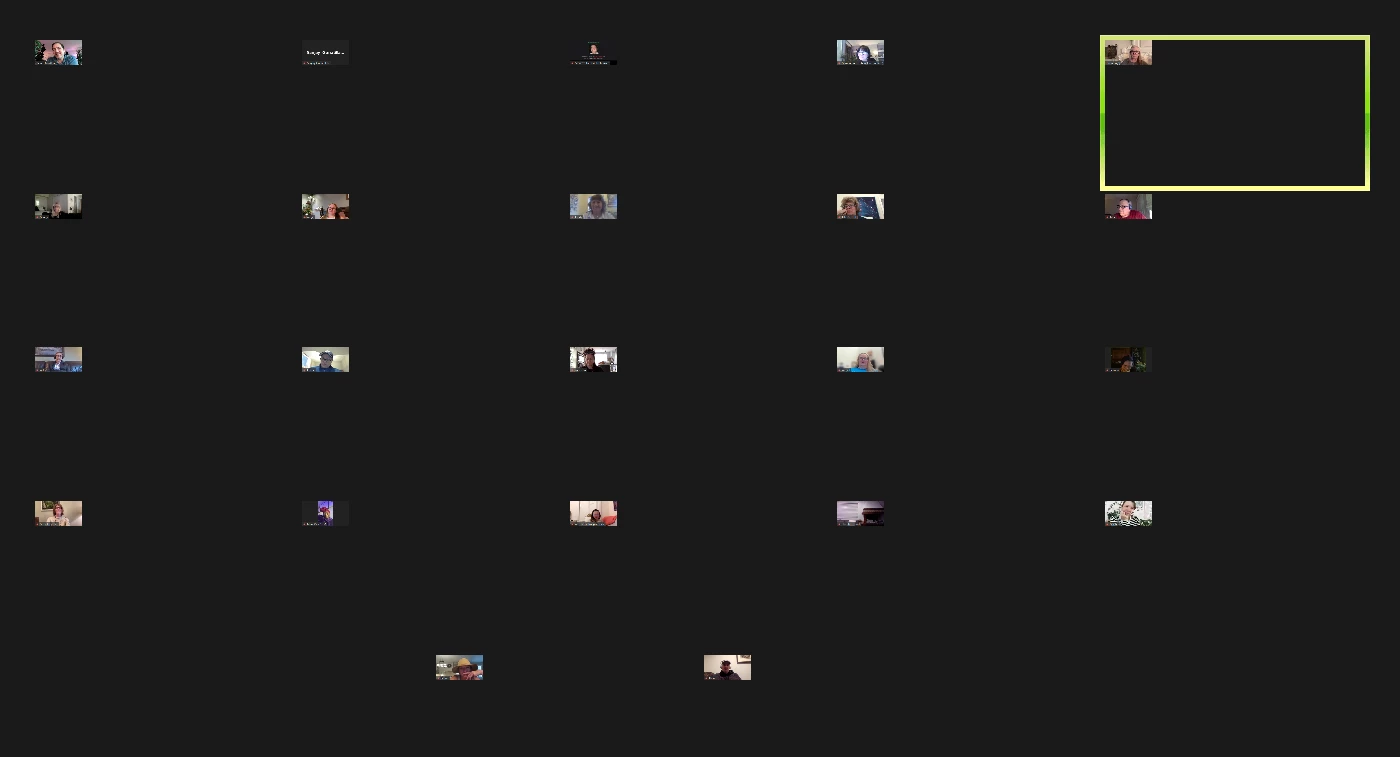
The zoom tiles are so small since the update - how to correct it? | Community
Skip to main content
Partner
April 8, 2024
Question

The zoom tiles are so small since the update - how to correct it?

  • April 8, 2024
  • 4 replies
  • 1 view

4 replies

Ray_Harwood
Community Super Champion | Customer
April 9, 2024

More details please. What version, what operating system?

SSG116Author
Partner
April 9, 2024

Windows 11, latest update last week

Ray_Harwood
Community Super Champion | Customer
April 9, 2024

Sorry... what version of Zoom?


Was it okay before the latest Windows 11 update?


This is the very first time I've seen anything like this before.

SSG116Author
Partner
April 10, 2024

it was the latest update from zoom last week - the very latest version. Windows 11 is the operating system.


Are you official support? 

Ray_Harwood
Community Super Champion | Customer
April 10, 2024

@SSG116, nope, most of us here in the Zoom Community are customer/volunteers.  Always check the part after the vertical bar in the person's name to see if they're "anything official".  I see you're a Partner, I'm a "Community Champion" (a group of us who spend a lot of time here helping people out) but also "just a customer."  Zoom Employees (and contractors) will have "Employee" afterward.


My understanding is that Zoom Support normally doesn't look through the Community.  Your Partner organization should have an Account Executive they can contact for sales-related things, as well as several ways to contact Zoom Support.  Check with your internal Zoom admins for assistance.

Newcomer
April 13, 2024

My Dad has this same issue on Windows 10. First noticed on 26th March. Is there a way to view Zoom client updates and when they were installed to see if that is the likely cause?

Ray_Harwood
Community Super Champion | Customer
April 13, 2024

Hey, @Purpleman.


Release Notes by Date:

https://support.zoom.com/hc/en/category?id=kb_category&kb_category=f55a321e8720391089a37408dabb35fa


Within each date, there’s a separate section for each affected product. 


Release Notes by Product:

https://support.zoom.com/hc/en/category?id=kb_category&kb_category=625afeda8720391089a37408dabb3596

Within the Release Notes by Product, they are in order by date, most recent at top. 

Newcomer
April 14, 2024

OK so possibly the update released 8th March that caused this as it was first noticed 26th March? Is there anyway to see when this update was installed/applied on the computer? I couldn't see anything in Zoom settings or anywhere. 

Looks like another update due tomorrow so hoping this will resolve it. 

SSG116Author
Partner
April 16, 2024

@CarlaA  I updated to version 6.0 yesterday and it still had small tiles, I then uninstalled and went back to a version from January and it had small tiles again which totally confused me. This wasn't a problem until the update a few weeks ago. It's making zoom for group meetings almost unusable 

CarlaA
Community Manager
Community Manager
April 17, 2024

HI @SSG116 thank you for the update.


Our engineering team is aware and investigating. If you would like to help us in our investigation, please submit a ticket to support so that they may take a deeper look. 

 

Thank you in advance!

Newcomer
May 6, 2024

Permane il problema nonostante gli aggiornamenti.

Non ci sono rettifiche?

Zoom con questo problema diventa inutile nelle riunioni.

Grazie per l'attenzione