

Speakers don't work on desktop client | Community
Skip to main content
Newcomer
January 11, 2024
Solved

Speakers don't work on desktop client

  • January 11, 2024
  • 3 replies
  • 1 view

Since a month or so, my Zoom desktop client on my laptop fails to produce sound over the speakers. I can't hear any sound, others in the meeting do hear me.


I have already reinstalled the app twice and followed the instructions in the support article about sound output for Realtek.


Also on latest version of Windows (Windows 11 Pro, version 22H2) and have latest audio drivers (for Realtek Audio).


All other apps that use my speakers (Teams, Spotify, etc) work without problems, and so is the web-version of Zoom. Just rather use the app for my meetings!


Anyone with a suggestion?


Hope to fix this soon!
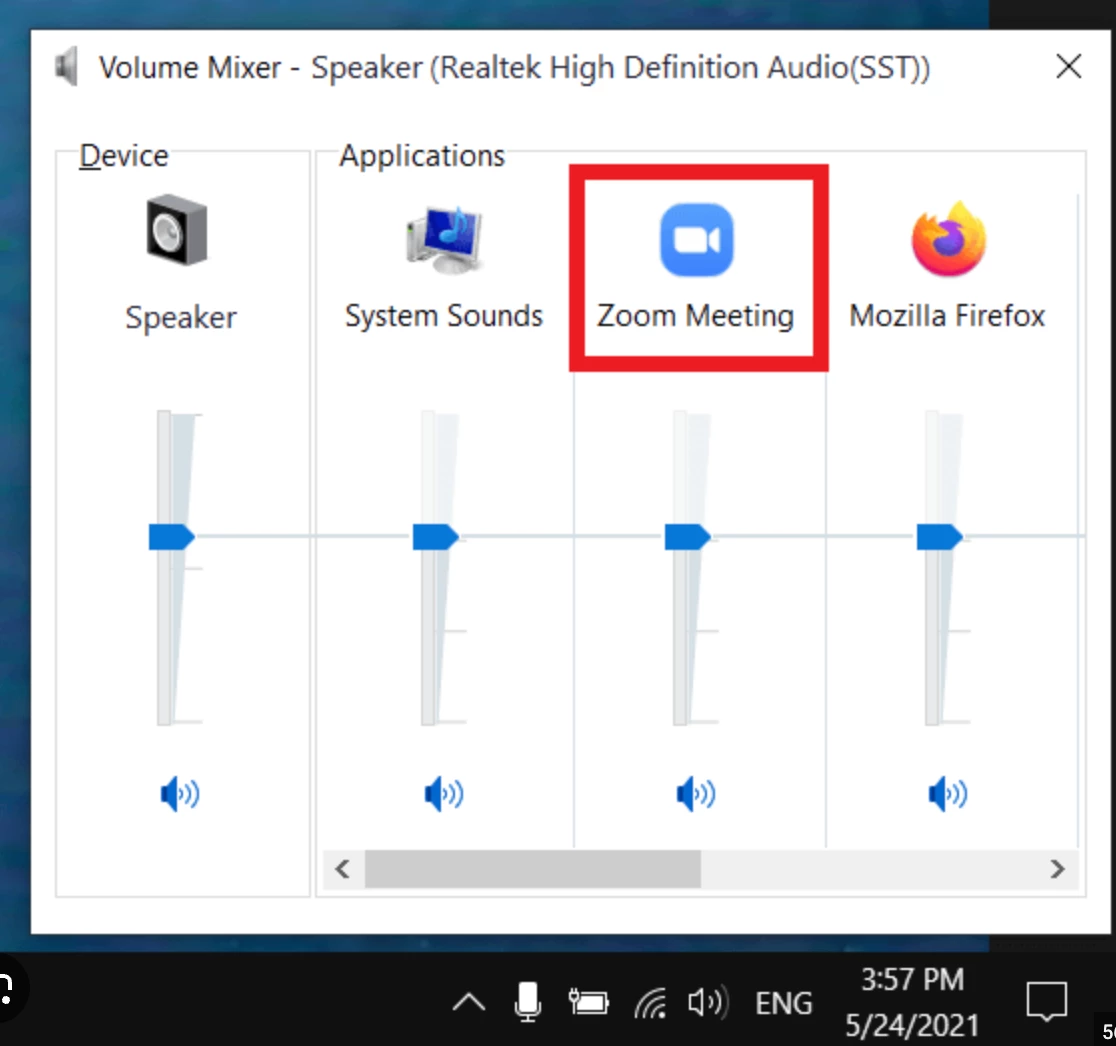
Best answer by bstrelko

Got it. Are you able to access Windows' "Volume Mixer" and confirm the following:


1.) Zoom appears to be routed to the speaker output within Volume Mixer

2.) Zoom is not muted in Volume Mixer and fader is set to an appropriate level

3.) Whether you are able to see audio levels hitting the volume mixer for the Zoom application


3 replies

bstrelko
Community Champion | Customer
January 11, 2024

Can you confirm the name of the audio output device that is selected by Zoom (up-caret near your microphone or Settings -> Audio should show you this)?
Also, what other audio output devices are available on that list?


This info will best inform next steps.

LotteAuthor
Newcomer
January 12, 2024

Thanks for checking in.

Options I see in Zoom client Settings - Audio (when not using headphones)

- Same as system (Speakers (Realtek(R)Audio))

- Speakers (Realtek(R) Audio)

None of the options result in sound over laptop speakers.


Once I insert my headphones I additionally see the option "Headphones (Realtek(R) Audio). With headphones in, I can hear the speaker.

bstrelko
Community Champion | Customer
bstrelkoAnswer
Community Champion | Customer
January 12, 2024

Got it. Are you able to access Windows' "Volume Mixer" and confirm the following:


1.) Zoom appears to be routed to the speaker output within Volume Mixer

2.) Zoom is not muted in Volume Mixer and fader is set to an appropriate level

3.) Whether you are able to see audio levels hitting the volume mixer for the Zoom application


Newcomer
July 19, 2024

Speakers don't work on desktop client

Newcomer
January 8, 2025

If the above solution does not work, this Zoom help article worked for me: Zoom sound output not working with Realtek Audio 

You may need to turn off audio enhancements in your Windows settings.

Newcomer
August 31, 2024

It worked for me.  Not sure how the speaker got x'd.  Go to system, sound, volume mixer and uncheck the speaker.