

Show my zoom windows during screen share is enabled but does not work | Community
Skip to main content
Newcomer
January 6, 2022
Solved

Show my zoom windows during screen share is enabled but does not work

  • January 6, 2022
  • 2 replies
  • 0 views

Hello friends, 


I will give a small training to my cowokers on how to use Zoom.  For this purpose I need to share my Zoom window, in order to show them the buttons they need to click on.


I enabled the 'Show my Zoom windows during screen share" both on my application, and on the website, on my account. Then I signed out and signed back in, I closed and reopened my application, but IT DOES NOT WORK. 

I also downladed the latest version of Zoom. 


I don't know what else I can try. 


Do you have any ideas?


Thank you a lot!
    Best answer by Dan_ZoomSE

    @Ruxandra,


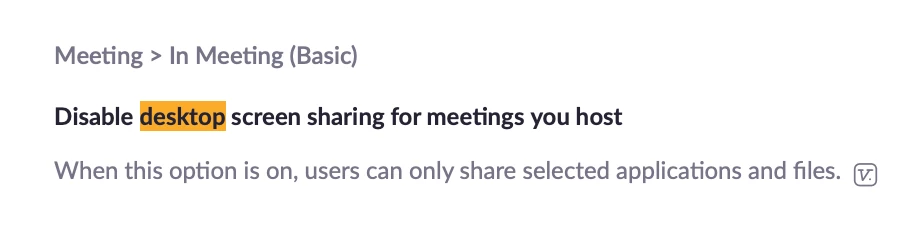
    It looks like you may have the setting to prevent desktop sharing enabled.  Please check your account settings for you this...


    If this has answered your question, please click the Accept as Solution button below so that others in the Community may benefit as well.

    Thanks!


    2 replies

    Dan_ZoomSE
    Employee
    Employee
    January 6, 2022

    Hello @Ruxandra,


    Now that you have those setting enabled how are you trying to share in meeting?  You wont see the Zoom app as an option to share, you need to select the whole desktop and make sure that your Zoom application is on that display (if you have more than one).


    Can you confirm that you are selecting to share the whole desktop?


    If this has answered your question, please click the Accept as Solution button below so that others in the Community may benefit as well.

    Thanks!

    RuxandraAuthor
    Newcomer
    January 6, 2022

    Hello Dan, 


    Thank you a lot for your response. 


    I tried to share, but I cannot see the desktop as an option. Only the white board and Chrome navigator. I attache a screen shot. 


    Thank you again for your help!

    Dan_ZoomSE
    Employee
    Employee
    January 6, 2022

    @Ruxandra,


    It looks like you may have the setting to prevent desktop sharing enabled.  Please check your account settings for you this...


    If this has answered your question, please click the Accept as Solution button below so that others in the Community may benefit as well.

    Thanks!


    Newcomer
    February 11, 2022
    Screenshot-(1).png
    Newcomer
    February 11, 2022

    pls solve this problem