
Solved
Screen Sharing
How do I make sure that all participants in my private meeting always get the right to share the screen when they join?

How do I make sure that all participants in my private meeting always get the right to share the screen when they join?
Hello,
As a user, you can control several personal settings in the web portal, but some settings may be locked at the account level or group level. This will be noted next to the setting.
Log into the zoom.us web portal
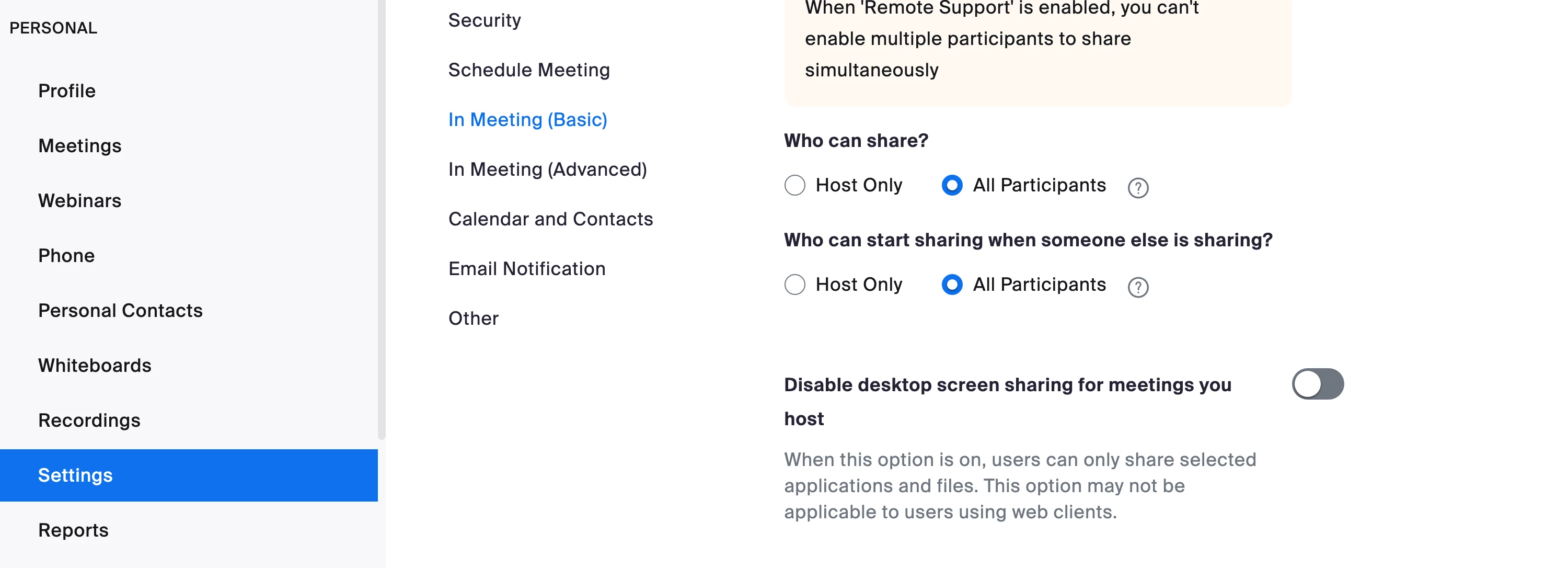
In the Personal section navigate to Settings
In the In Meeting basic section find ScreenSharing
Change the Who can share setting? to All participants
Click Save
https://support.zoom.us/hc/en-us/articles/201362153
Note this will change the setting for all of your meetings going forward. Meetings that are already scheduled will need to be edited one by one.
Regards
If my reply helped, don't forget to click the accept as solution button!
Enter your E-mail address. We'll send you an e-mail with instructions to reset your password.