

cancel
Showing results for 
Search instead for 
Did you mean: 
Effective January 9th, 2026 through January 22nd, 2026: The Zoom Community is currently in read-only mode with login disabled, to deliver you a new and improved community experience!

The site is still accessible to view, however, the ability to login, create content, or access your community account is temporarily unavailable. We appreciate your patience during this time. If seeking support, please browse existing community content or ask our Zoom Virtual Agent.

Scaling image for a green screen display in the background

Mirja
Explorer
Explorer

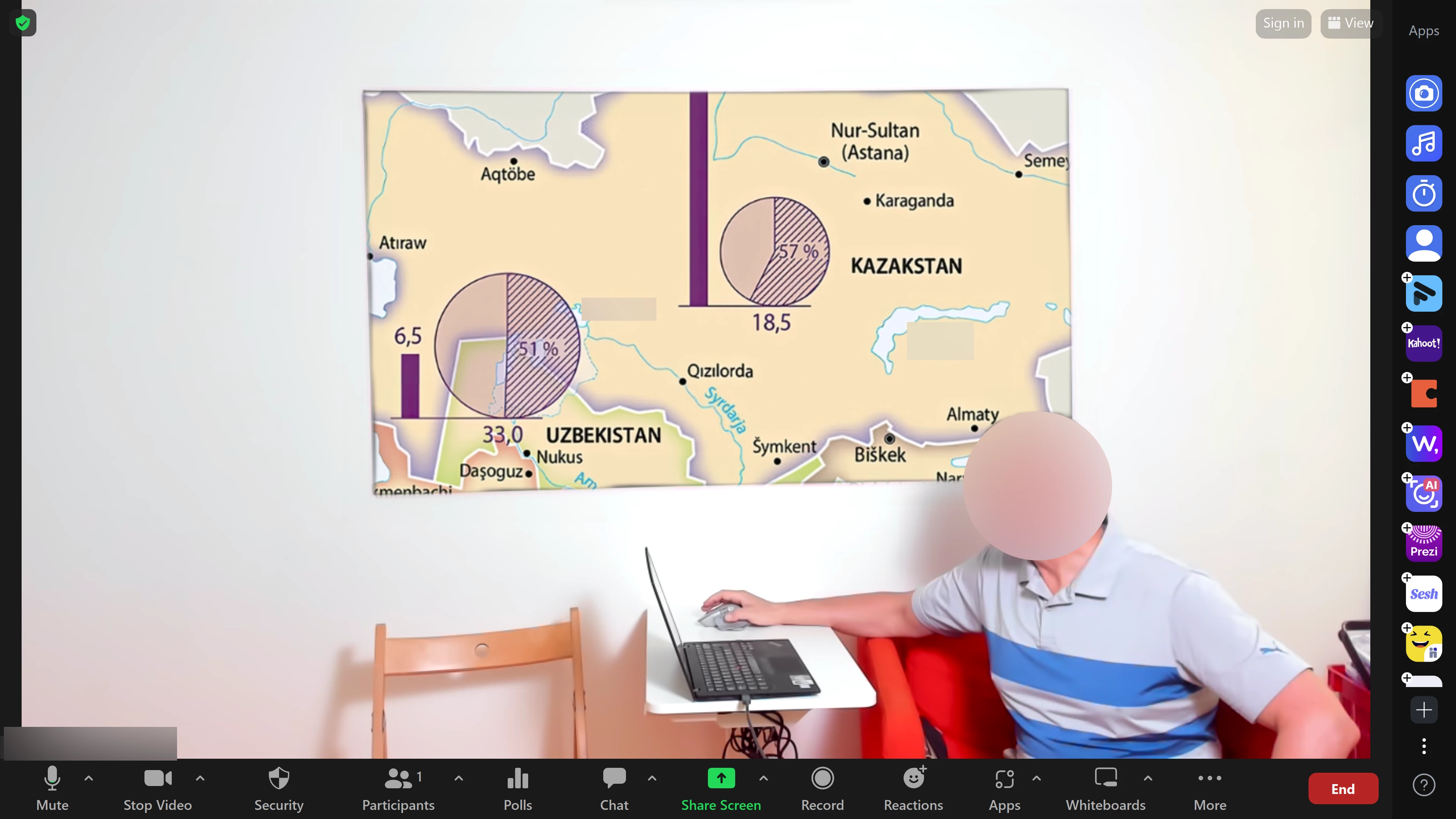
The issue is this: we have a green screen on the wall and we wish to display a map there. However we see the map only partially there. Now when I write this, it seems quite obvious: Zoom fits the image to the whole meeting screen, it does not scale it to the green screen part. That is why there is a big chunk missing, no matter which resolution the image is.

Is there a solution to this, so that we could project the whole map there? Has anyone worked with this kind of setup?ee.png
1 ACCEPTED SOLUTION

Frank_TB
Community Champion | Customer

Hello,


Zoom has very basic green screen abilities. 

You could try the following;

  • Get a bigger green screen
  • zoom or move the camera closer to the greenscreen so it fills more of the camera picture.
  • Get an external switcher like an Atem that has more ability to control the source and fill.

Regards

If my reply helped, don't forget to click the accept as solution button!

View solution in original post

1 REPLY 1

Frank_TB
Community Champion | Customer

Hello,


Zoom has very basic green screen abilities. 

You could try the following;

  • Get a bigger green screen
  • zoom or move the camera closer to the greenscreen so it fills more of the camera picture.
  • Get an external switcher like an Atem that has more ability to control the source and fill.

Regards

If my reply helped, don't forget to click the accept as solution button!