
Solved
RSVP & Calendar
When I send a Zoom invite it is not asking the invitees for an RSVP, also the meeting does not appear on the invitees calendar. How do I set this up? I am currently copying the meeting info and pasting and sending via email.

When I send a Zoom invite it is not asking the invitees for an RSVP, also the meeting does not appear on the invitees calendar. How do I set this up? I am currently copying the meeting info and pasting and sending via email.
If the meeting is already scheduled on your Zoom account, there is an easy way to export it to your GCal. Open the Meetings page on the web portal, open that specific meeting, and click on the Google Calendar option in the Add to section:
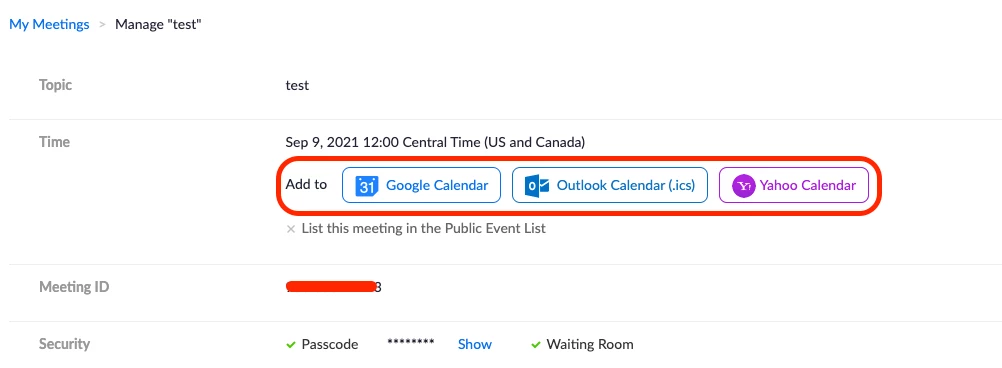
This will easily export the meeting to your calendar, so that you can then begin adding guests through Google Calendar.
Going forward, you can install the Google or Firefox scheduler , which makes scheduling meetings directly in Google Calendar much easier.
Hope that helps and please make sure to mark the solution as accepted if this information is what you needed.
Enter your E-mail address. We'll send you an e-mail with instructions to reset your password.