

Problem w/ screen sharing | Community
Skip to main content
Newcomer
March 31, 2022
Question

Problem w/ screen sharing

  • March 31, 2022
  • 5 replies
  • 45 views

I am suddenly unable to display a selected window when sharing my screen.  The share option seems to work but there is nothing in the display.  I have a screenshot below.  I use a Macbook Pro and recently upgraded to the Monterrey operating system and wondering if there is a problem with zoom and the new OS.  I also installed the most recent update of zoom.
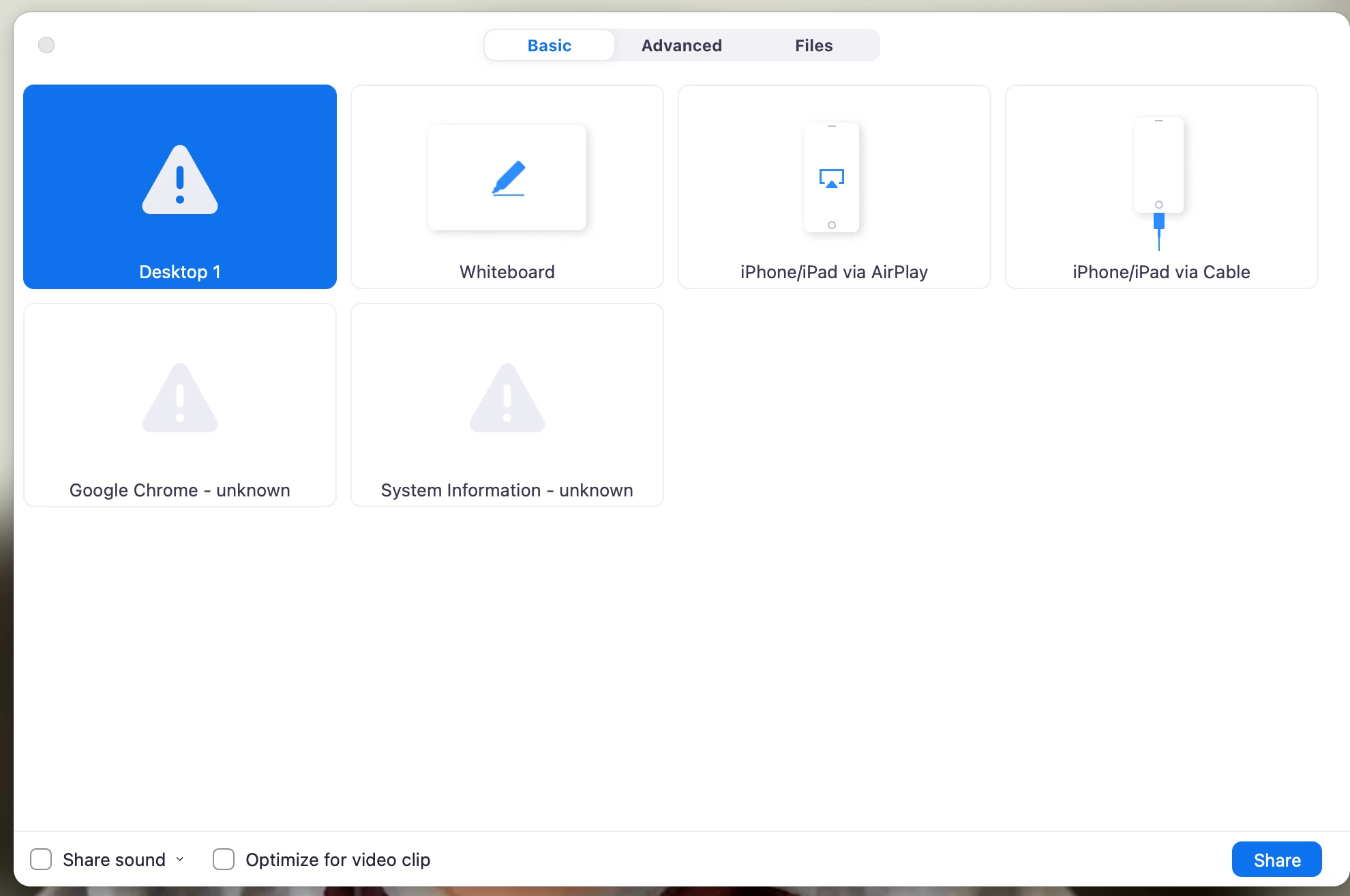
 

The window in the upper left is the selected window and the triangle w/ the exclamation point indicates an error of some kind but I don't know what it is.


Anyone???

    5 replies

    Newcomer
    April 7, 2022

    Did you get this issue resolved, I am having the same problem?

    Newcomer
    April 12, 2022

    I'm having the same problem.  Also happened to me after upgrading to Monterrey.  Any solution?

    Newcomer
    April 13, 2022

    I am having the same problem. If I took a screenshot, it would look the same. I cannot find a soluition.


    Newcomer
    April 13, 2022

    I went to security settings on my Mac and had to give permission to zoom to fix the problem.

    Newcomer
    April 14, 2022

    I, too, am having the exact same problem. I went to my security settings on my Mac but I do not see Zoom as an option. Did you have to reach out to their support and have an actual person help you?

    Newcomer
    October 21, 2024

    This post was a lifesaver. I'm on a Mac Airbook and couldn't figure out what was wrong. Thanks to this --- I went to Security and Privacy, then Audio Screen Recording, and clicked the little slider in the Zoom icon drop-down. And yes, the most important thing is that you need to close Zoom before you do this. 


    Glad the post helped! 

    Newcomer
    March 14, 2025

    what is the help for this issue in windows?