cancel
Showing results for 
Search instead for 
Did you mean: 
The Zoom Community will be placed in read-only mode January 9th, 2026 through January 22nd, 2026 to deliver you a new and improved community experience!

The community will still be accessible, however, the creation of any new discussions or replies will be temporarily unavailable. We appreciate your patience during this time.

Print Survey "View Responses"

blucht
Newcomer
Newcomer

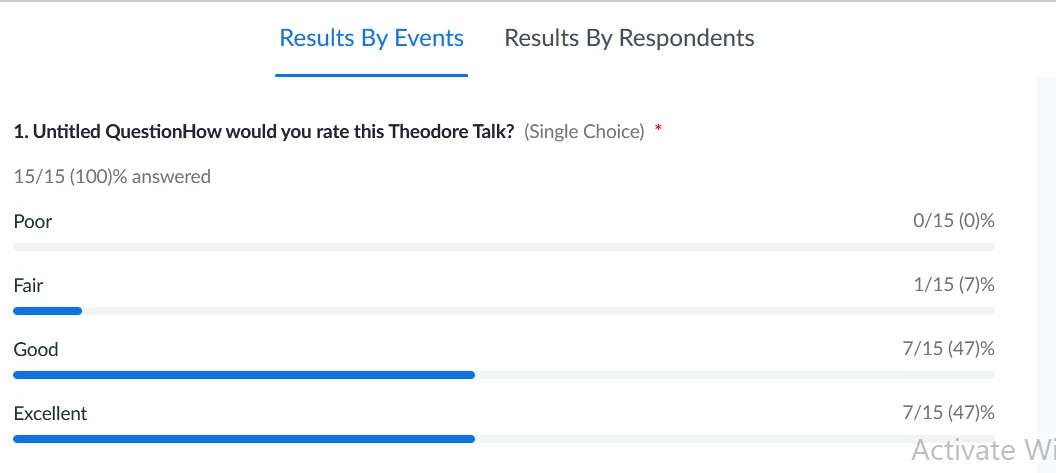
"View Responses" generates a new web page in which I can view my survey results in a graphical format.  However, I can only print the first page, not the entire web page.  How do I print the entire report?

Note: I already know how to generate a report, but that produces a CSV spreadsheet.  I like the easy to review "View Responses" format.

I am using Windows10 with a Zoom OnePro license.

blucht_1-1685475097948.png


blucht_0-1685474865664.png


2 REPLIES 2

joniw
Newcomer
Newcomer

Was this feature of viewing responses moved somewhere else?  It was very user-friendly compared with the CSV spreadsheet version.  Instead of he print feature, I copied and pasted into a Word document or used screenshots.

blucht
Newcomer
Newcomer

Yeah, that was my workaround, pasting screen shots into Word.  Thanks for confirming I cannot print this Zoom report.