

cancel
Showing results for 
Search instead for 
Did you mean: 
The Zoom Community will be placed in read-only mode January 9th, 2026 through January 22nd, 2026 to deliver you a new and improved community experience!

The community will still be accessible, however, the creation of any new discussions or replies will be temporarily unavailable. We appreciate your patience during this time.

Please help! It keeps saying "Recorded on a different computer"

vic123
Newcomer
Newcomer

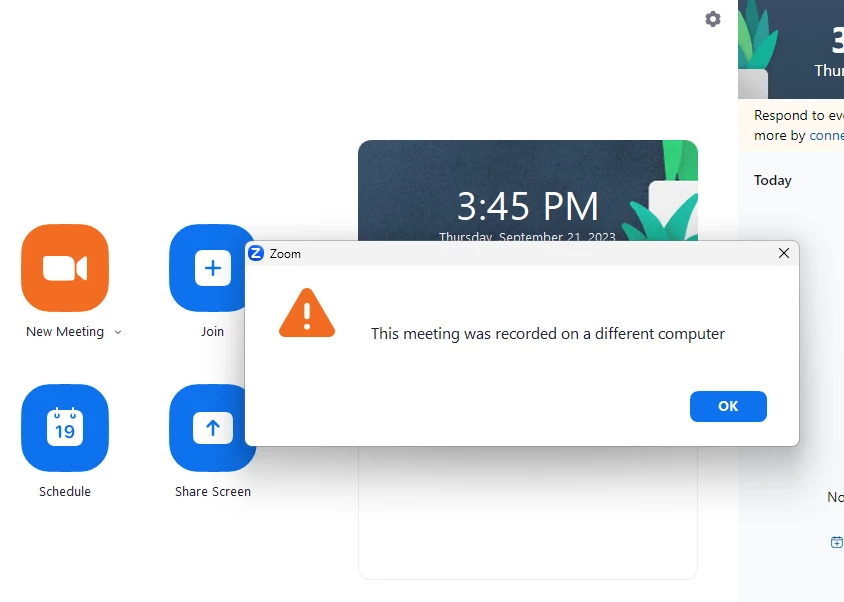
Hi all. I just finished an important Zoom meeting but can't access the recording because it keeps saying "Recorded on a different computer".

- I've only used this pc

- I only have 1 zoom account

- I used my cell for the video/audio (not sure if that changes anything)

- I was not the host but a guest. The host allowed me to record

- When I go into the recordings tab I can see it there along with other previous meetings. However, when I click open I keep getting the same message.

- I didn't get to press end record or leave meeting as the host closed the window when the meeting was finished


So I just did a new mini meeting for a few seconds and that got saved properly and it opens up when I click on it.


Please help. Thank you.
 

vic123_0-1695325534500.png


1 REPLY 1

ExpertswhoJohn
Community Champion | Customer

All recordings are kept in the same place on a PC

You can check in the Zoom App, Settings, and Recording.


This is usually in the document folder within a zoom folder there are folders for each meeting.

Otherwise, you could just do a quick meeting, record locally and then a folder where the recordings are stored will pop up at the end, 
You could find any other recordings on that computer in the same folder above.