
cancel
Showing results for 
Search instead for 
Did you mean: 

Only share audio from computer screen while muting mic

grassland
Newcomer
Newcomer

While sharing my screen, I want to share the audio from a video I am playing but I want to mute my mic's audio. How can I do this?

1 ACCEPTED SOLUTION

KhatC
Zoom Employee
Zoom Employee

Hi @grassland, welcome to Zoom Community! To share sound during a Zoom meeting, start or join the meeting and click on the "Share Screen" option in the meeting toolbar. In the share selection window, check the "Share Sound" option. You can also choose between Mono and Stereo audio options by clicking the down arrow next to "Share Sound." After making your selections, click "Share" to begin sharing your screen along with the audio. If you want to share audio without sharing your screen, click on the "Advanced" tab in the share selection window and select "Computer Audio." Adjust the volume from the application playing the sound or your device settings as needed. While sharing audio, you can mute your mic's audio.
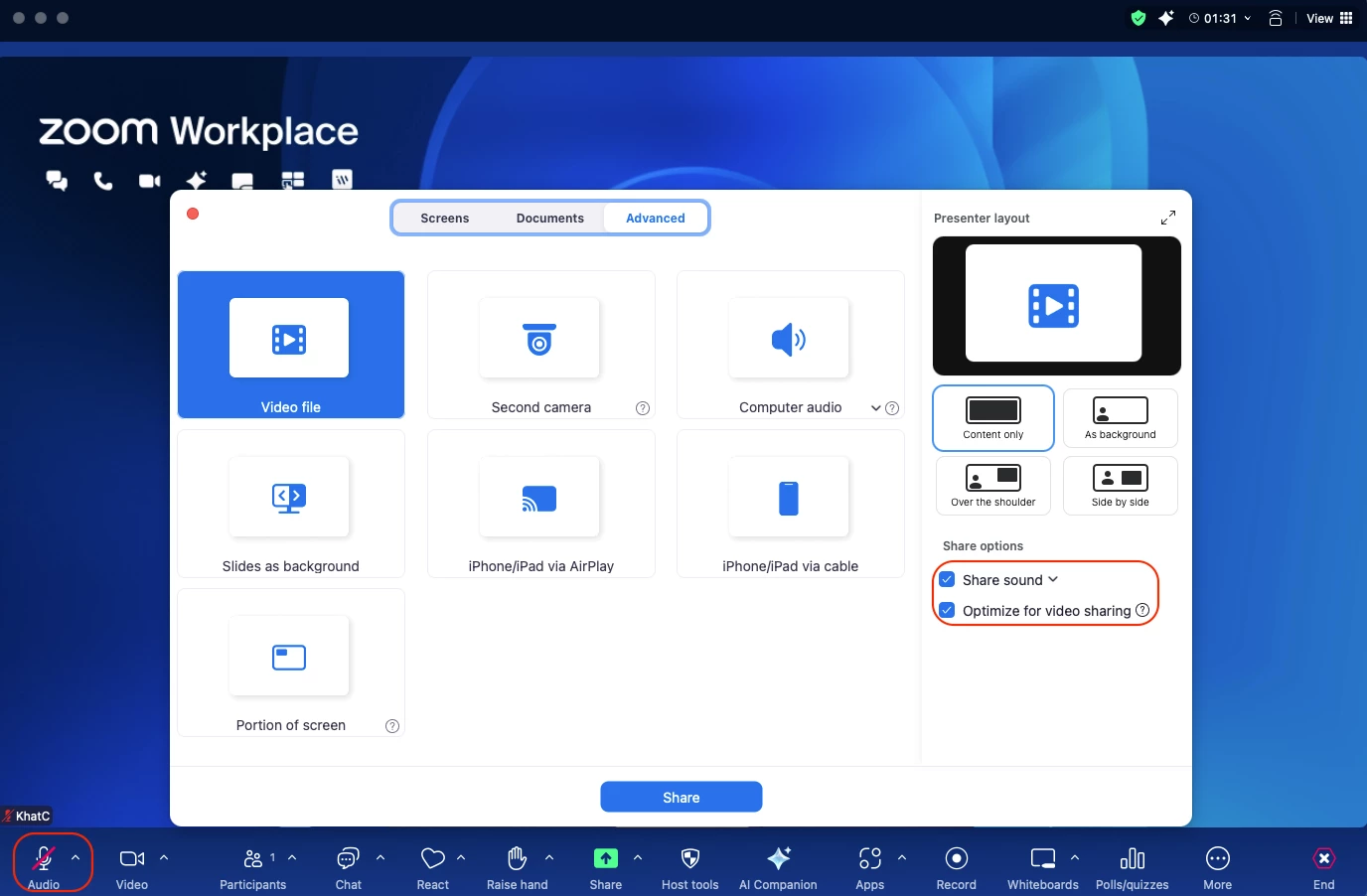
 

Screenshot 2025-08-14 at 12.48.28 PM.png


View solution in original post

4 REPLIES 4

KhatC
Zoom Employee
Zoom Employee

Hi @grassland, welcome to Zoom Community! To share sound during a Zoom meeting, start or join the meeting and click on the "Share Screen" option in the meeting toolbar. In the share selection window, check the "Share Sound" option. You can also choose between Mono and Stereo audio options by clicking the down arrow next to "Share Sound." After making your selections, click "Share" to begin sharing your screen along with the audio. If you want to share audio without sharing your screen, click on the "Advanced" tab in the share selection window and select "Computer Audio." Adjust the volume from the application playing the sound or your device settings as needed. While sharing audio, you can mute your mic's audio.


Screenshot 2025-08-14 at 12.48.28 PM.png


MGSR
Community Moderator | Employee

Hi @grassland! I wanted to let you know that I’ve marked @KhatC's response as the accepted solution, as I believe it answers your question. If you have any more questions or need further clarification, feel free to ask.


Mark
Zoom Community Team
Have you heard of Zoom AI Companion?

Alec_B
Newcomer
Newcomer

I tried this earlier today. Sharing computer audio worked just fine, but when I muted my mic, the shared audio was also muted. Any additional toughts, tips, tricks? thanks.

Try using two audio devices in your computer e.g. computer's speaker and mic and a headset/headphone/AirPods. When both are active in your device, go to your Zoom app's Audio settings then set the microphone to headset/headphone/AirPods while the speaker is set to your device's. See sample below:


Screenshot 2025-08-19 at 12.51.23 PM.png