

cancel
Showing results for 
Search instead for 
Did you mean: 
The Zoom Community will be placed in read-only mode January 9th, 2026 through January 22nd, 2026 to deliver you a new and improved community experience!

The community will still be accessible, however, the creation of any new discussions or replies will be temporarily unavailable. We appreciate your patience during this time.

Network QoS / DSCP Marking

MattS
Contributor I
Contributor I

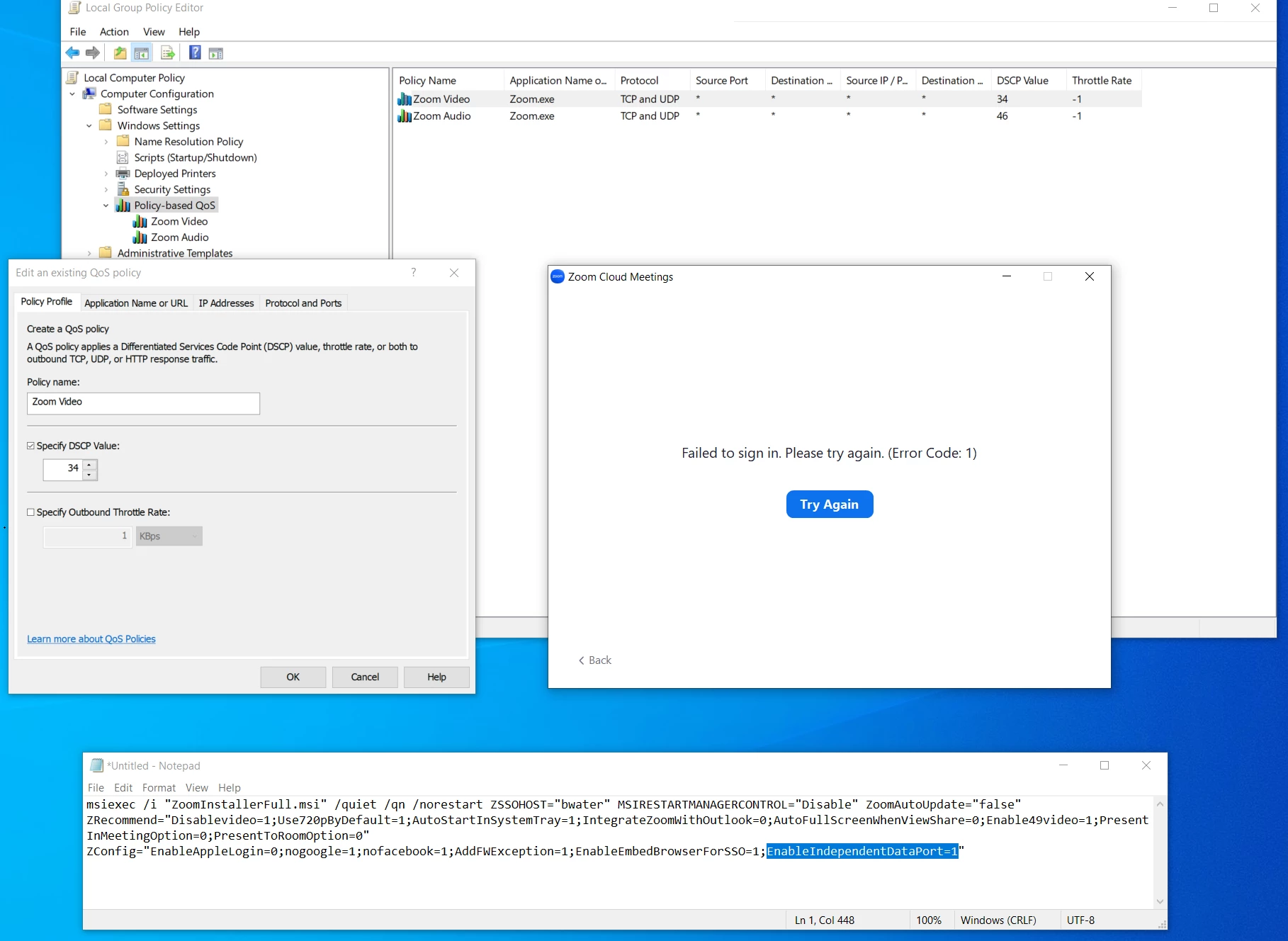
Hi, does anyone have experinece successfully setting up QoS with the windows client for zoom. I tried this based on the article below, including:

- enabled DCSP marking in the account settings

- installed the msi using the "EnabledIndependentDataPort=1" parameter

- created GPO Policy for both zoom audio and zoom video

Using QoS DSCP Marking – Zoom Support

However after I do this I get an error when trying to sign in to zoom. see screen shot
 

MattS_0-1678989572830.png


4 REPLIES 4

sachinzoom
Community Champion | Employee

Hello @MattS 


You will need to submit a ticket for this. Please see the guidance here:


https://support.zoom.us/hc/en-us/articles/5719685719949-Zoom-error-code-1


If this response helps, please accept the answer as an accepted solution, so others can benefit as well.

MattS
Contributor I
Contributor I

Thanks @sachinzoom , I'll submit a ticket. 


FYI, interestingly the probelem went away after I performed the following

- uninstalled the zoom app

- reinstalled the zoom app with out the "EnabledIndependentDataPort=1" parameter

- uninstalled the zoom app again

- reinstalled the zoom app with the "EnabledIndependentDataPort=1" parameter


So its a bit of a mystery why it eventially worked. Maybe a timing thing with how  the GPO settings take effect. Either way, would require a lot of testing to get confidence we could roll this out en mass without causing real problems. Mostly posting here for others who may have same issue. 

sachinzoom
Community Champion | Employee

Hi @MattS 


Thats great to hear. Good luck with your rollout

Hey Matt,

I guess add "EnableIndependentDataPort" to registry key is easier than add it as installation parameter:

reg add "HKEY_LOCAL_MACHINE\SOFTWARE\Policies\Zoom\Zoom Meetings\Meetings" /v EnableIndependentDataPort /t REG_DWORD /d 1 /f


I've been struggling with QoS for ZoomRooms for almost 3months now, so happy to share and hear from your findings.


Good luck!