My "rename" will not stick!!! | Community
Skip to main content
Newcomer
July 23, 2025
Solved

My "rename" will not stick!!!

  • July 23, 2025
  • 3 replies
  • 0 views

My profile has my correct name but each time I join a weekly meeting it shows the first names of myself and my partner, probably created years ago for a one time social event.  I "rename" it every week and choose "remember" yet every single week it defaults back to these two names.

Please help!!

Best answer by Ray_Harwood

Welcome to the Zoom Community, @Stumped123.


Changing your Display Name within a meeting only charges it for the duration of the meeting, as you have discovered. 

To make a persistent change, log in at https://zoom.us/profile and click the Edit link to the far right:

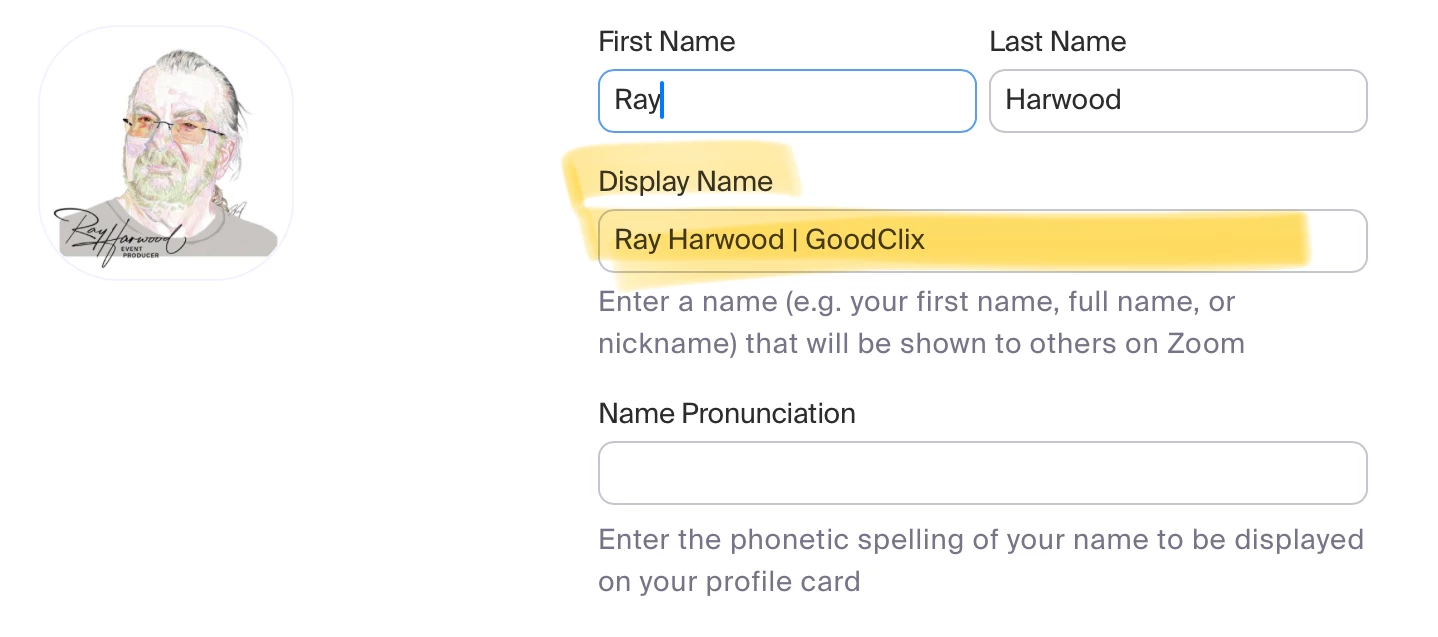
The profile editor will appear where you can make numerous changes, including Display Name which is always used as the default. 


3 replies

Ray_Harwood
Community Super Champion | Customer
July 23, 2025

Welcome to the Zoom Community, @Stumped123.


Changing your Display Name within a meeting only charges it for the duration of the meeting, as you have discovered. 

To make a persistent change, log in at https://zoom.us/profile and click the Edit link to the far right:

The profile editor will appear where you can make numerous changes, including Display Name which is always used as the default. 


Newcomer
August 1, 2025

thanks Ray, your suggestion worked like a charm.

MGSR
Community Manager
Community Manager
July 28, 2025

Hi @Stumped123! I wanted to let you know that I’ve marked @Ray_Harwood's response as the accepted solution, as I believe it answers your question. If you have any more questions or need further clarification, feel free to ask.

Newcomer
July 29, 2025

If your rename would not stick try saving changes properly check file permissions and restart the program to the device it might be a glitch.