
Mini window always on top in MacOs | Community
Skip to main content
Newcomer
June 18, 2022
Question

Mini window always on top in MacOs

  • June 18, 2022
  • 2 replies
  • 75 views

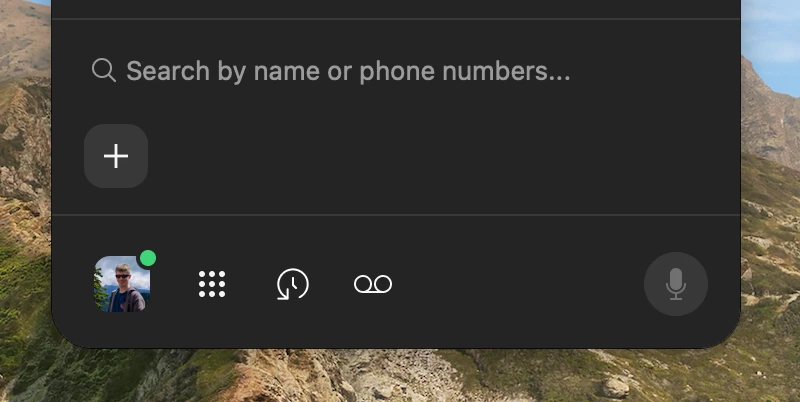
Since updating last week I have a second window whenever I open the Zoom app on MacOS (pic attached). It always stays on top of everything, and it's very annoying. How do get rid of this?

    2 replies

    Newcomer
    June 20, 2022

    +1 for this... no idea how or why this got enabled and no idea how to disable it!

    Newcomer
    June 20, 2022

    I just figured this out!  Navigate to:

      Zoom Settings -> General -> Zoom Updates


    Then disable the checkmark next to Phone:


    Newcomer
    August 3, 2022

    Not an option on Mac as far as I can tell

    Newcomer
    August 3, 2022

    Yeah, I'm on a Mac and I don't see that option in the version of Zoom I'm using now (v5.11.1).  I'm really not sure what version I was using when I saw that option.


    @PhilPhelix are you still seeing the "Assistant" window?  If so, what version of Zoom are you using?