Hi @NicoleG
I'd familiarize yourself with the ability to share computer sound with your shared content, so that your participants can see and hear the YT videos. You will also want to make sure to optimize your share for video to ensure the video plays smoothly for the participants. Both of these can be enabled at any point during the share, through the More button on the sharing toolbar:
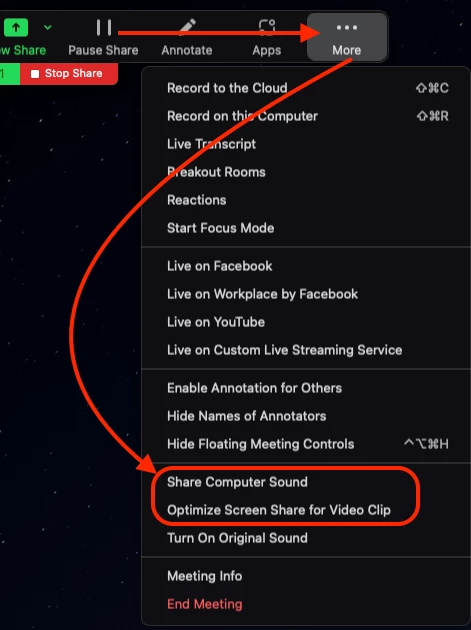
I'd recommend enabling those when you need the sound and video, then disabling them both when you don't, as other notifications can happen and your participants would hear those as well.
You might also want to try using the slides as virtual background feature, if your computer can handle virtual background and it suits your presentation.
Hope that helps and please make sure to mark the solution as accepted if this information is what you needed.

