

Have to download the Zoom every time I join a meeting | Community
Skip to main content
Newcomer
September 16, 2021
Solved

Have to download the Zoom every time I join a meeting

  • September 16, 2021
  • 2 replies
  • 11 views

Every time I try to join a meeting, even one of my own,  I get this screen:
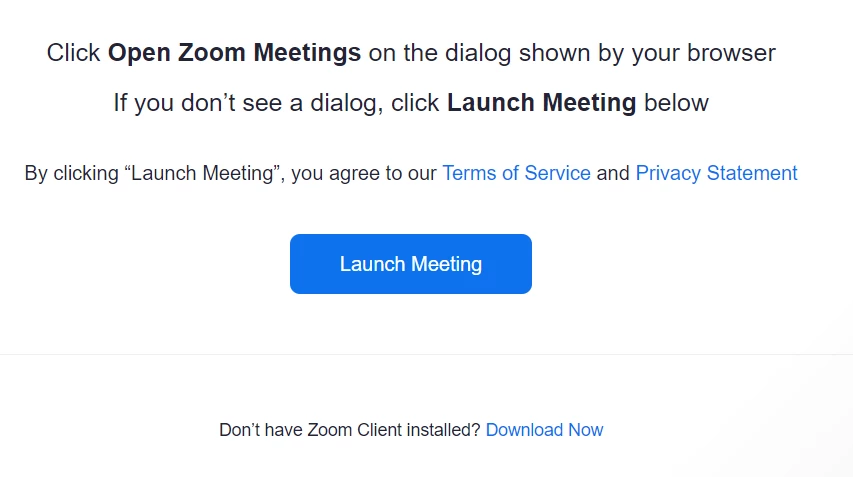
I click on "Launch Meeting", and nothing happens except that I get "Having issues with Zoom, join from your browser"

Then I click on "Download Now", it downloads, I click on the exe file, finally I can join.

Every time.  Every dang time.

    Best answer by YaBoiB

    @fulto006  If you log into the zoom app. The blue icon with the white camera. It will be in the dock on a macOS and for a Windows machine click start then start zoom. Log in with your credentials, then when you click on launch it will launch your meeting application. 

    When you are entering your credentials there is a check box labeled “keep me logged in” if you choose to check that box you should not have to go thru those steps every time. Hope this is helpful. 

    2 replies

    YaBoiB
    Community Champion | Employee
    YaBoiBAnswer
    Community Champion | Employee
    September 17, 2021

    @fulto006  If you log into the zoom app. The blue icon with the white camera. It will be in the dock on a macOS and for a Windows machine click start then start zoom. Log in with your credentials, then when you click on launch it will launch your meeting application. 

    When you are entering your credentials there is a check box labeled “keep me logged in” if you choose to check that box you should not have to go thru those steps every time. Hope this is helpful. 

    fulto006Author
    Newcomer
    September 17, 2021

    You're brilliant, Brandon!   Thanks!

    Newcomer
    February 25, 2025

    I have installed the app yet I still have to download now to make it work! 

    YaBoiB
    Community Champion | Employee
    Community Champion | Employee
    February 26, 2025

    Hello @Candice7


     Did you log into the app on your desktop? It will look like this, but maybe not in dark mode. I use dark mode for all of my system apps. If you log in to the app, and then click on a Zoom join link, to join a meeting, it will automatically launch the Zoom app. Your browser may ask you if you want to trust Zoom to open this app from your browser. It is usually a banner at the top of your browser, there is a radio box, that radio box (check or uncheck) is asking you if you want to open the Zoom Workplace Client (aka Zoom App) everytime that you click on a Zoom join link.