
Full HD Video Quality | Community
Skip to main content
Newcomer
March 6, 2024
Solved

Full HD Video Quality

  • March 6, 2024
  • 1 reply
  • 18 views

Dear All,


I am using a 2K quality camera so I need to enable Full HD-quality recording access for my account


Please support


Thank You

Best answer by bstrelko

You should be able to check your account to see if the HD feature is currently available:
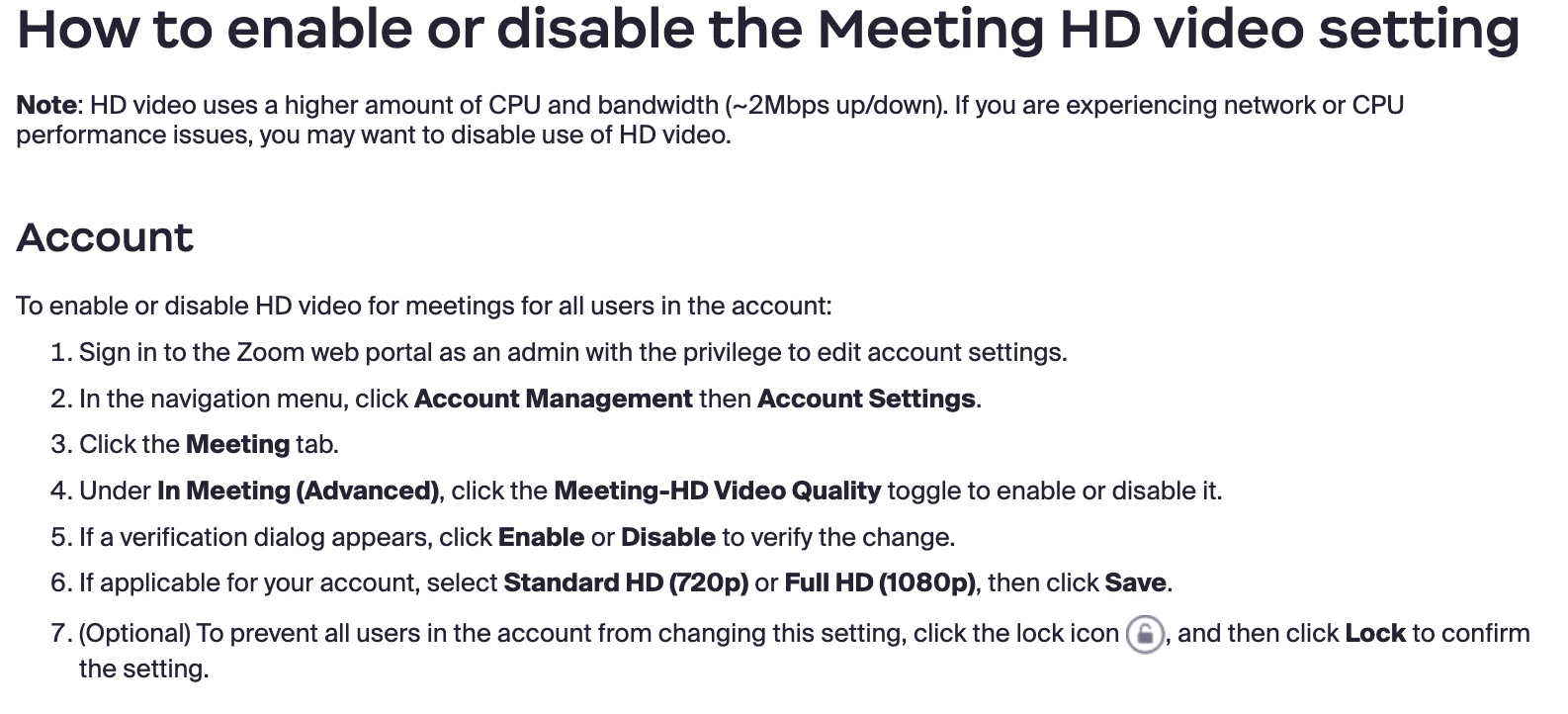
If you are unable to see an option for 'Meeting-HD Video Quality', you'll need to reach out to Zoom to get this activated.

 

1 reply

bstrelko
Community Champion | Customer
March 6, 2024

You'll need to make this request via Zoom Support (support.zoom.com for contact options), assuming you are a business, education, or enterprise account owner.


More details and instructions here:

https://support.zoom.com/hc/en/article?id=zm_kb&sysparm_article=KB0066166

Newcomer
March 7, 2024

I am using Pro so in that case applicable quality will be 720 (HP). Do I need to request also 720 (HP) access from ZOOM SUPPORT

Newcomer
September 11, 2024

You should be able to check your account to see if the HD feature is currently available:

If you are unable to see an option for 'Meeting-HD Video Quality', you'll need to reach out to Zoom to get this activated.


Sorry, that doesn't work. You can keep repeating the same message all it does is frustrate your community. I'm the one user of this account. I've confirmed that

- "Meeting-HD Video Quality" is toggled on (even toggled it on/off just to be sure)

- I've double-checked the settings in my app

- I've double-checked the speed of my network: 158 MBps down / 150MBps,  up 21 ms ping

- I'm on a MacMini (intel chipset, 36GB RAM) 

Any ideas?