

Error code 103054 (app) and 103008 (browser) when trying to join a meeting on Mac and iPhone | Community
Skip to main content
Newcomer
June 28, 2023
Question

Error code 103054 (app) and 103008 (browser) when trying to join a meeting on Mac and iPhone

  • June 28, 2023
  • 4 replies
  • 6 views

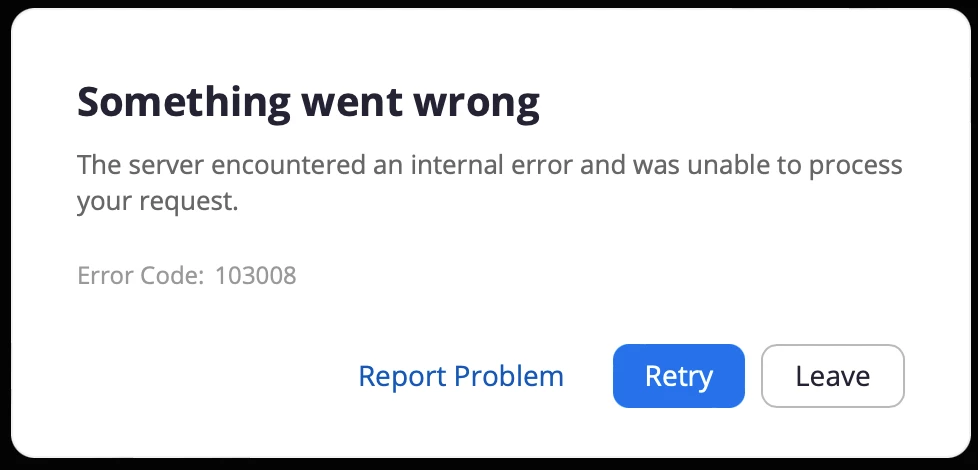
I'm having a problem joining a meeting on my Mac. It keeps showing error code 103054 when I try to join on the installed app, and then when I click to be redirected to the browser instead it says "The server encountered an internal error and was unable to process your request". I installed the latest version just now (5.15.2 (19786)), have restarted my computer several times, as well as uninstalled and reinstalled the app; still the same error codes. What am I doing wrong?
4 replies

Newcomer
June 29, 2023

I have exactly the same problem on windows 11. Cannot join scheduled meetings, it only works from iphone. It doesn't work from app nor web (Edge, firefox).

Community Champion | Customer
June 29, 2023

Hello,

 I suggest you submit a ticket with Zoom support 


https://support.zoom.us/hc/en-us/requests/new 
Regards

Newcomer
June 29, 2023

It have start working for me again.

Newcomer
June 29, 2023

Getting the same problem, and submitted a support ticket for it to be immediately closed. Guess I'm just missing my meetings...

CarlaA
Community Champion | Employee
July 14, 2023

Hi everyone!


Please follow the steps outlined in this new article for troubleshooting error 103054.

Zoom error code 103054 


I hope this helps!

Carla,
Zoom Community Team