

Does anyone have to install iPad plugin every single time when pressing sharing screen? | Community
Skip to main content
Newcomer
August 30, 2022
Solved

Does anyone have to install iPad plugin every single time when pressing sharing screen?

  • August 30, 2022
  • 5 replies
  • 0 views

The worst part is I got this problem "right after" I started the zoom subscription. 

Every single time I press ipad screen sharing option. I have to redownload and reinstall the plugin.  

This is really frustrating for the meeting since i have to switch around the screen a lot and have to wait every minute to share my ipad screen. 
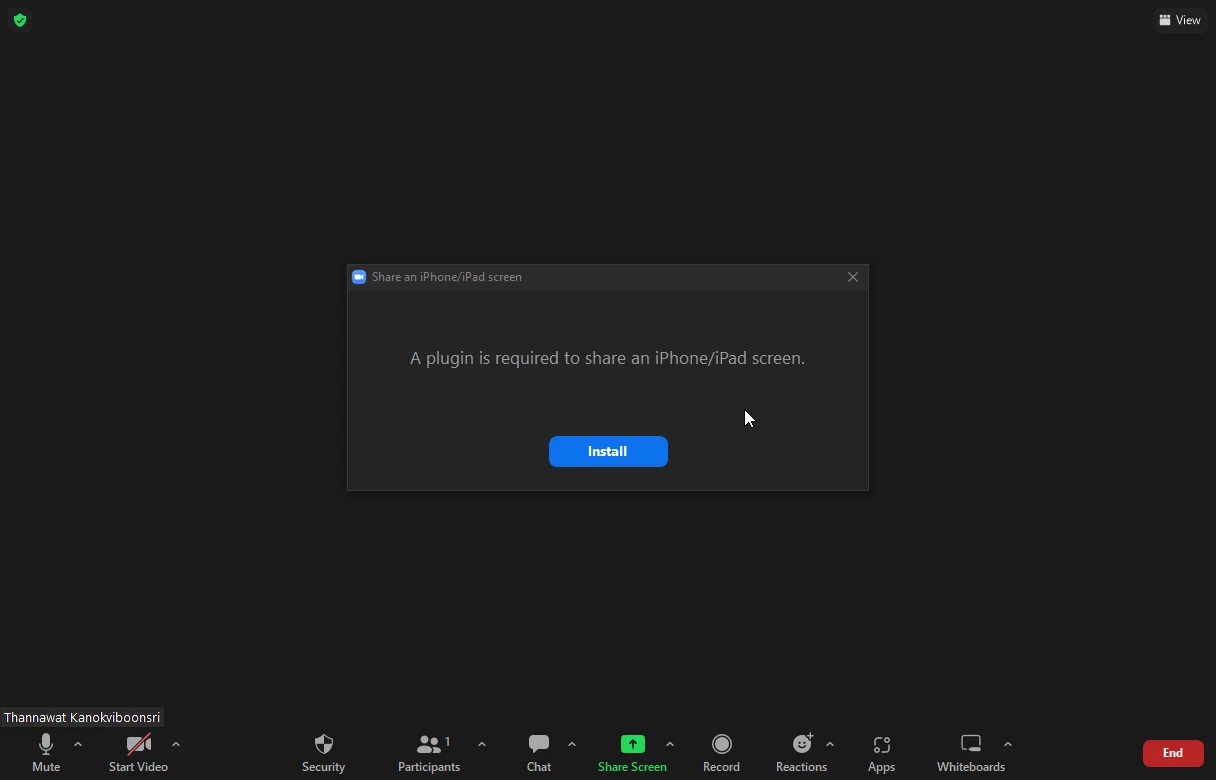
This screen keeps appearing even after I JUST SHARED IPAD SCREEN and stopped it


This happened in the past and it was gone but now it is back again. I really hope that Zoom do something about this because i rarely got this problem when it was free. But now I paid for it and everything gets worse. 


    Best answer by YaBoiB

    @All,


     I tested this out on my Windows 10 32 bit system with Zoom version 5.11.11 and iOS 15.7 on my iPad and I could not replicate what it is that you are experiencing. Therefor I can only assume that the issue is somewhere on your device or windows machine. I recommend running a full update on your windows and iPad to make sure that you are on the latest and greatest software. That way if there was a bug fix on the Zoom side, or Windows side you will not be experiencing it. 


    Thanks,

    Brandon 


    P.S. I tried to screen share twice just to make sure that the first time was not a fluke. I was in this meeting alone though. No other participants. 

    5 replies

    YaBoiB
    Community Champion | Employee
    Community Champion | Employee
    August 30, 2022

    Hello @mekkanok ,
    My name is Brandon. Thanks for joining the Zoom Community! It is possible that you do not have proximity sharing enabled on your iPad. Please check to make sure that your default settings are allowing Zoom to share from the iPad. 


    In your settings under Zoom the device will tell you what Zoom is allowed to access there. 


    Regards,

    Brandon 

    mekkanokAuthor
    Newcomer
    August 30, 2022

    I am talking about the pc, not the ipad. 


    On the pc, i have to always reinstall the plug in everytime. Ipad has no problem. 


    Can you specify more in detail on which setting on zoom pc that i have to go and check?

    Newcomer
    September 1, 2022

    Yes, I have also been experiencing this in recent months. It happens every single time I share to an iPad resulting in installing the plugin multiple times within the same zoom meeting.

    For example: Start a meeting

    Share to Ipad -> Install plugin first

    Stop sharing but still in the same meeting

    Start sharing again to iPad -> Install plugin again


    It's ridiculous. I have been a Zoom pro user for over 2 years and on the same hardware for that time.

    mekkanokAuthor
    Newcomer
    September 14, 2022

    Yeah it still happens and Zoom chooses to ignore all of these

    Newcomer
    September 15, 2022

    I do have the same problem every single time. What can we do ? 

    YaBoiB
    Community Champion | Employee
    Community Champion | Employee
    September 19, 2022

    Hello @Evi2 , @mekkanok , @MattH2 , 


     I have a Windows test PC and an iPad. Let me test this functionality really quick and let you know what I am seeing. 


    Brandon

    YaBoiB
    Community Champion | Employee
    YaBoiBAnswer
    Community Champion | Employee
    September 19, 2022

    @All,


     I tested this out on my Windows 10 32 bit system with Zoom version 5.11.11 and iOS 15.7 on my iPad and I could not replicate what it is that you are experiencing. Therefor I can only assume that the issue is somewhere on your device or windows machine. I recommend running a full update on your windows and iPad to make sure that you are on the latest and greatest software. That way if there was a bug fix on the Zoom side, or Windows side you will not be experiencing it. 


    Thanks,

    Brandon 


    P.S. I tried to screen share twice just to make sure that the first time was not a fluke. I was in this meeting alone though. No other participants. 

    mekkanokAuthor
    Newcomer
    September 20, 2022

    Finally the ver 5.11.11 solves the issuse! I was using 5.11.9 since the zoom doesn't show the new update. Last time I was checking and there was no update. I just pressed check for update and now I am on latest one.

    Hope this problem doesn't come back since it came back when I updated to 5.11.9