
Solved
Delete a contact
How can i delete a contact? This contact is still displayed to me in the "Invite participants". Thanks!

How can i delete a contact? This contact is still displayed to me in the "Invite participants". Thanks!
Hi, @cinziamonguzzi,
Are you talking about the Invite in a Zoom Meeting or Webinar? (Starting with Alt-I or clicking Invite on the Participant window)
I think it only populates from the External, Company, Personal, and Imported contacts in your Zoom Contacts list - I don't think it includes the Cloud Contacts (which it grabs from your Outlook contacts).
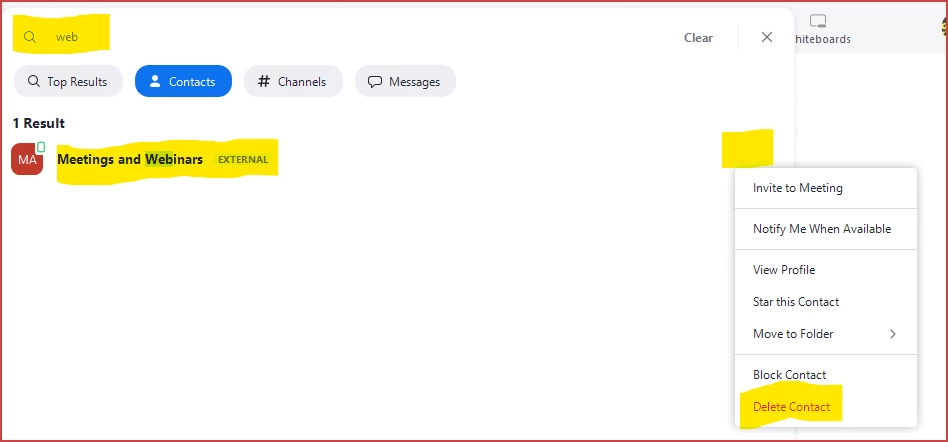
The easiest way is to open your Zoom desktop client and click Control-F to search, enter part of the name, and their Contact entry should show up. Just click the ... menu and click Delete -- poof! Gone.
Enter your E-mail address. We'll send you an e-mail with instructions to reset your password.