
cancel
Showing results for 
Search instead for 
Did you mean: 
Effective January 9th, 2026 through January 22nd, 2026: The Zoom Community is currently in read-only mode with login disabled, to deliver you a new and improved community experience!

The site is still accessible to view, however, the ability to login, create content, or access your community account is temporarily unavailable. We appreciate your patience during this time. If seeking support, please browse existing community content or ask our Zoom Virtual Agent.

Date and time on the bottom right of the screen

Simone11
Newcomer
Newcomer

Hi, I would like to know how I can remove the date and the time that appears on the bottom  right of the screen. Here is an example. Thank you
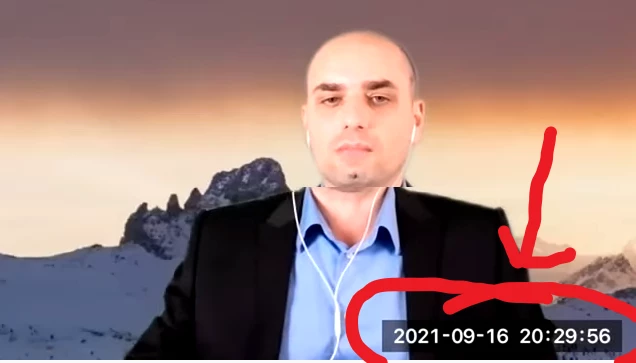
FireShot Capture 042 - La nostra intervista ad Andrea Cecchi. _I lockdown sono propedeutici _ - www.youtube.com.png

1 REPLY 1

Bort
Zoom Employee
Zoom Employee

Looks like the Timestamp setting for recordings. That can be adjusted on local recording settings (directly in the client settings) or the cloud recording settings (in the web settings under the Recording tab).
