

Can't "see" whole calendar on laptop to forward to schedule a meeting to desired month/date! | Community
Skip to main content
Newcomer
August 1, 2022
Solved

Can't "see" whole calendar on laptop to forward to schedule a meeting to desired month/date!

  • August 1, 2022
  • 2 replies
  • 0 views

Hello Friends,


For some reason, on my laptop, when trying to pick a date for a future meeting, I cannot see the entire monthly calendar (the pop-up is cutoff at top) so I am not able to forward to the desired date. I can see it on my desktop however. This is not only annoying be super inconvenient!! Weird thing is, I used to be able to do this from my laptop.


Please see attached screenshot.


Any help is appreciated!

THANK YOU!

    Best answer by bdelossantos

    Hello @amyfournier,


    Thank you for your message. From your browser's view, can you try this please:


    Press the Command and (- Minus) keys from the keyboard (if you're using Mac)

    Press the CTRL and (- Minus) keys from the keyboard (if you're using Windows)


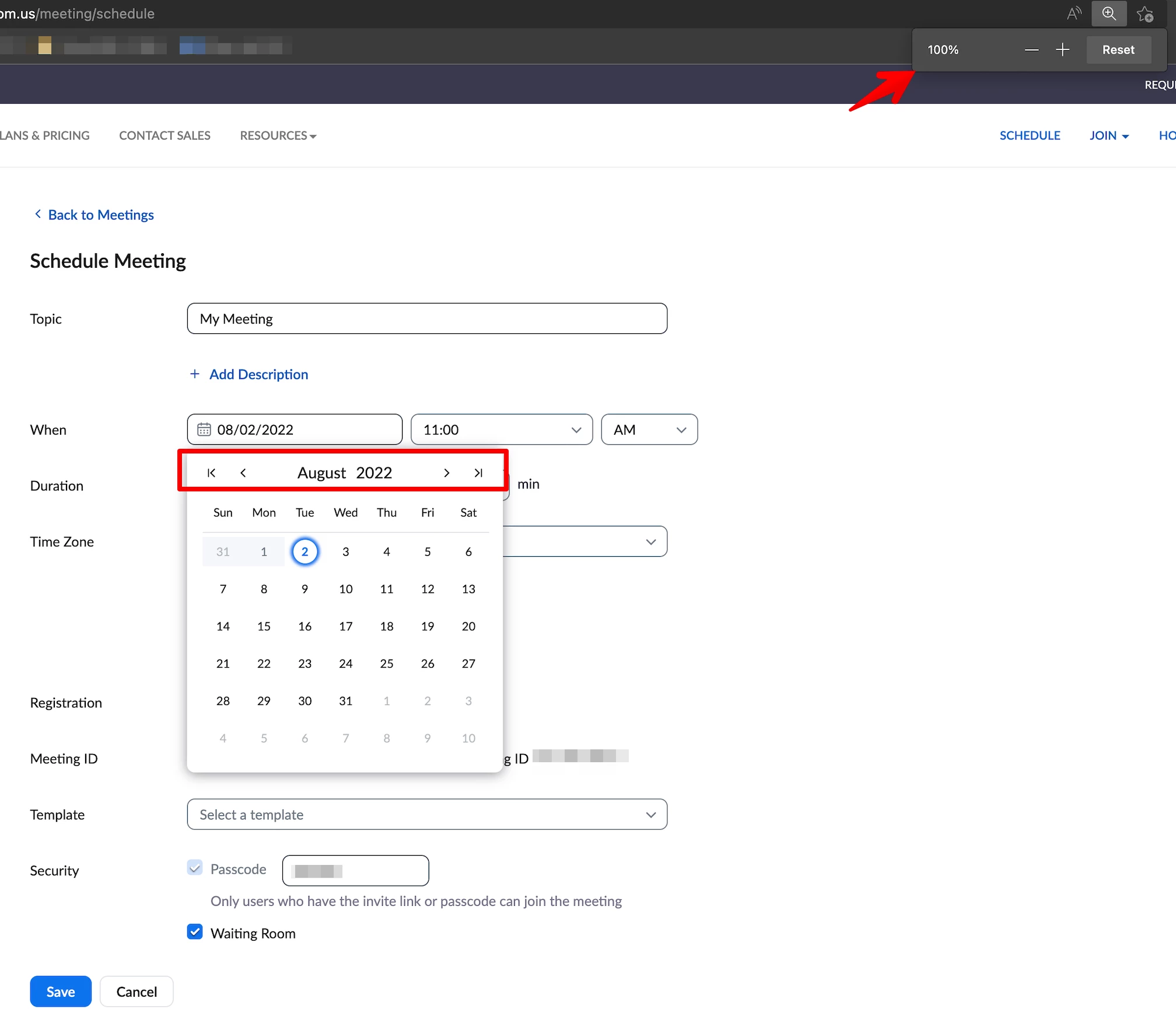
    An example view from my side when set at 100%:


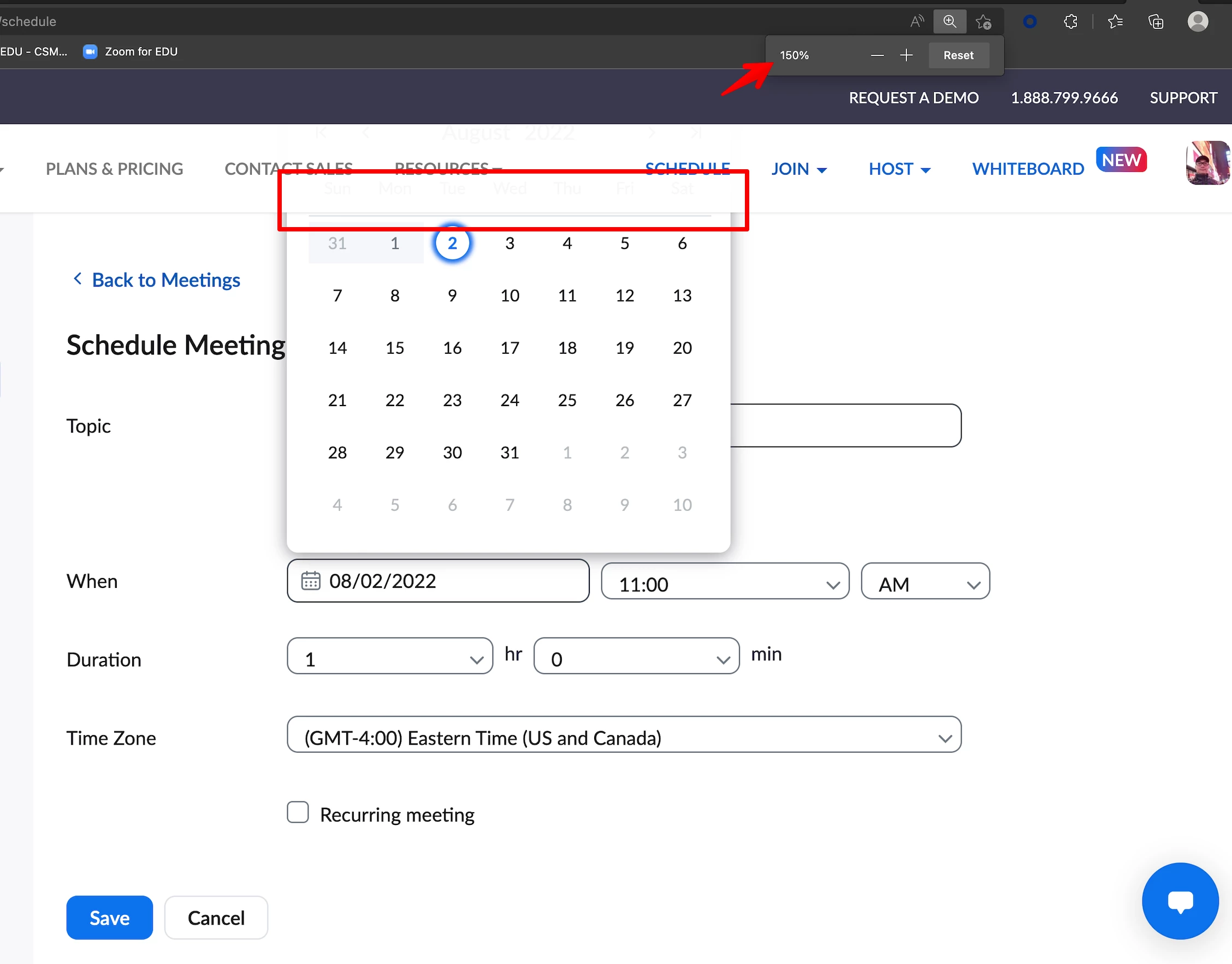
    While this is an example view set at 150%:


    2 replies

    Community Champion | Employee
    August 2, 2022

    Hello @amyfournier,


    Thank you for your message. From your browser's view, can you try this please:


    Press the Command and (- Minus) keys from the keyboard (if you're using Mac)

    Press the CTRL and (- Minus) keys from the keyboard (if you're using Windows)


    An example view from my side when set at 100%:


    While this is an example view set at 150%:


    Newcomer
    August 4, 2022

    Wow yes!
    It worked!
    Brilliant - thank you so very much!!!!!!