

cancel
Showing results for 
Search instead for 
Did you mean: 
The Zoom Community will be placed in read-only mode January 9th, 2026 through January 22nd, 2026 to deliver you a new and improved community experience!

The community will still be accessible, however, the creation of any new discussions or replies will be temporarily unavailable. We appreciate your patience during this time.

Can't "see" whole calendar on laptop to forward to schedule a meeting to desired month/date!

amyfournier
Explorer
Explorer

Hello Friends,


For some reason, on my laptop, when trying to pick a date for a future meeting, I cannot see the entire monthly calendar (the pop-up is cutoff at top) so I am not able to forward to the desired date. I can see it on my desktop however. This is not only annoying be super inconvenient!! Weird thing is, I used to be able to do this from my laptop.


Please see attached screenshot.


Any help is appreciated!

THANK YOU!

1 ACCEPTED SOLUTION

bdelossantos
Community Champion | Employee

Hello @amyfournier,


Thank you for your message. From your browser's view, can you try this please:


Press the Command and (- Minus) keys from the keyboard (if you're using Mac)

Press the CTRL and (- Minus) keys from the keyboard (if you're using Windows)


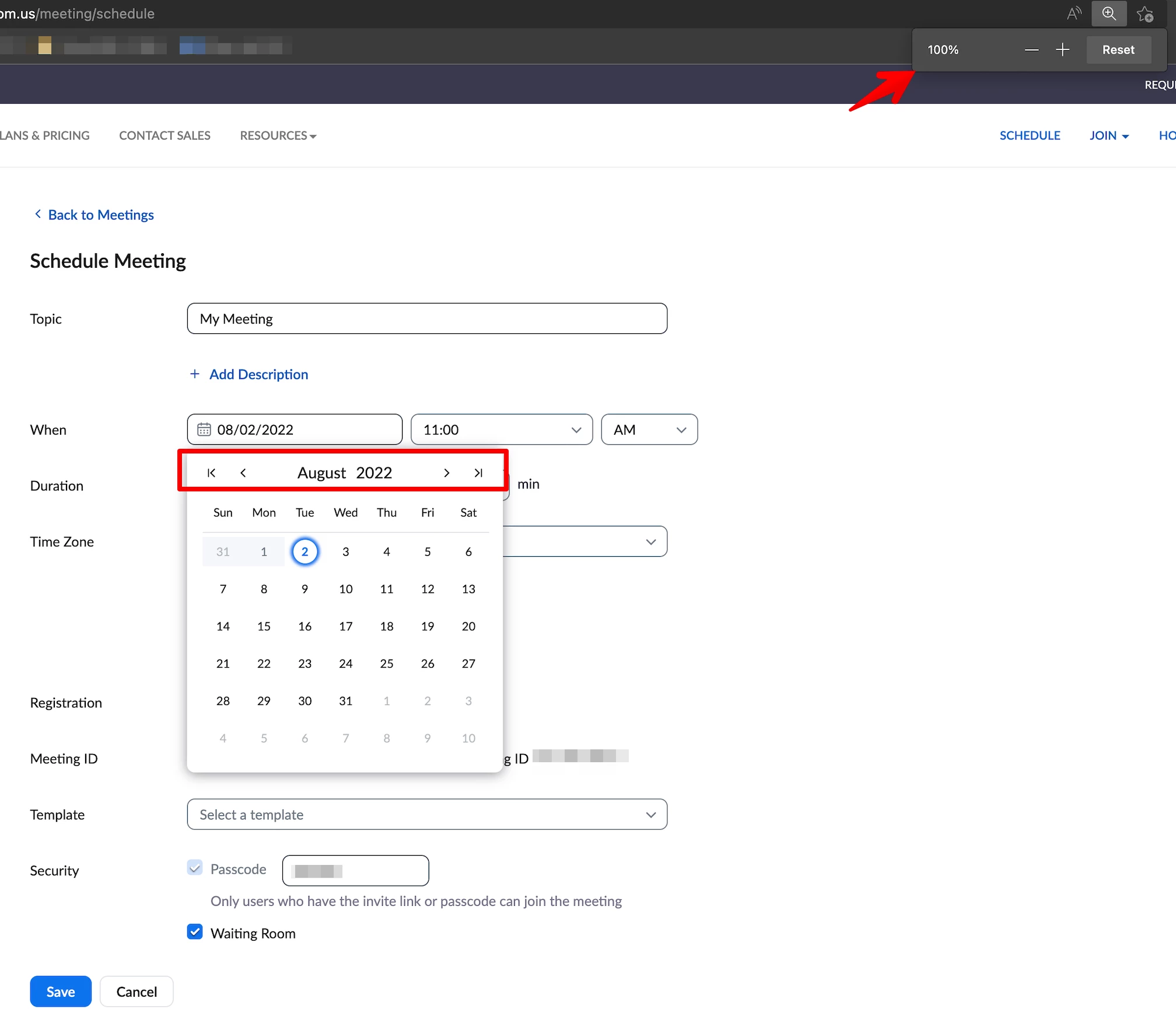
An example view from my side when set at 100%:
 

bdelossantos_0-1659451577518.png


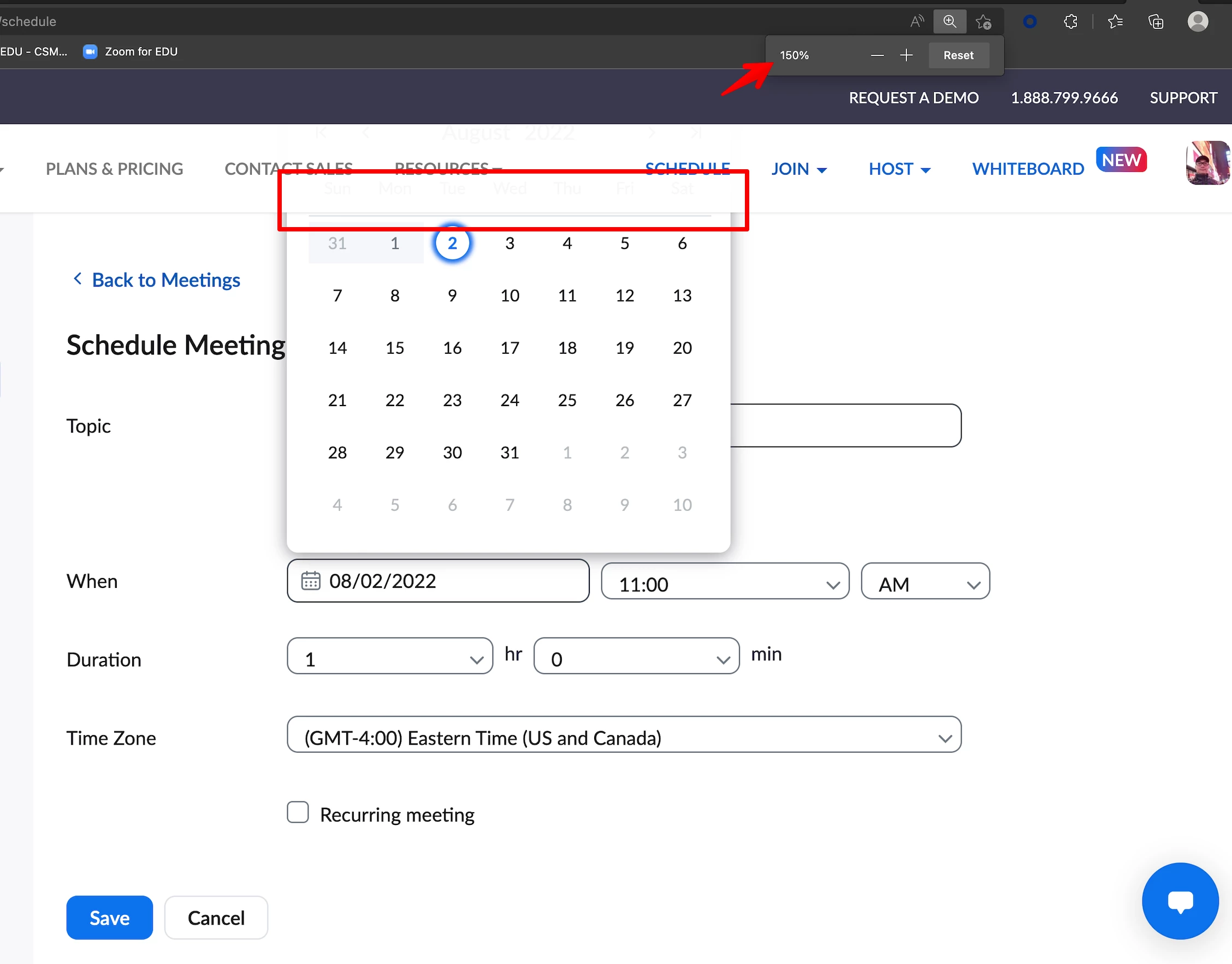
While this is an example view set at 150%:
 

bdelossantos_1-1659451764852.png


"Challenges help us grow, try and learn new things, welcome constructive feedback, embrace uncertainty, and always assume the best intentions, especially with our teammates." - from a respected leader

View solution in original post

2 REPLIES 2

bdelossantos
Community Champion | Employee

Hello @amyfournier,


Thank you for your message. From your browser's view, can you try this please:


Press the Command and (- Minus) keys from the keyboard (if you're using Mac)

Press the CTRL and (- Minus) keys from the keyboard (if you're using Windows)


An example view from my side when set at 100%:


bdelossantos_0-1659451577518.png


While this is an example view set at 150%:


bdelossantos_1-1659451764852.png


"Challenges help us grow, try and learn new things, welcome constructive feedback, embrace uncertainty, and always assume the best intentions, especially with our teammates." - from a respected leader

amyfournier
Explorer
Explorer

Wow yes!
It worked!
Brilliant - thank you so very much!!!!!!