

Camera not working | Community
Skip to main content
Newcomer
September 22, 2021
Question

Camera not working

  • September 22, 2021
  • 13 replies
  • 114 views

Hi! My camera is not working. It was working just fine on this computer for the past 18 months but a few weeks ago it decided it didn't want to work anymore.


When I am in a zoom call, it refuses to let me turn on my camera on my laptop but it works just fine on my phone. My laptop camera is fine, I tried using the camera app and it works just fine.


Here are the things I have tried to do:

-updating my camera driver

-updating zoom

-uninstalling and reinstalling zoom

-allowed zoom in my computer privacy settings

-turned every setting on and off again in the zoom camera settings

-restarting my laptop

-updating my laptop

-even contacted the chatbot help thing and nothing they suggested helped.


None of it worked, and I'm out of ideas on what to do. Could someone please help me?


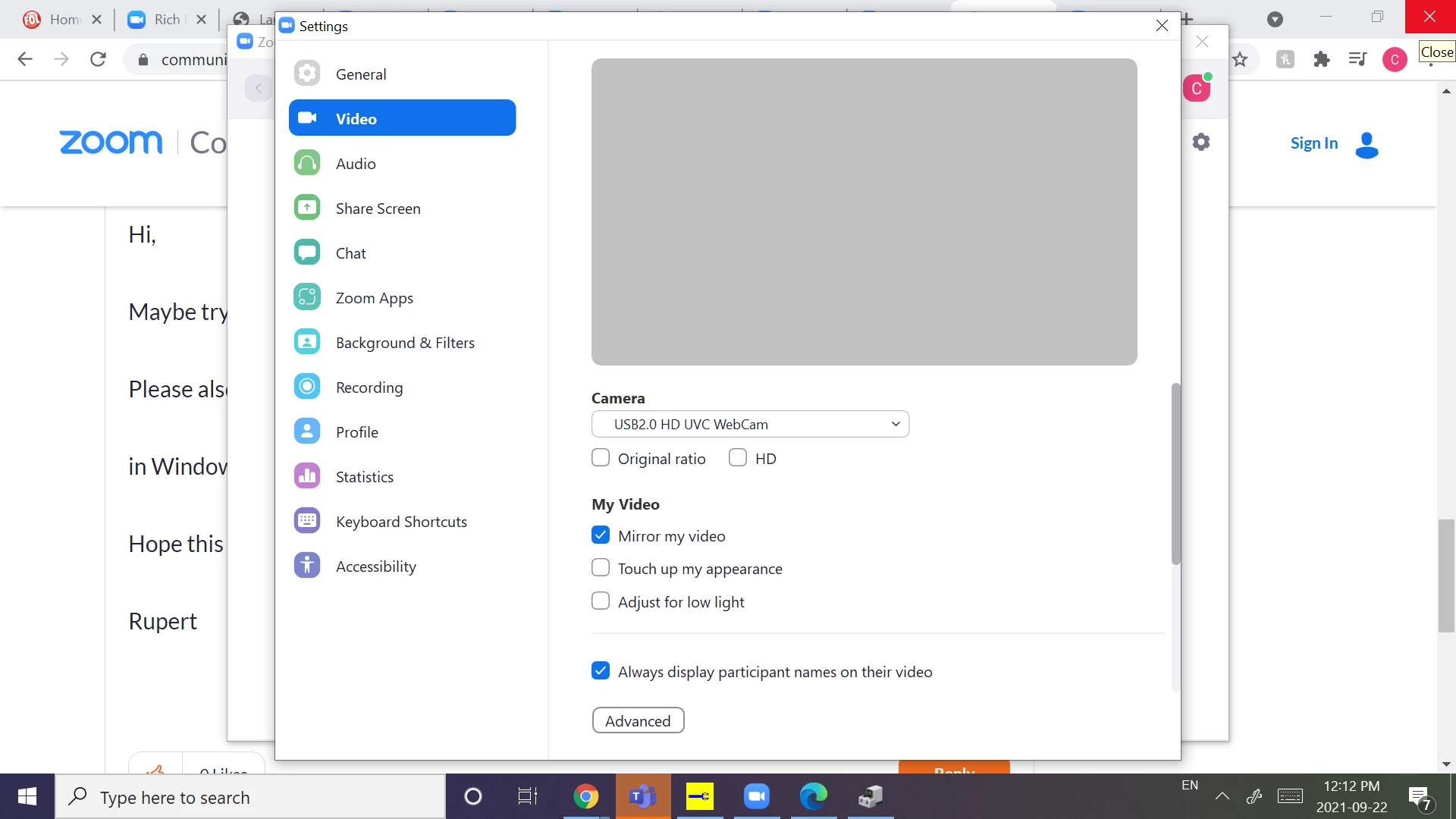
Here is what it looks like to me:
    13 replies

    Rupert
    Community Champion | Customer
    Community Champion | Customer
    September 22, 2021

    Hi @Charlie_ 


    You have tried an extensive list of steps!


    Here's a couple more to try.


    Zoom is releasing a new update today - so be sure to check for updates again.


    Have you tried toggling the settings under "Advanced" Video Settings?


    Can you try running Zoom "As Administrator"?


    Do you have anything else running in the background that might be set to your camera - like Teams, or WebEx, or even Skype?


    Check for any pending Windows Updates.


    Does your laptop have an internal camera, or are you only using a USB camera?


    Rupert


    Newcomer
    October 5, 2021

    I did not ask this question but am having exactly the same problem. Logged into a meeting tonight and, even when I had the video switched on, all it showed for me was a black box. I could see everyone else but couldn't see myself and no one else could see me. Audio worked fine. This is a weekly meeting that I have been attending with no problems for the past 6 months. Tried all the fixes suggested by the bot + your kind suggestions. I have nothing else running that uses my camera. My laptop has an embedded webcam/camera and the camera light is on. I reset all my zoom settings to default settings in case I hit something I shouldn't have hit. I'm out of ideas 😞


    Newcomer
    November 9, 2021

    Exact same problem here. Maybe time to get a usb camera?

    Newcomer
    January 7, 2022

    Have you been able to resolve the camera problem?  We now have the same problem.  Camera goes grey, freezes up, works intermittently.  Thanks for replying

    Newcomer
    January 7, 2022

    Have you been able to resolve the camera problem?  We now have the same problem.  Camera goes grey, freezes up, works intermittently.  Thanks for replying

    Newcomer
    February 2, 2023

    i have the same problem

    Newcomer
    April 6, 2022

    Having the same problem here.. suggested solutions don't fix it

    Newcomer
    July 16, 2022

    Frustrating! 


    1. Purchase a USB camera. It always works.

    2. Is it the settings on the windows or that of the manufacturer of your computer.

    3. Can you reload the video driver? There is another thread here in Zoom support called 'Camera is not working'  note the word 'is' gets you to another similar thread where the champion tech support fellow gives a link to how to reinstall the video driver. 

    Newcomer
    August 19, 2022

    I'm having the same problem and it just started - yesterday it worked fine, now nothing I do will fix it.  Tried everything listed above and I have a USB camera and an IPEVO document camera - neither will work.

    Newcomer
    January 16, 2023

    I've used Zoom for over 2 years. Last night my camera stopped working for the 1st time. Howabout a fix NOW.


    Newcomer
    January 16, 2023

    Was my "camera no working" message received?


    Newcomer
    January 16, 2023

    The 50 dollar USB camera my local cyberconnections shop seems to be the cure. As they said, it always works

    Newcomer
    February 7, 2023

    Try turning on the camera switch located on your keyboard. My switch was off and now I am able to use my camera in Zoom meetings.

    Newcomer
    March 29, 2023

    What does the camera switch look like on a MacBook Air 2012, please?