Zoomtopia is here. Unlock the transformative power of generative AI, helping you connect, collaborate, and Work Happy with AI Companion.
Register nowEmpowering you to increase productivity, improve team effectiveness, and enhance skills.
Learn moreEmpowering you to increase productivity, improve team effectiveness, and enhance skills.
Zoom AI Companionユーザー グループは、同じ関心や専門知識を持つコミュニティ メンバーが協力し、交流し、知識を交換できるユニークな場です。
ヘルプとリソースでは、有用な Zoom サポート情報を見つけたり、Zoom コミュニティのハウツー資料を参照したり、コミュニティの最新情報やお知らせを確認できます。
イベントページでは、今後のウェビナー、プラットフォームトレーニングセッション、対象ユーザーイベントなどが掲載されています。スキル向上やZoomユーザーとの交流の機会を逃さずチェックしてください。
2024-10-14 05:24 PM
When I share a screen in a meeting, other participants see black rectangles hiding the part of the shared screen, which is the video and toolbar in my vision.
https://photos.app.goo.gl/LEG1jwo82JmzHuYw9
I already tested many solutions by changing many settings (e.g., capture with window filtering, optimize to video sharing) to solve this issue, but it did not work for me.
I would appreciate it if you showed me how to solve this issue.
解決済! 解決策の投稿を見る。
2024-10-15 08:27 AM
Hello @Tomoya1
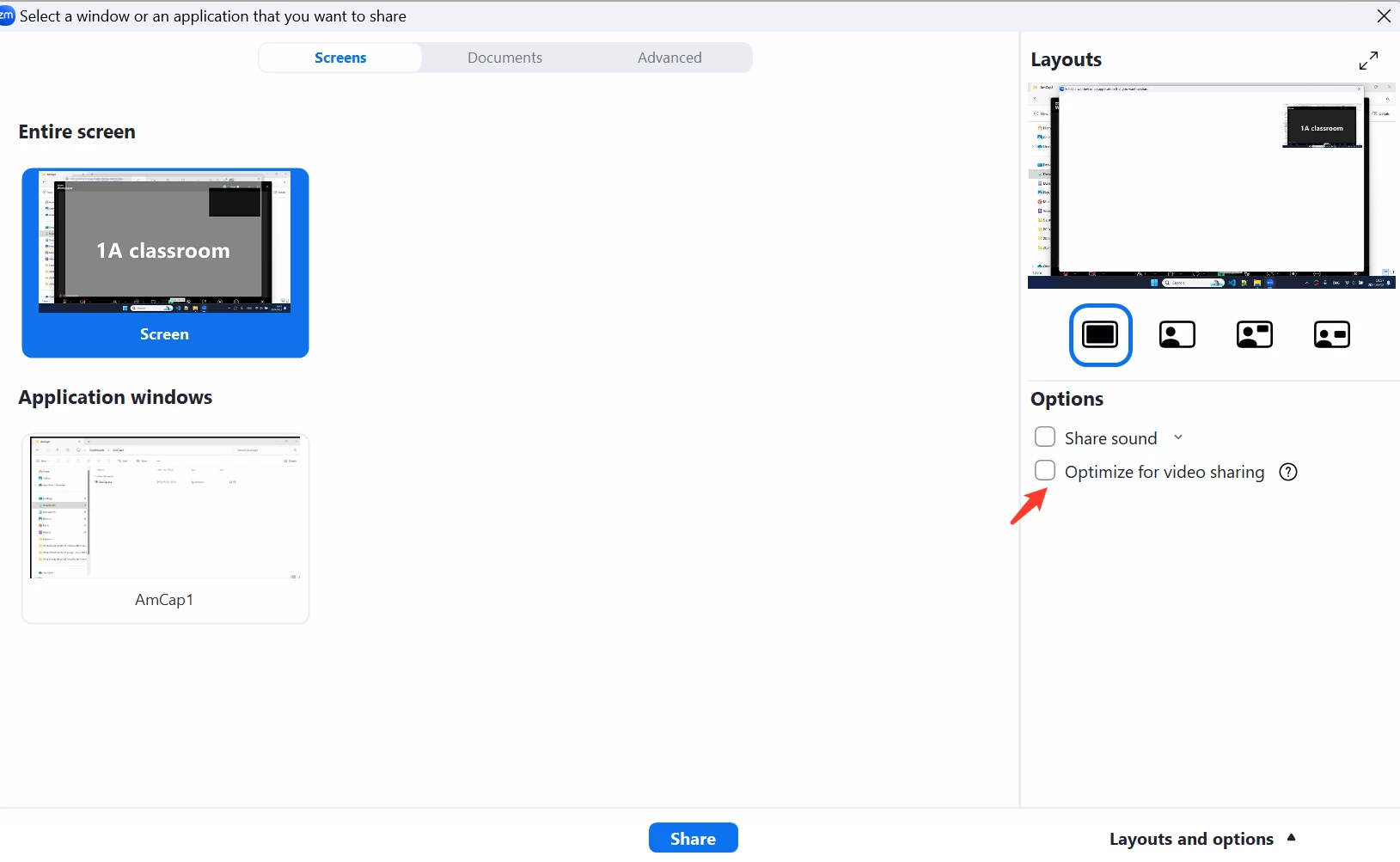
I would visit the following articles/posts to see if the troubleshooting here assists:
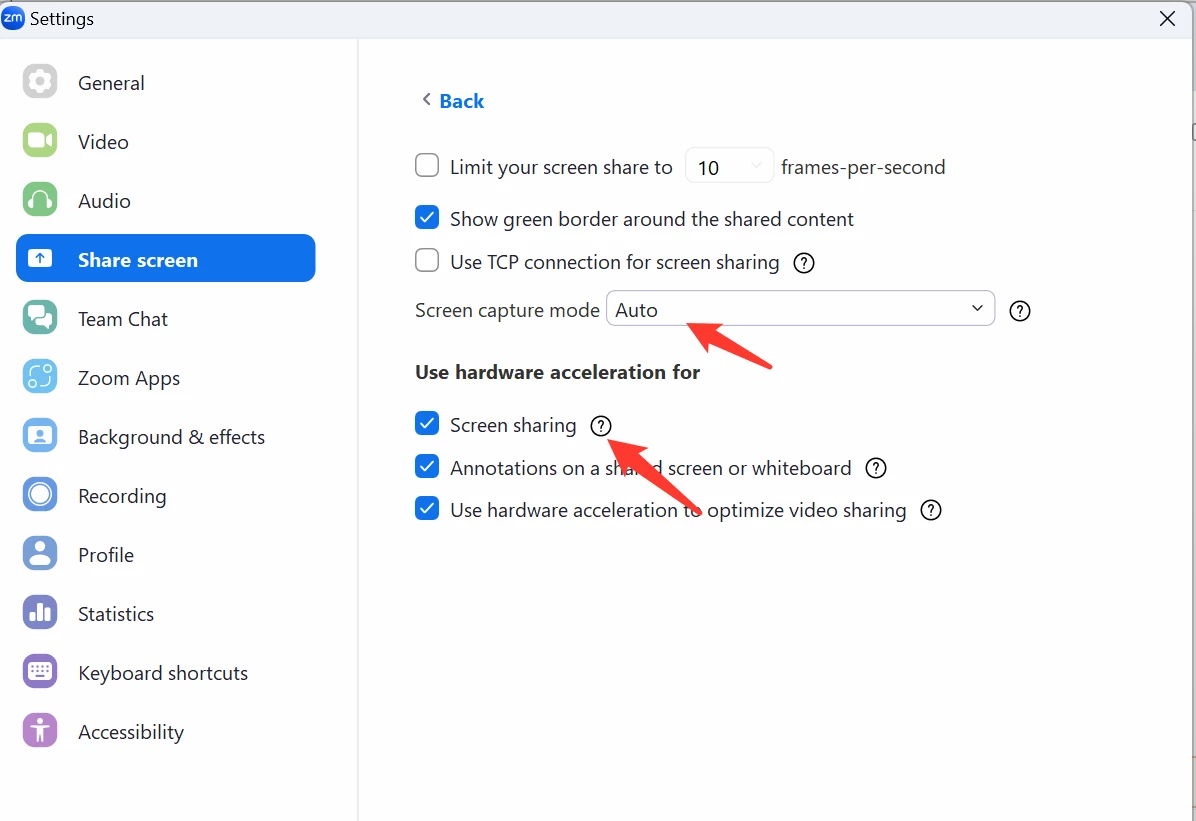
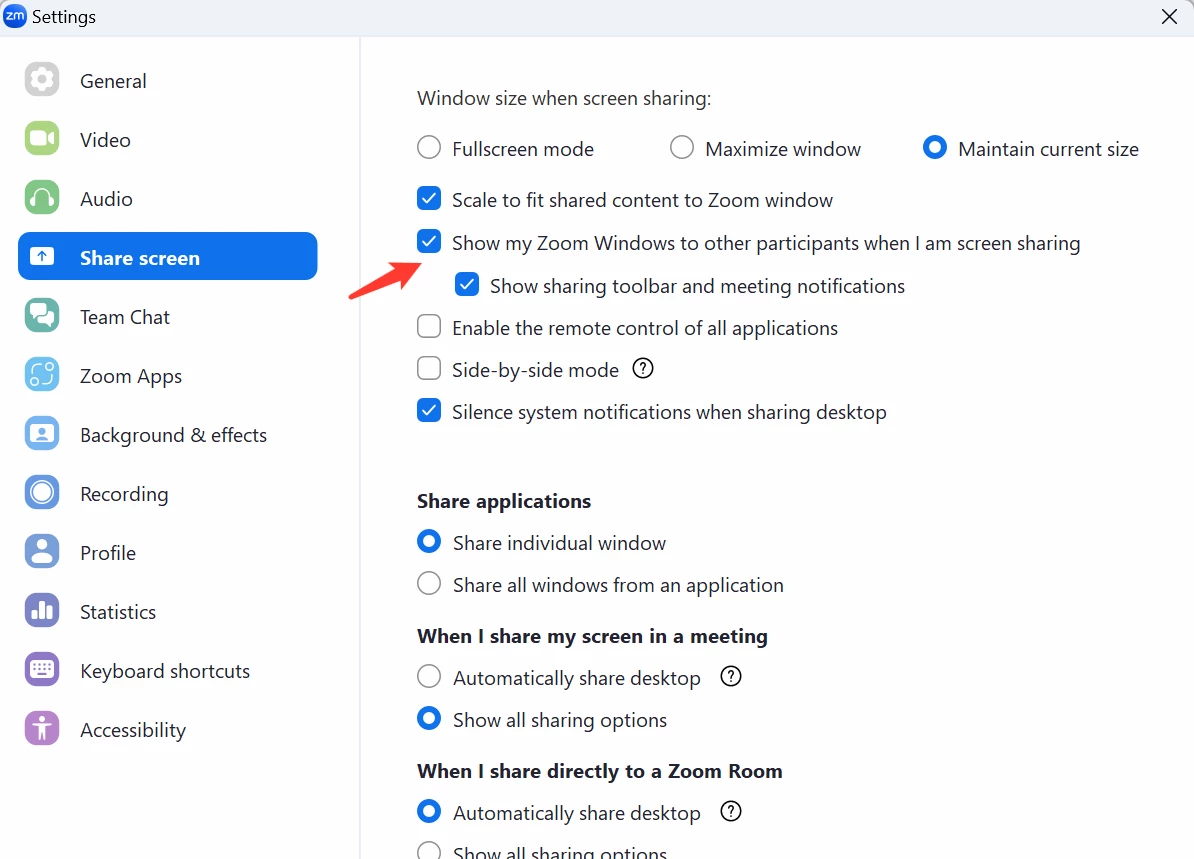
Here are a few other points on this issue that I have seen recently that I would like to share:
If your CPU is Intel Iris Xe Graphic, please update the driver to the latest version, Intel fixed a problem in 32.0.101.5972, this fix is for this CPU type only.
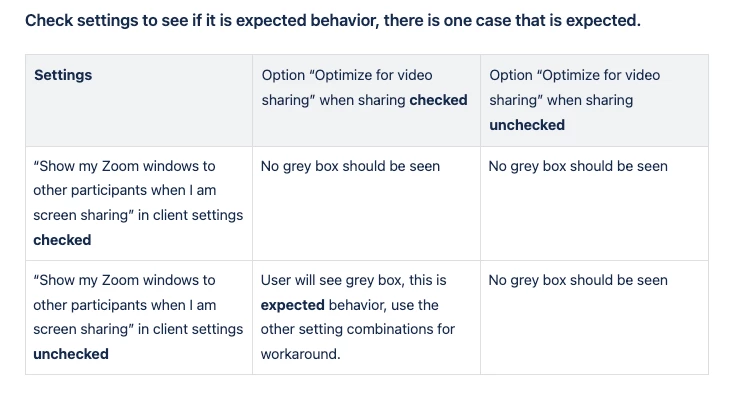
Lastly, this screenshot should assist with some more detailed expected behaviors concerning this issue:
I hope this helps and please make sure to mark the solution as accepted if this information is what you needed.
Thank you,
Jake
2024-10-15 08:27 AM
Hello @Tomoya1
I would visit the following articles/posts to see if the troubleshooting here assists:
Here are a few other points on this issue that I have seen recently that I would like to share:
If your CPU is Intel Iris Xe Graphic, please update the driver to the latest version, Intel fixed a problem in 32.0.101.5972, this fix is for this CPU type only.
Lastly, this screenshot should assist with some more detailed expected behaviors concerning this issue:
I hope this helps and please make sure to mark the solution as accepted if this information is what you needed.
Thank you,
Jake
2024-10-15 09:00 AM
Thank you @jdott16
The solution "Go to Client Settings > Share Screen > Advanced > select Auto mode Screen capture mode, and turn on hardware acceleration for Screen sharing" worked for me!
I appreciate your detailed explanation.